Change Tenant From One Unit To Another Unit
If a tenant wants to change from a unit to another, follow these steps to ensure a smooth transition in EasyRenz:
Step 1 : Create a new booking for the tenant on the new unit
Step 2 : You can delete the rental if your rental status is Booked. If you've checked in the tenant, you can only check out the rental.
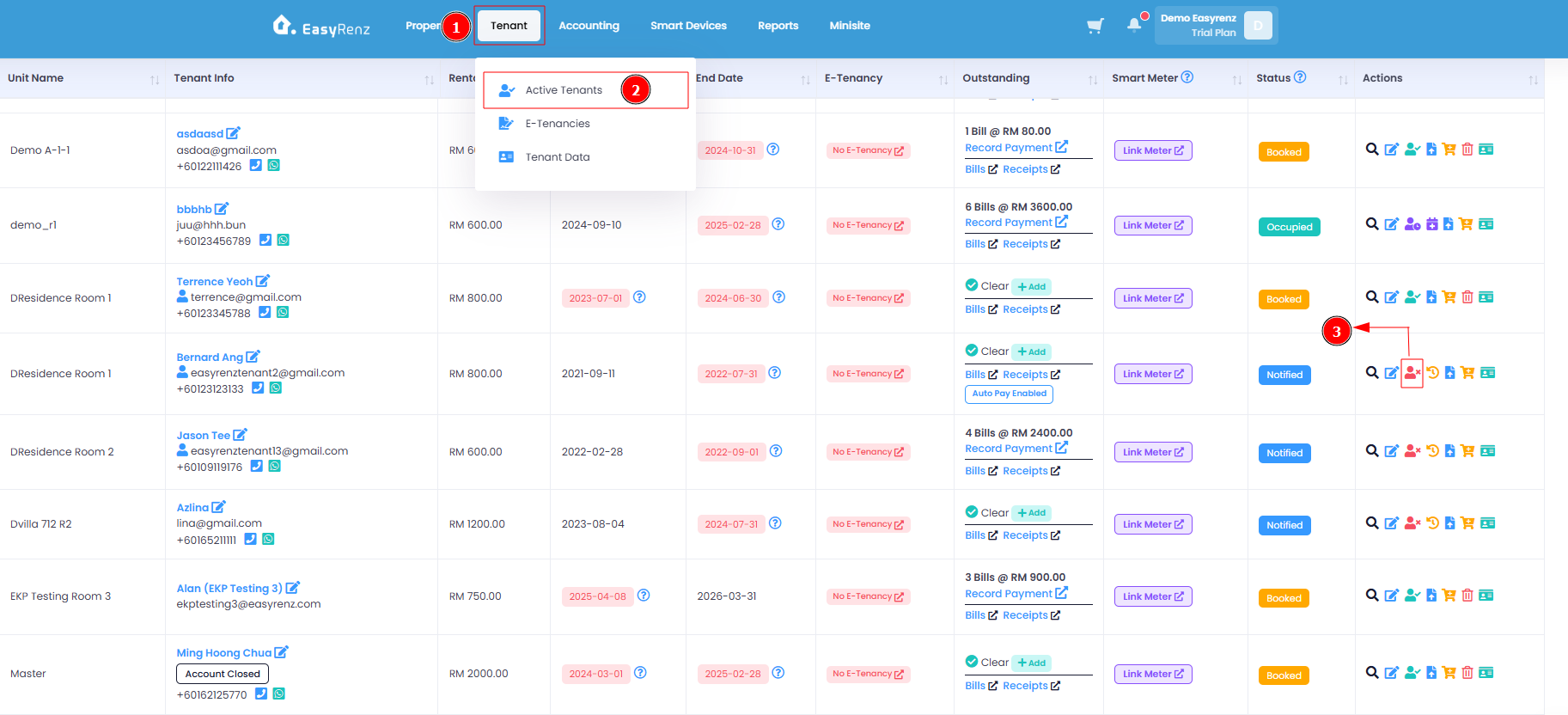
To check out a rental, go to Tenant > Active Tenants > Check Out the tenant under the Actions column
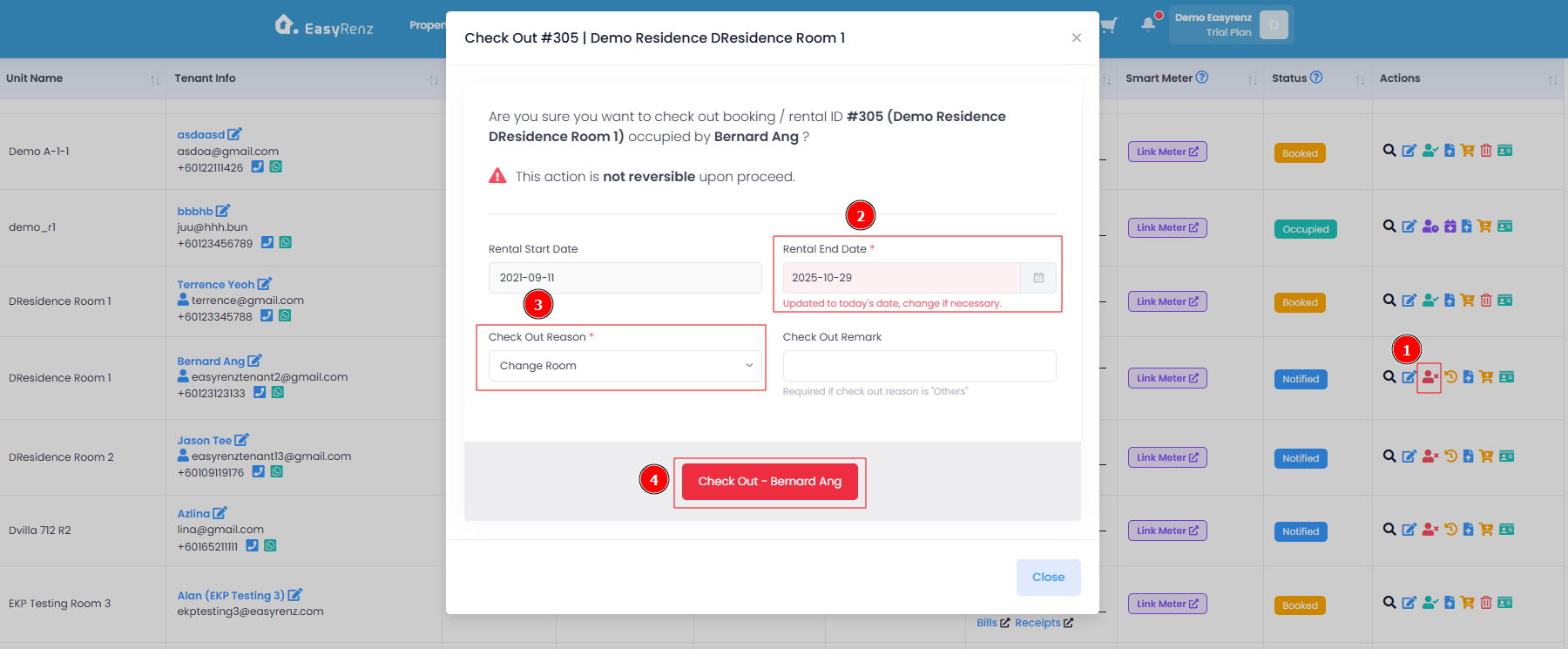
Verify your check out details > Check Out
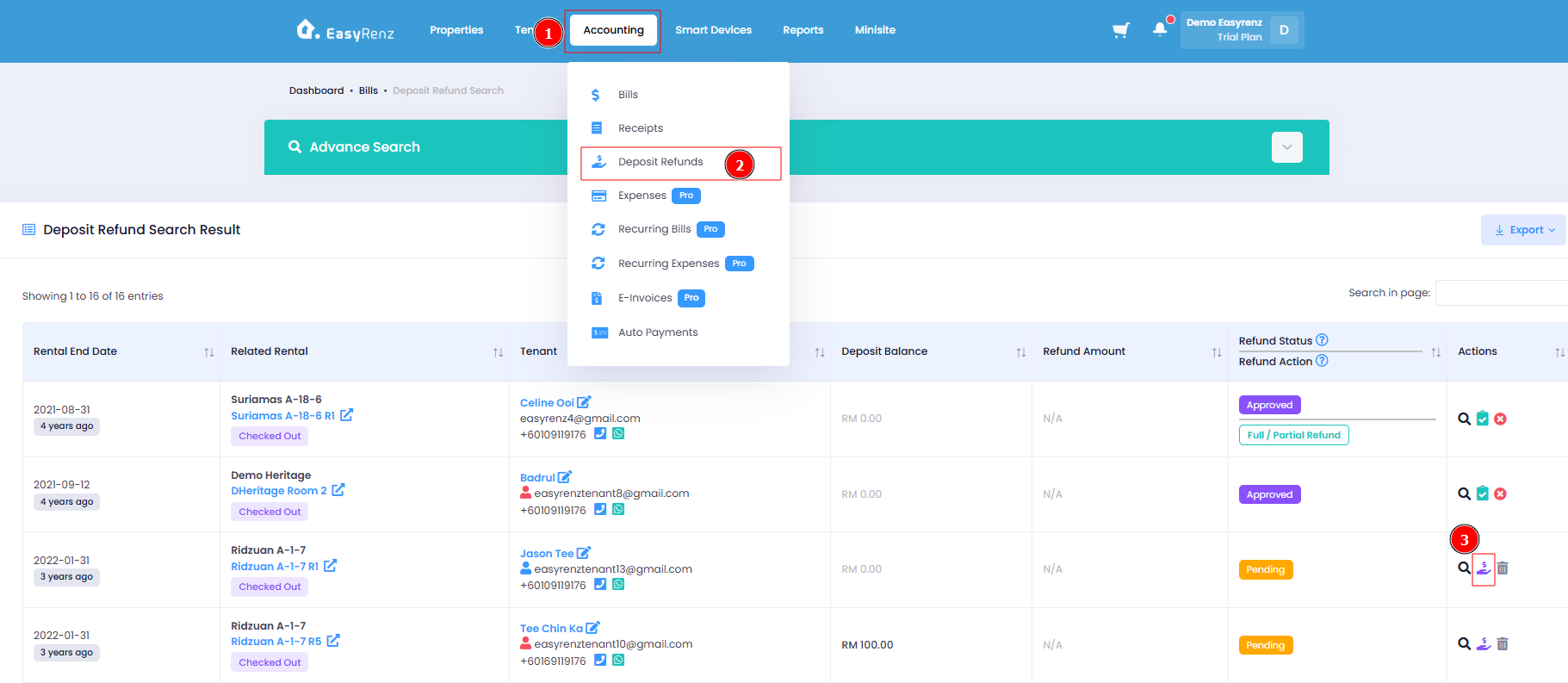
[Web Version Only] Transferring deposit from previous rental to new rental.
Go to Accounting > Deposit Refunds > Create Refund from Action Tab > select Deposit Transfer.
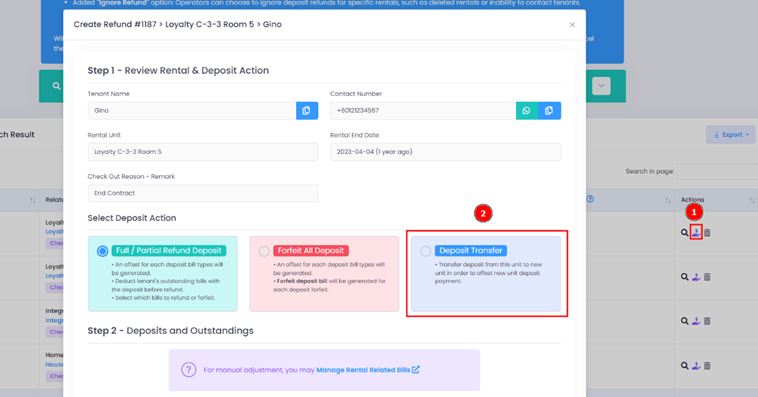
To learn more about deposit transfer, refer > [Deposit Refunds] How To Create Deposit Refund ?
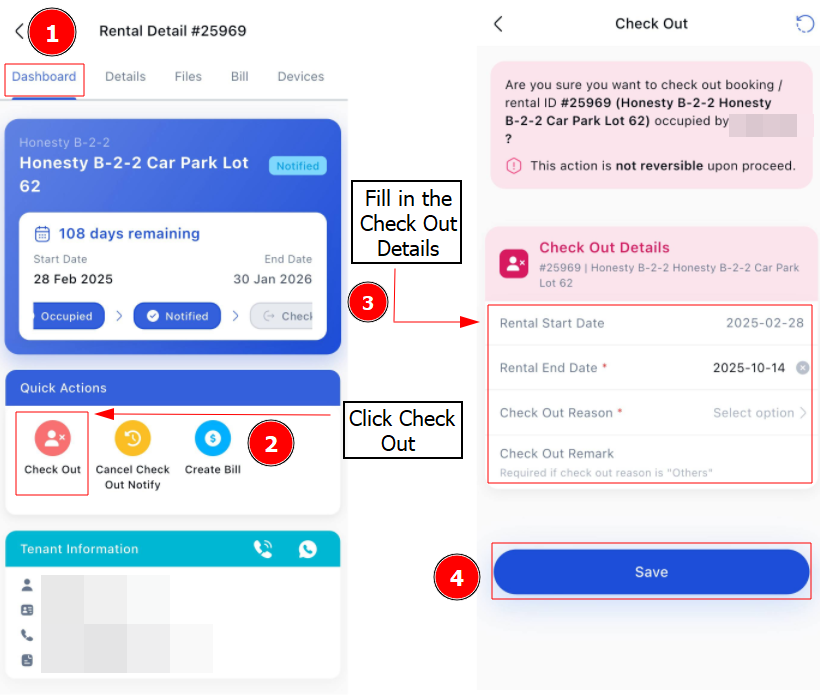
[Mobile Version] Change Tenant From One Unit To Another Unit
Step 1: Create a new booking for the tenant on the new unit
Step 2: Click Tenant > Select your tenant that wants to change to another unit.
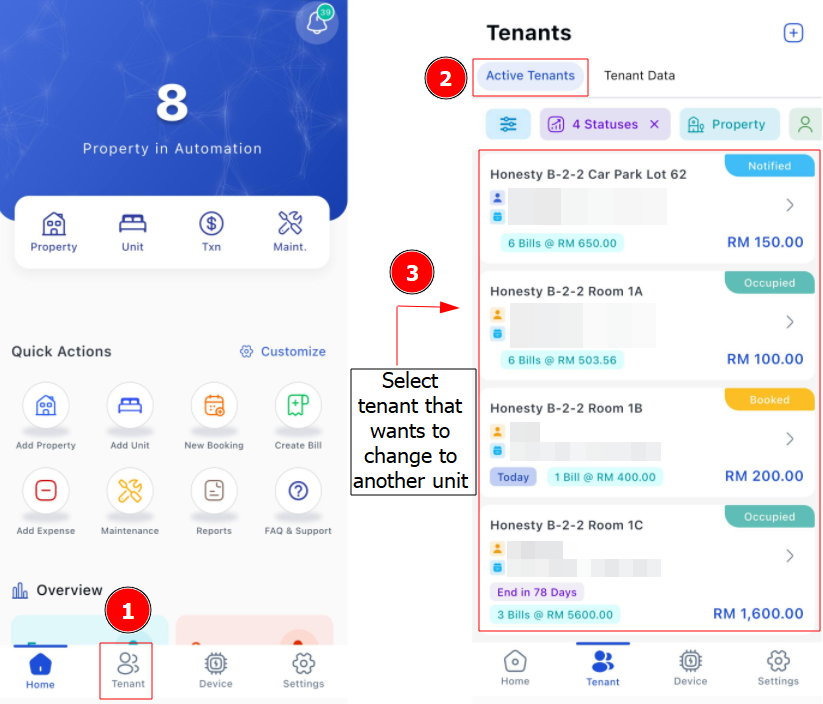
Step 3: Click Check Out > Fill in Check Out Details > Save