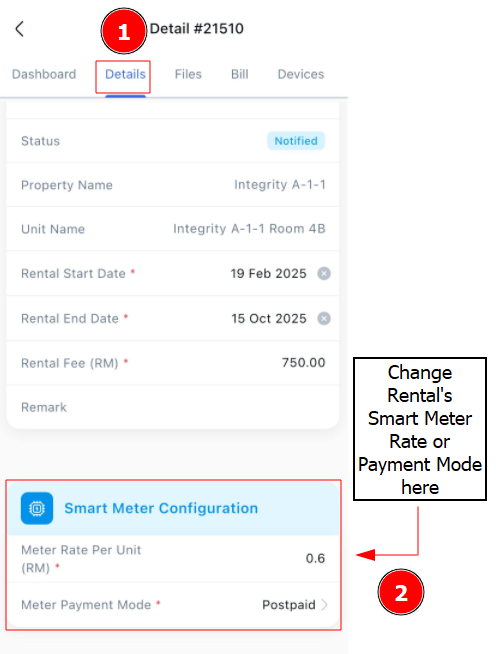
Change Rental’s Smart Meter Rate & Payment Mode
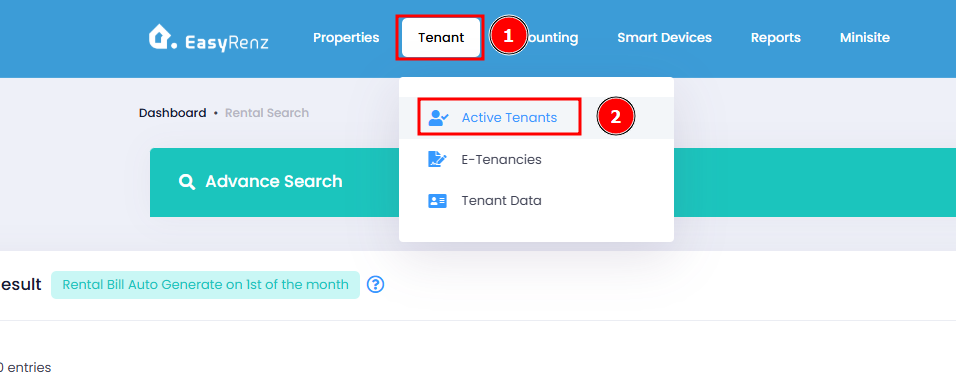
Step 1 : Go to Tenant > Active Tenants
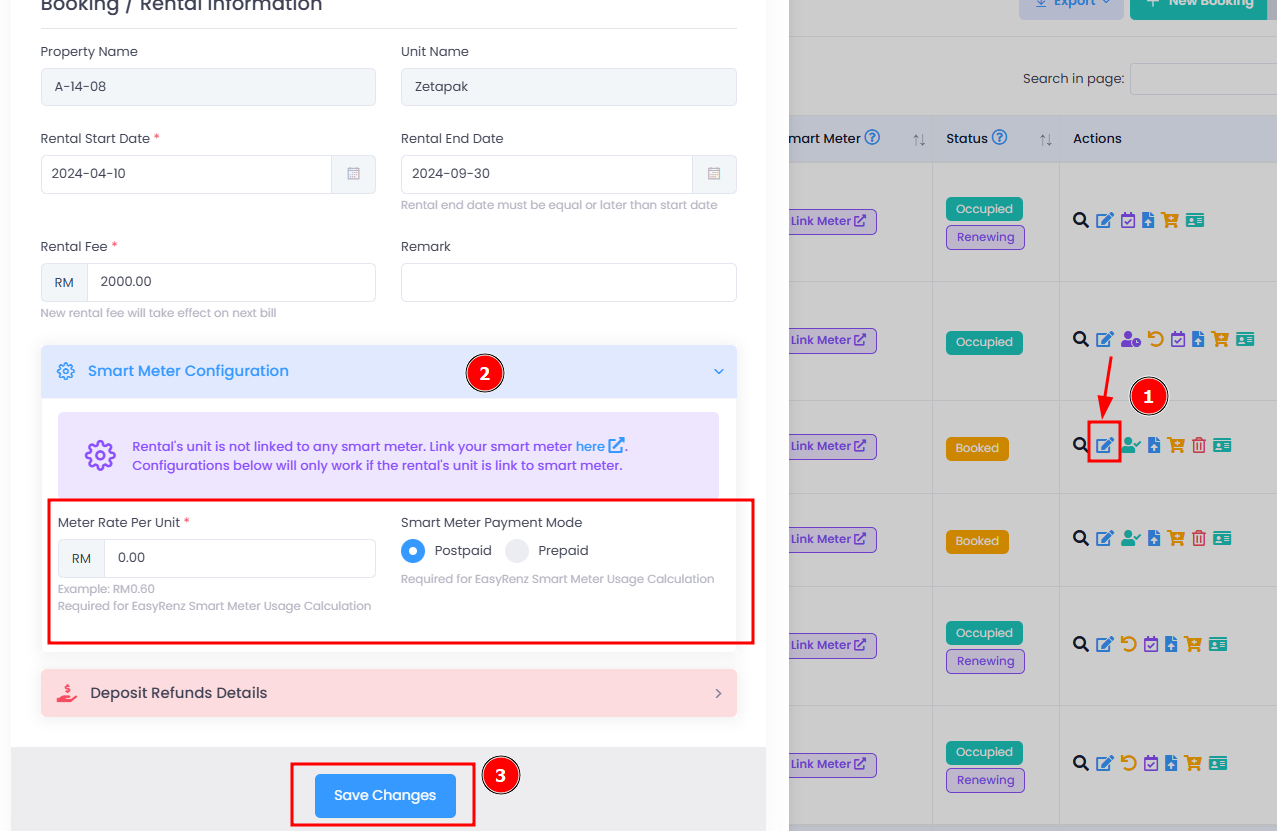
Step 2 : Edit Rental > Smart Meter Configuration > Apply Your Changes > Save Changes
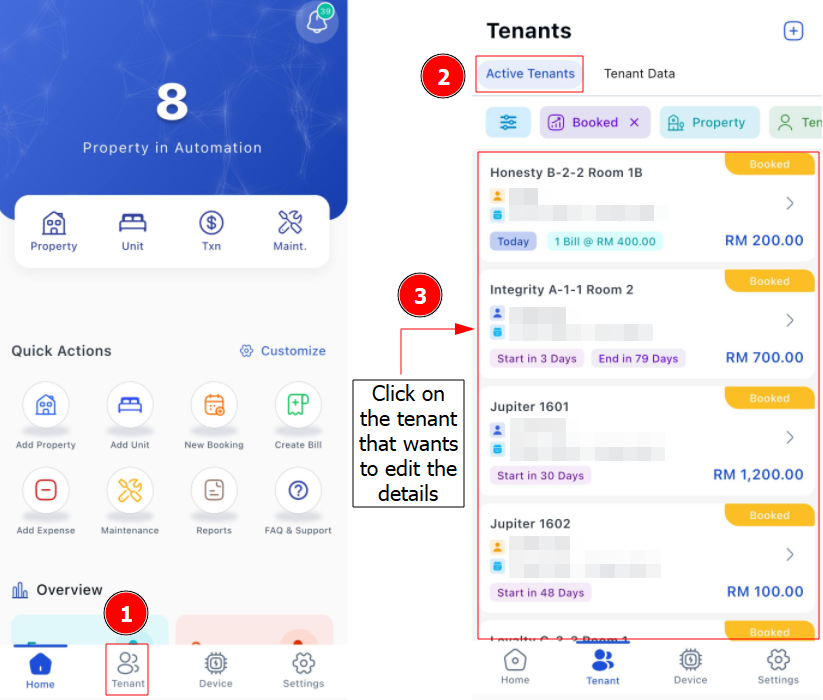
[Mobile Version] Change Rental’s Smart Meter Rate & Payment Mode
Step 1 : Go to Tenant > Select Tenant
Step 2 : Go to Details > Scroll to Smart Meter Configuration > Switch between Postpaid or Prepaid Mode > Save