Upload Files / Documents To Rental
Uploading files or documents to a rental record in EasyRenz is an essential feature that helps property managers keep all relevant documents organized and easily accessible.
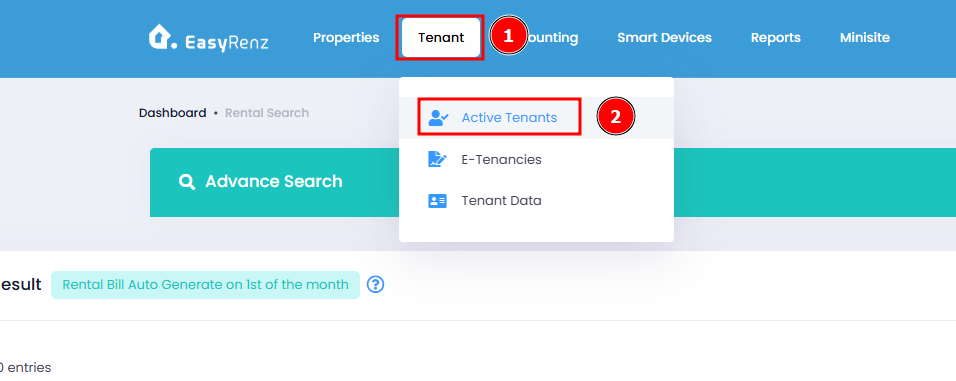
Step 1 : Go to Tenant > Active Tenants
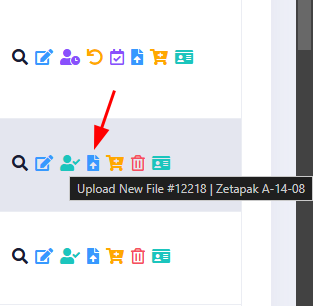
Step 2 : Click Upload New File on a rental
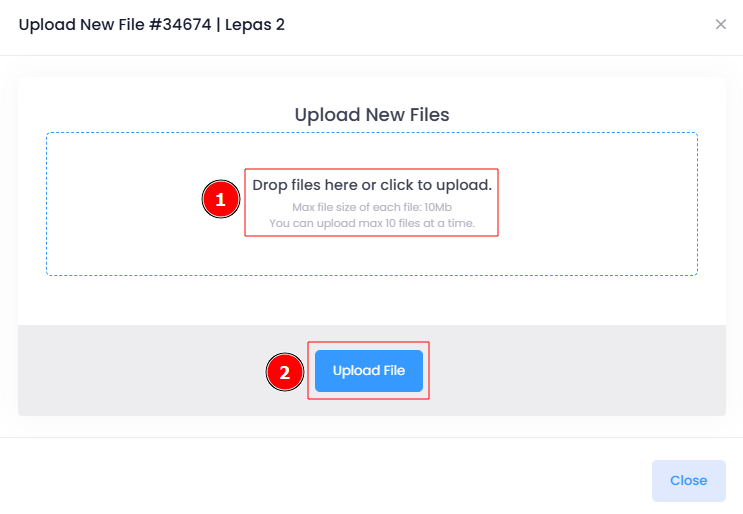
Step 3 : Click Attach files to choose your files then click Upload File
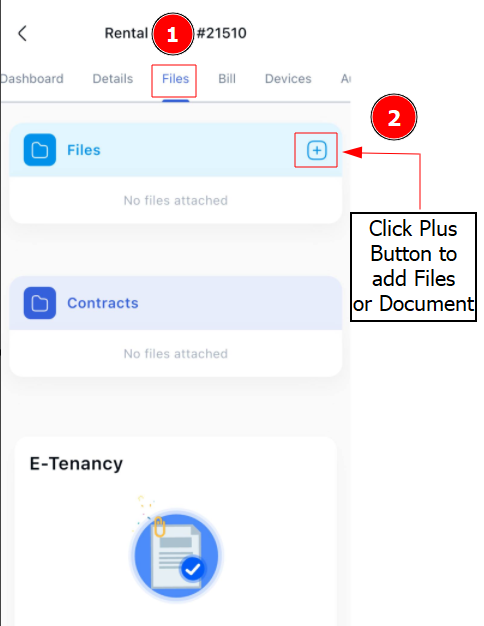
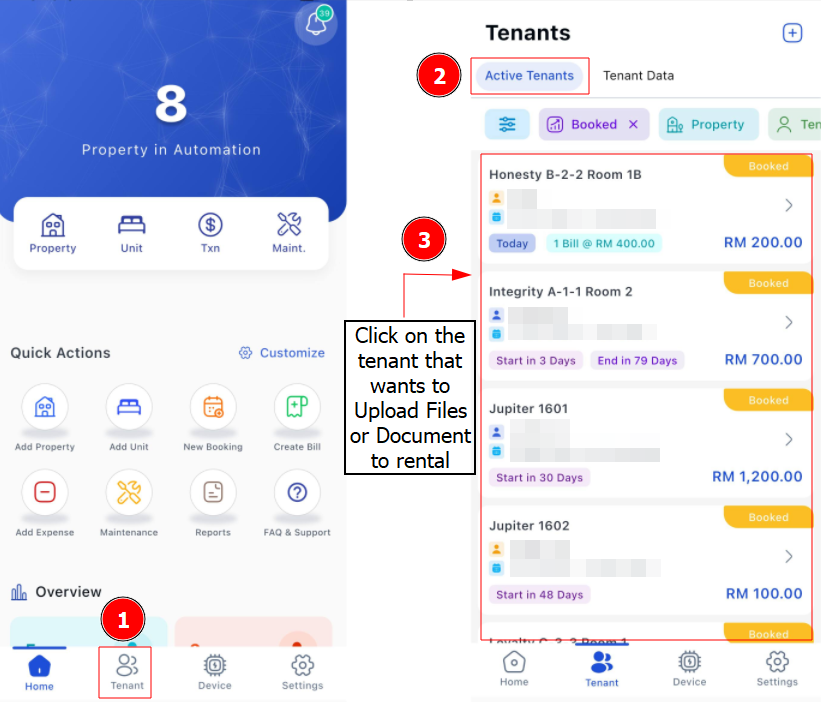
[Mobile Version] Upload Files / Documents To Rental
Step 1 : Go to Tenant > Select Tenant
Step 2 : Go to Files > Click Plus Button to upload Files / Document > Save