
Rental renewal / extension is a subscription-based feature. An active subscription is required to access and use this feature.
Renew / Extend Rental Period
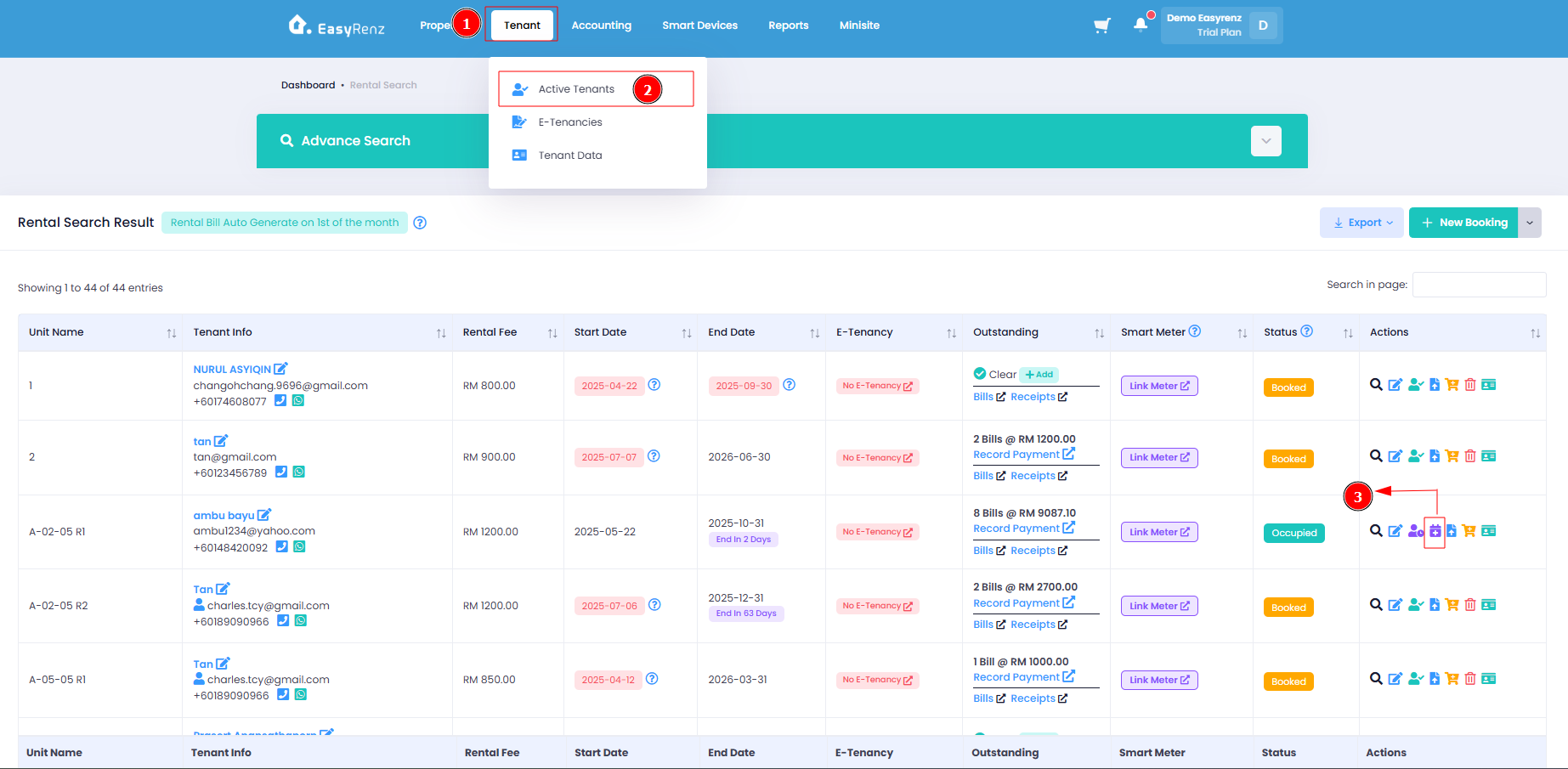
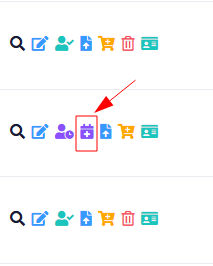
Step 1 : Go to Active Tenants Tab > Action Renew Rental on a rental
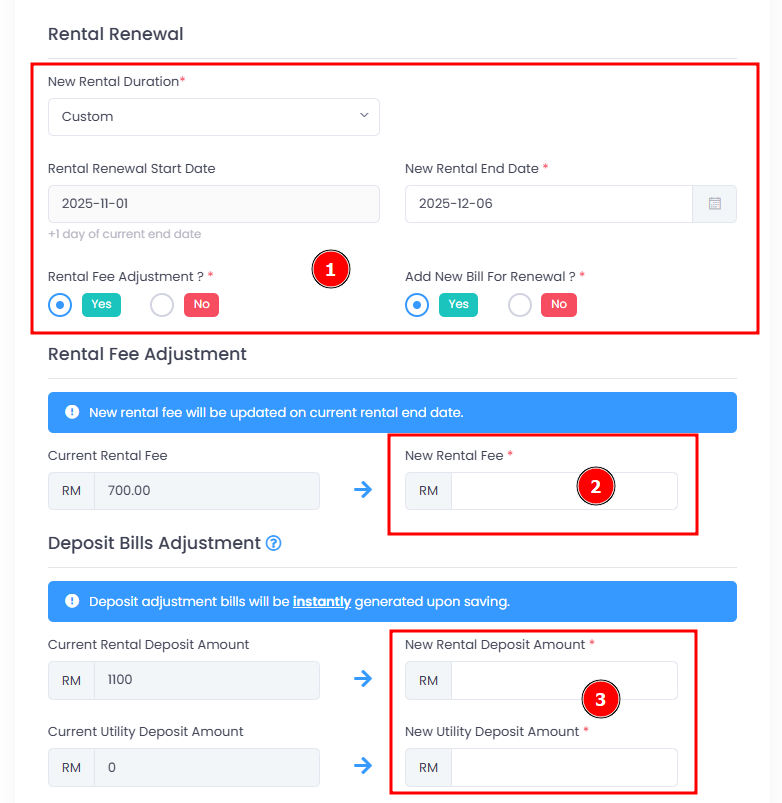
Step 2 : Select your renewal duration and adjustments
You may adjust the Rental Fee , Deposit Bills and Add New Bill for Renewal
If you renew the rental after its end date, the renewal will be processed immediately upon saving the changes. Otherwise, the renewal will be scheduled for the end date of the current rental period.
If you adjust the deposit amount to be higher or lower than the current amount, a new bill will be generated to either charge or offset the tenant accordingly.
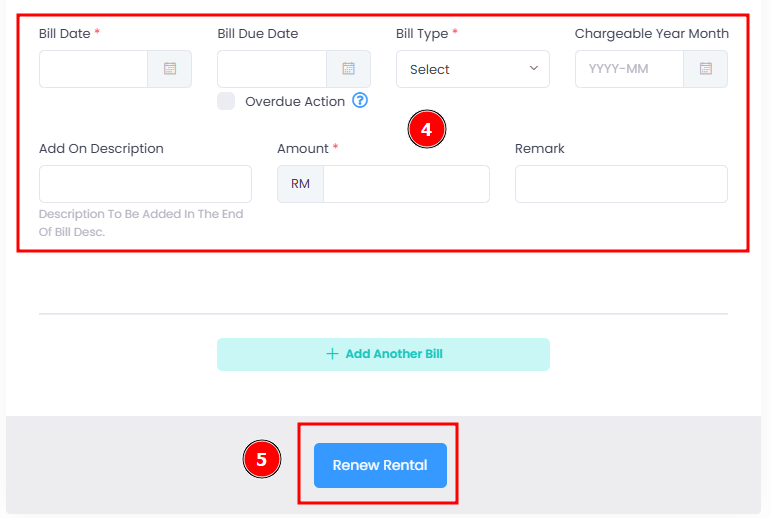
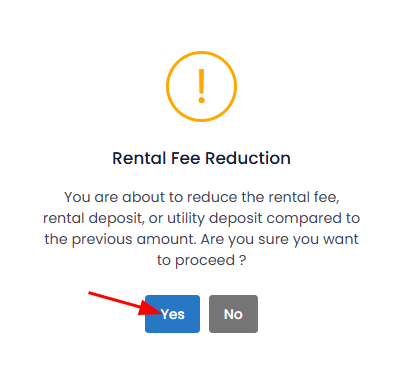
If your renewal rental fee is lesser than current rental fee, you will receive a prompt to confirm renew for reduced rental fee.
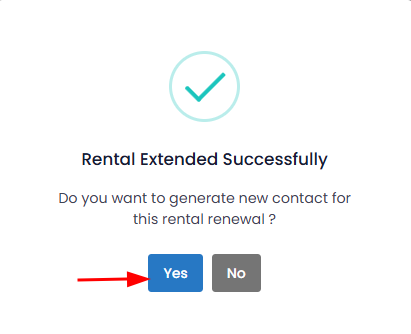
Step 3 : Once rental renewed successfully you can click on the “Yes” button if you wish to generate a new contract for this renewal
[Mobile Version] Renew / Extend Rental Period
Step 1 : Go to Tenant > Select Tenant
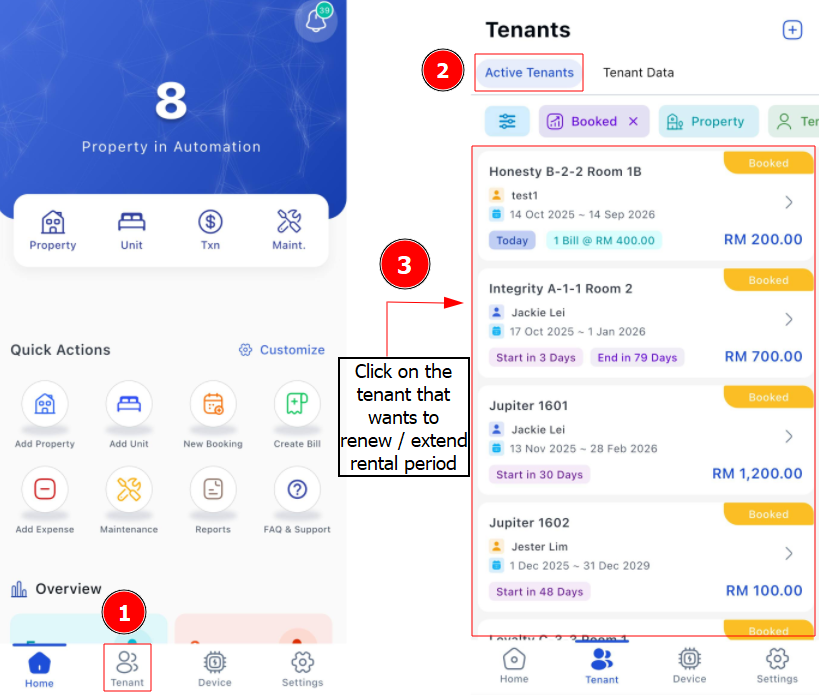
Step 2 : Click 3 Dots > Create Rental Renewal > Fill up Rental Renewal details > Update Renewal
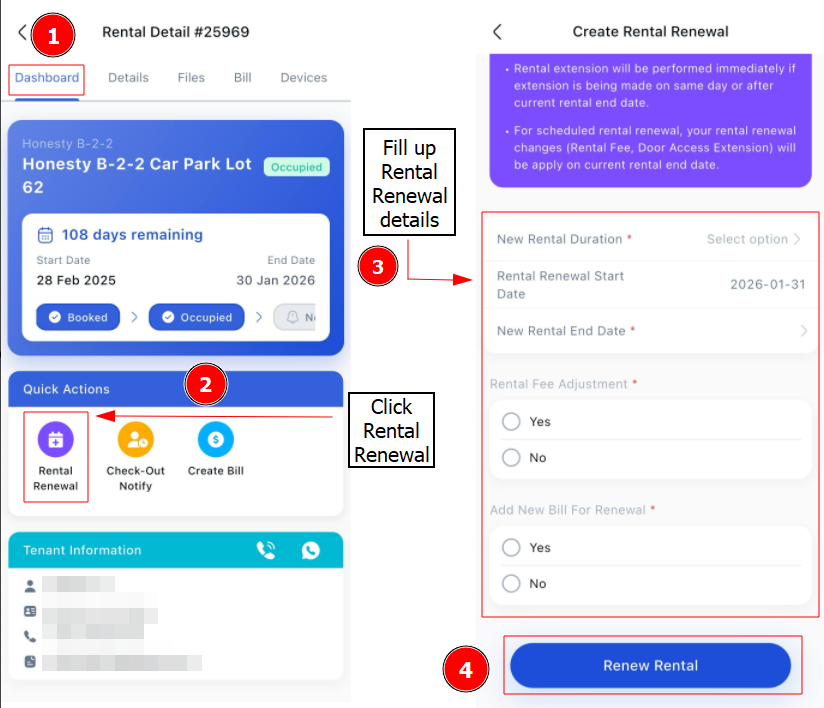
If you tick Yes on Rental Fee Adjustment, you need to update New Rental Fee, New Rental Deposit and New Utility Deposit amount.
If you tick Yes on Add New Bill For Renewal, you need to add Bill Details.
Getting Started - Next Topic
Check out a tenant - [Bookings & Rentals] How To Check Out An Occupied Rental ?