Steps to edit rental details
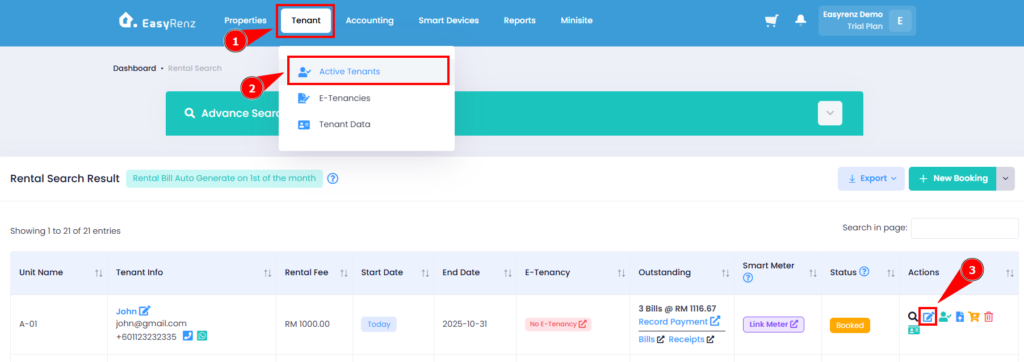
Step 1: Go to Tenant > Active Tenants > Find the rental you wish to edit > Click on the Edit Icon.
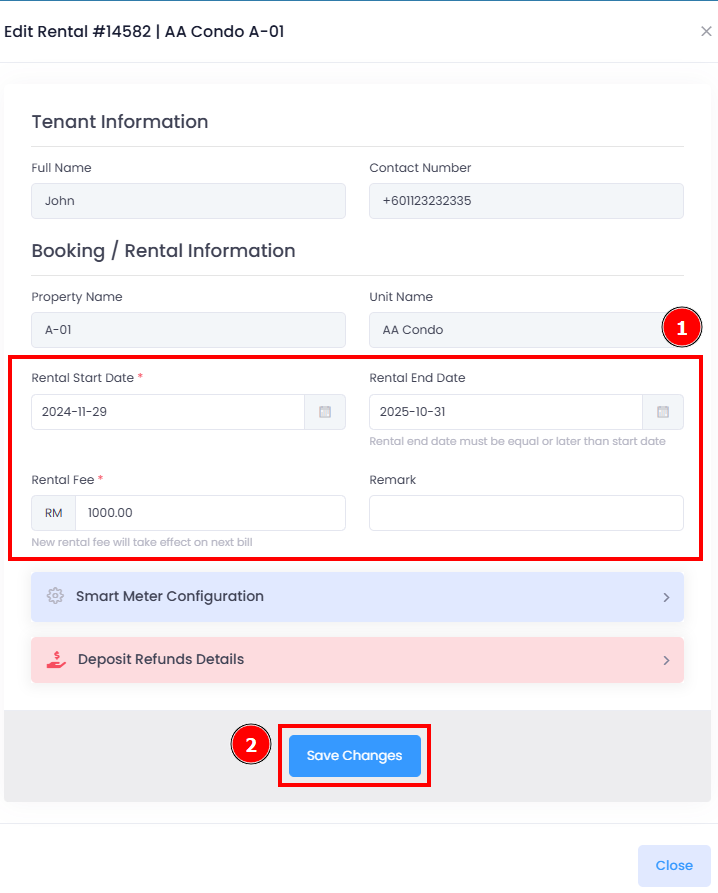
Step 2: You can edit the rental start and end date, rental fee and remark > Once finished, click on Save Changes to complete editing.
Important:
You cannot change a rental end date if your rental is scheduled to renewal.
Learn more: [Bookings & Rentals] How To Renew / Extend Rental Period ?
Important:
You can change smart meter rate per kWh and meter payment mode under Smart Meter Configuration.
You have successfully edited rental details.
[Mobile Version] Steps to edit rental details
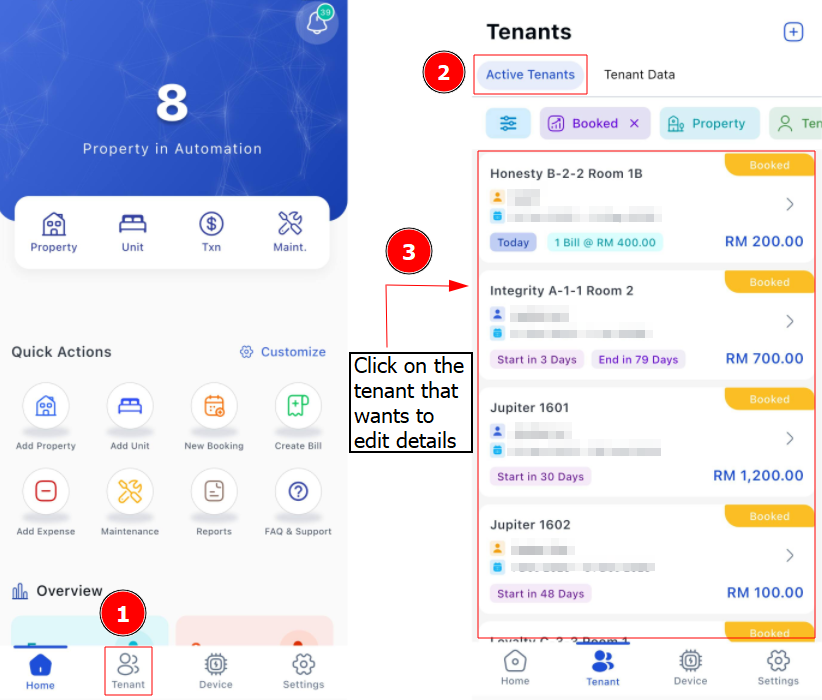
Step 1: Go to Tenant > Find the rental you wish to edit
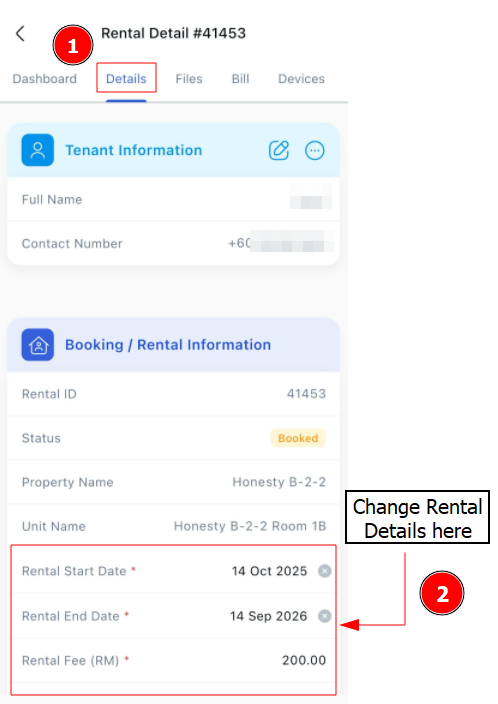
Step 2: You can edit the Rental Start and End Date, Rental Fee and Remark. Once finished, click on Save to complete editing.