
If your smart door lock has been deleted from the EasyRenz App, you will need to reset and reconfigure it again to reconnect.
Please do not delete the smart door lock unless instructed by our support team. Deleting the lock will remove all access data.
🗝️Steps to Recover the Door Lock:
Reset the door lock
There should be a reset button on the door lock. Press and hold it for the reset command, then key in the default reset code (usually 0000#) to confirm.
Ensure your phone’s Bluetooth is turned on.
Open your EasyRenz App > Go to Devices > Tap “+” > Select Add Lock
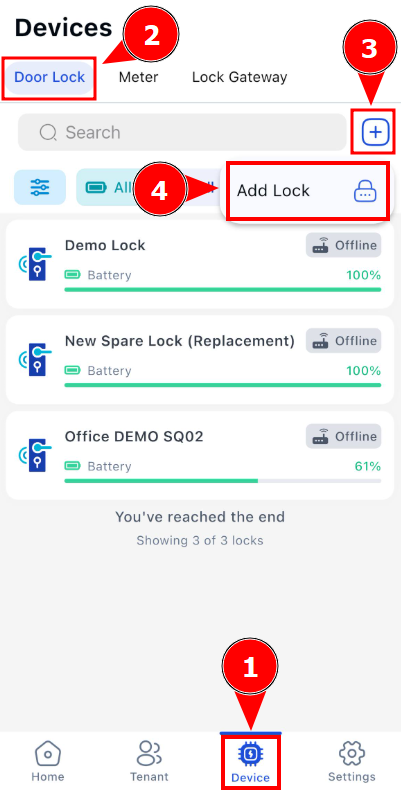
Allow the app to scan for the door lock.
During scanning, activate the lock by placing your hand on the fingerprint sensor or numpad area.
Select the detected lock > Enter the Lock Display Name > Click "Configure & Add" button
Once successfully added, the lock will appear in the Lock Page.
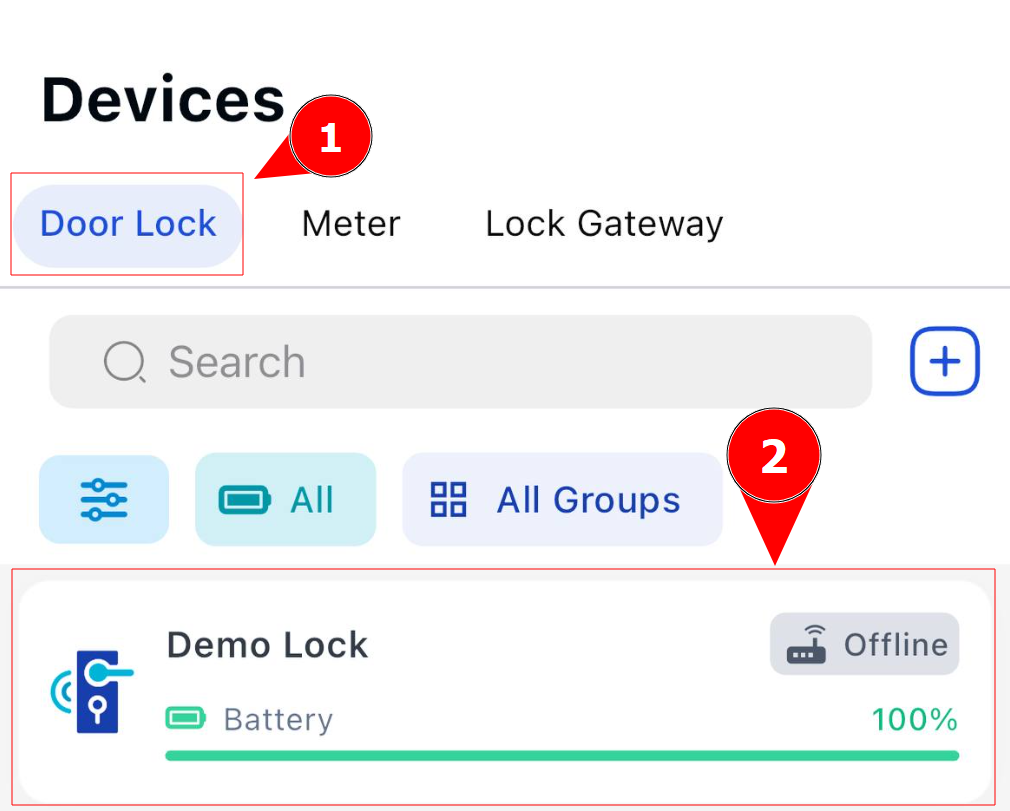
Tap the newly added lock > Go to Settings > About Lock
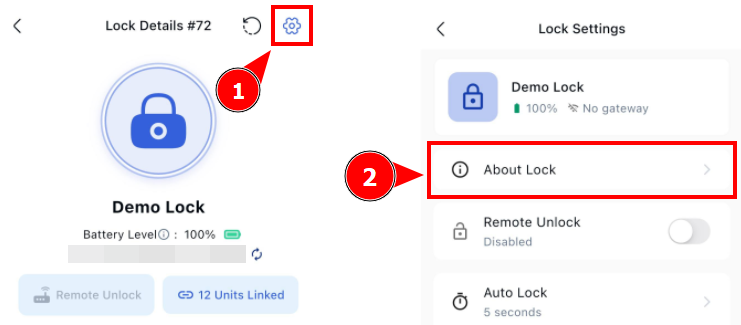
Take a screenshot of the lock information and send it to us for verification.