
This feature only available on EasyRenz Mobile Apps.
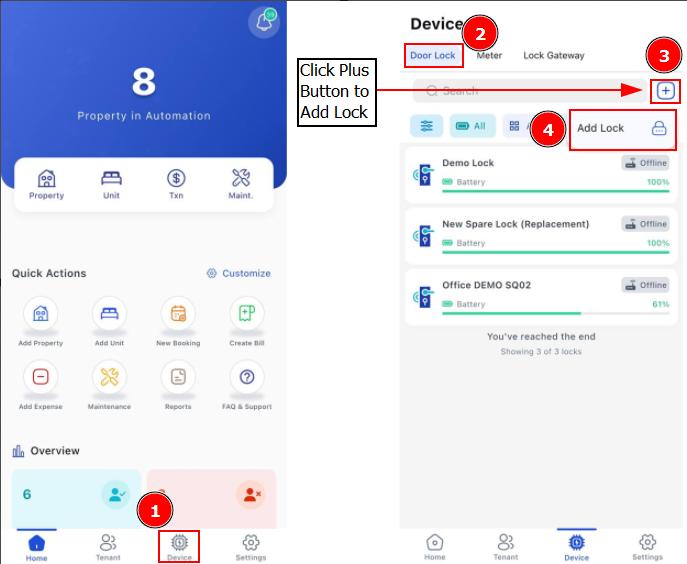
Step 1: On your EasyRenz App, go to Device > Click Plus Button > Add Lock
Step 3: Press "Scan", while the scan is in progress, you can activate the lock by placing your finger on the Smart Lock sensor, then click configure on the lock you wish to add to your account.
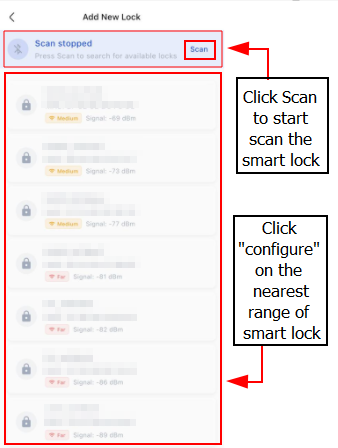
If the EasyRenz App asks for location or device discovery permissions, you need to allow them to add your device successfully.
Step 4: Enter the Lock Display Name and click "Configure & Add" button.
Step 5: Upon success configuration, the newly added lock will show in
Device > Door Lock page.
You've successfully added the smart door lock to your account. You may now manage the door lock access with eKey, Passcode, Fingerprints and etc.