
Linking a smart door lock to a specific unit in EasyRenz helps in automation such as sending e-key after tenant check in, or removing e-key and access if a tenant check out. Here’s how you can link or unlink a lock to a unit:
Link Lock To Unit
Step 1 : Smart Devices > Smart Door Locks > Link Lock To Unit
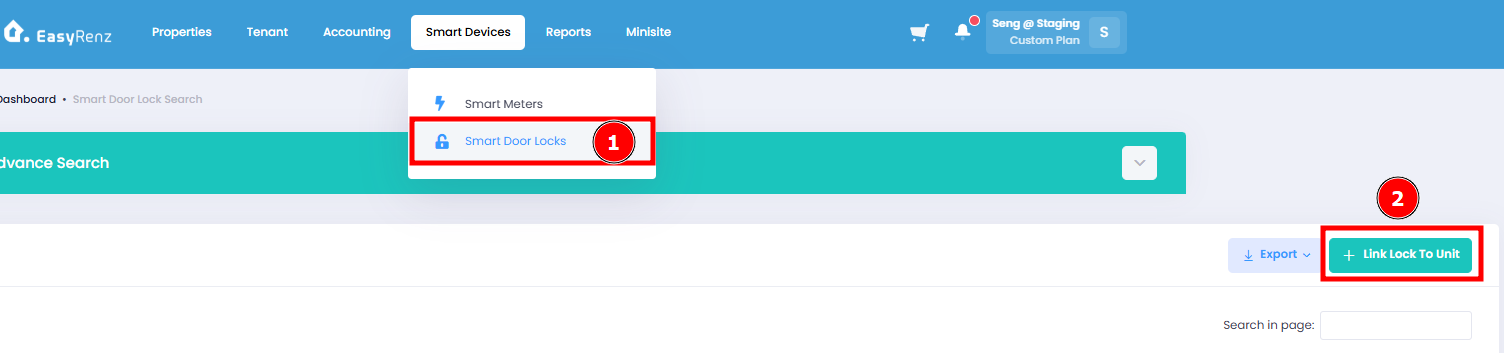
Step 2 : Select Smart Door Lock > Select Unit To Link > Link Lock To Unit
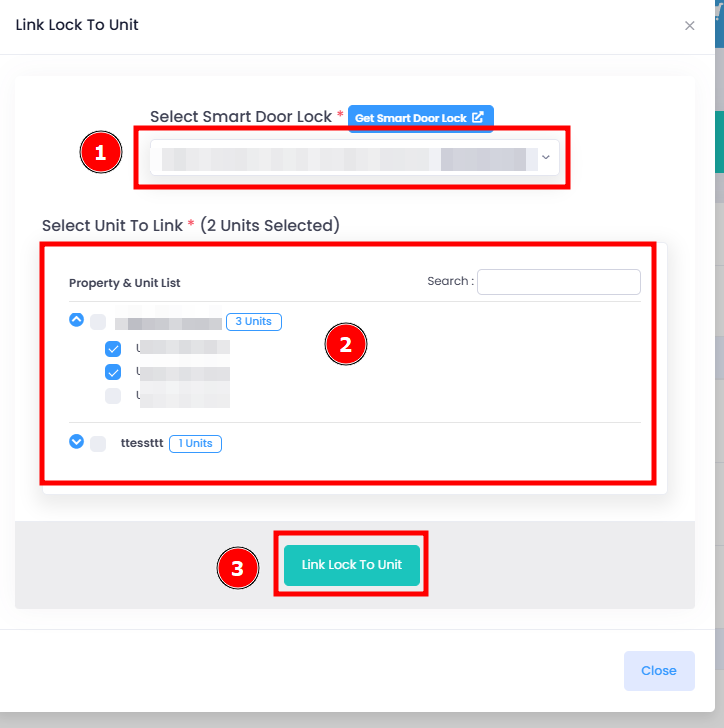
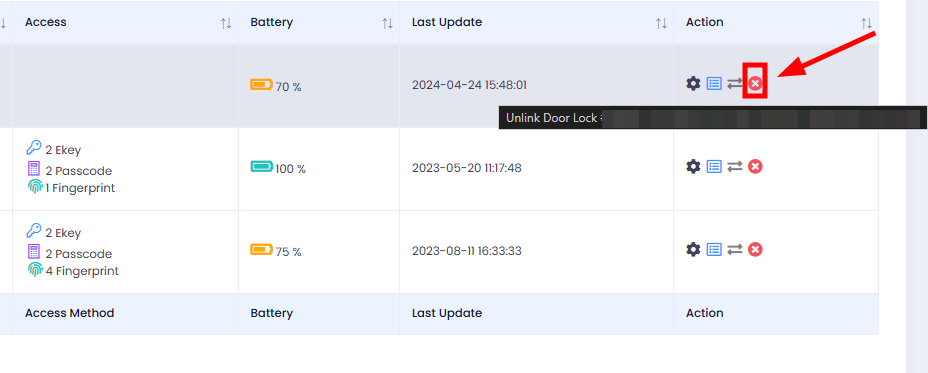
Unlink Lock From Unit
Step 1 : Click on Unlink Door Lock icon of the door lock that you wish to unlink.
Step 2 : Check The Unit Name To Unlink > Agree The Notice > Unlink Lock From Unit
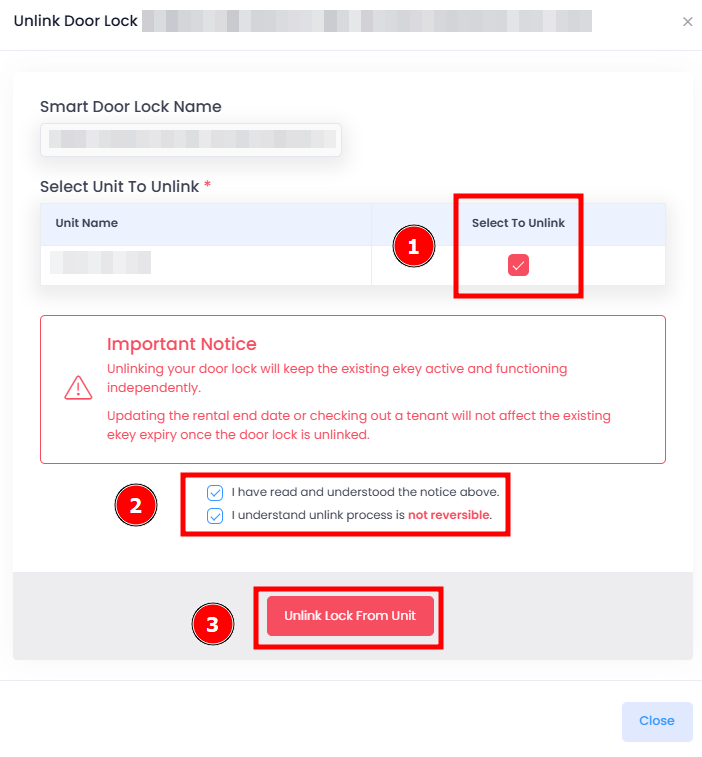
[Mobile Version] Unlink Lock From Unit
Step 1 : Device > Door Lock > Select the lock you wish to link/unlink
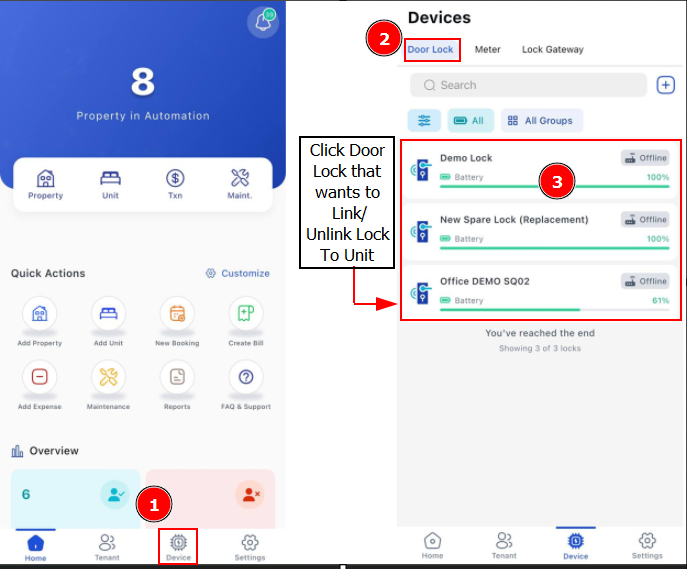
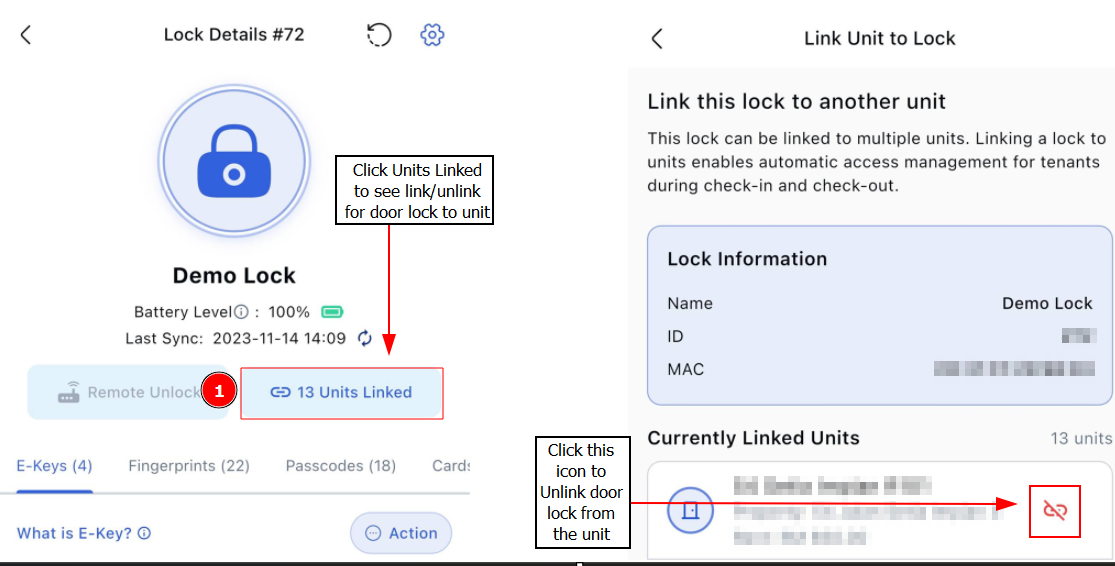
Step 2: Click on Units Linked > Find the unit you wish to unlink door lock > Click Unlink Icon
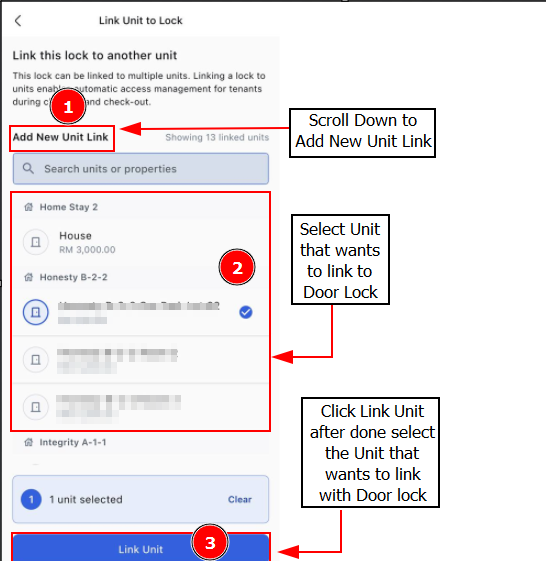
Link Lock To Unit
Step 2: Scroll Down to Add New Unit Link > Select unit that you wish to link with door lock > Link Unit
Getting Started - Next Topic
Create a new booking - [Bookings & Rentals] How To Add New Booking ?