Steps to share lock with another user / send eKey
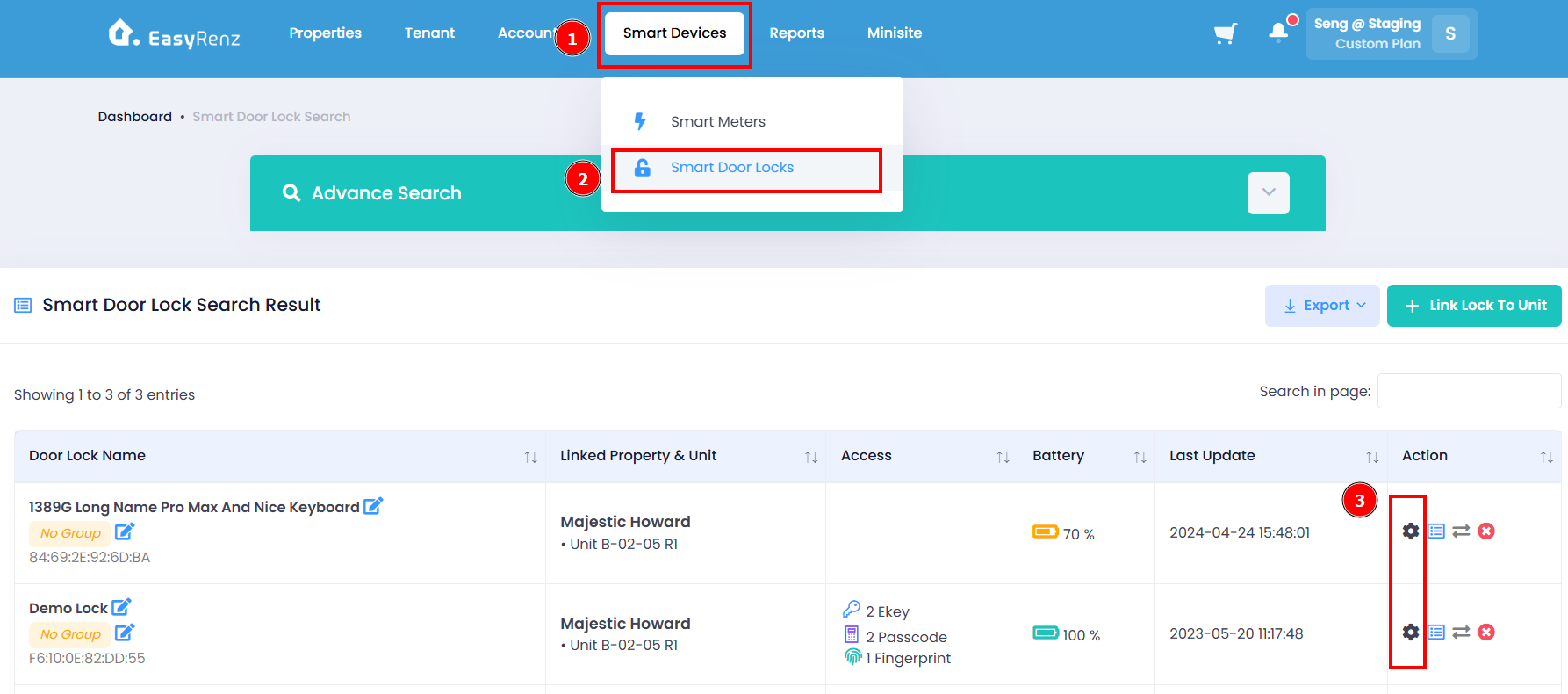
Step 1: Go to Smart Devices > Smart Door Locks > View Lock icon
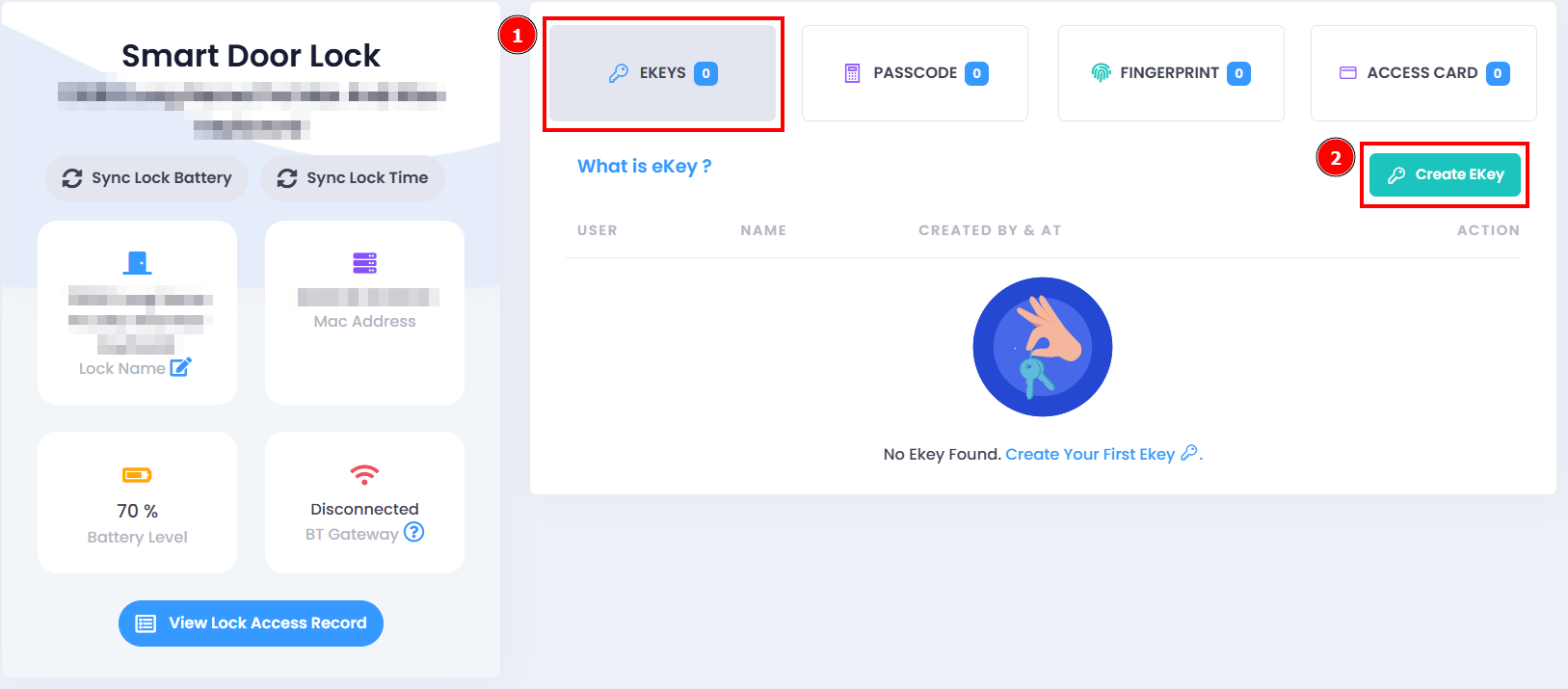
Step 2: Select EKEYS > Create EKey
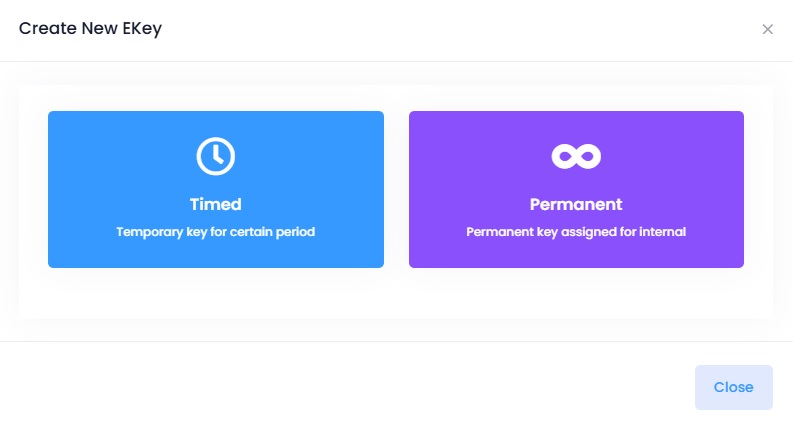
Step 3: Select the type of EKey to be generated
Step 4: Complete the required fields > Send EKey button
You have successfully share lock with user / send eKey.
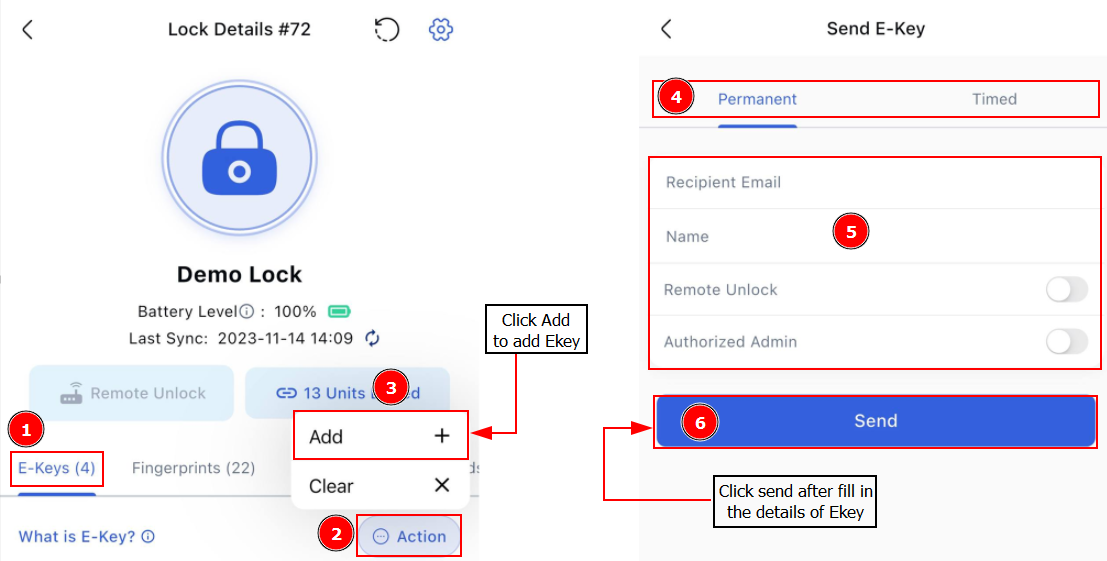
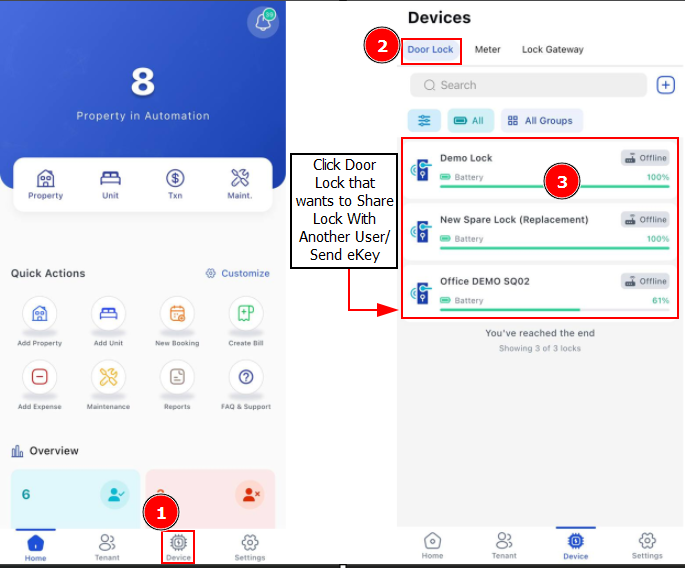
[Mobile Version] Steps to share lock with another user / send eKey
Step 1: Go to Device > Door Locks > Select the lock you wish to generate Ekey
Step 2: E-Key > Click Add > Select the type of Ekey to be generated > Fill in Recipient Email and Name > Send Ekey