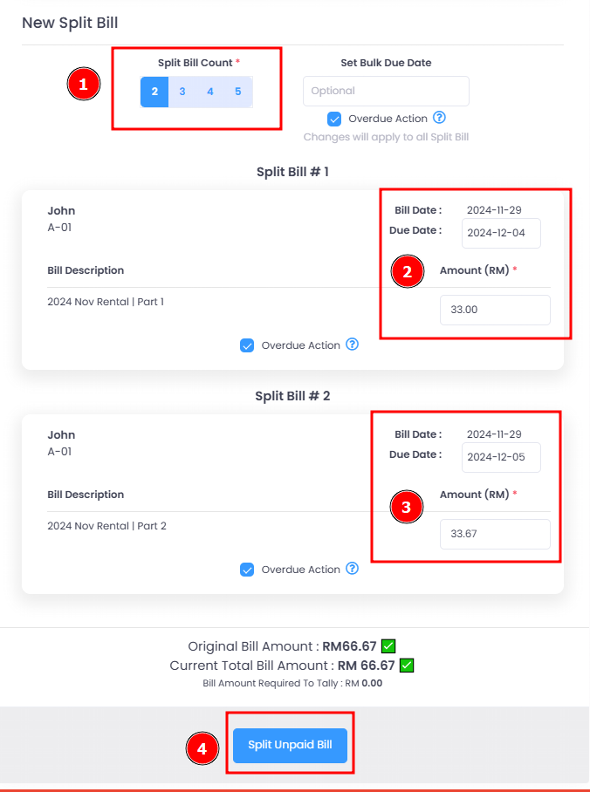
Split Unpaid Bill
Splitting an unpaid bill in EasyRenz allows you to divide a single bill into multiple bills, which can be useful for managing shared expenses or distributing payments over different periods. Follow these steps to split an unpaid bill:
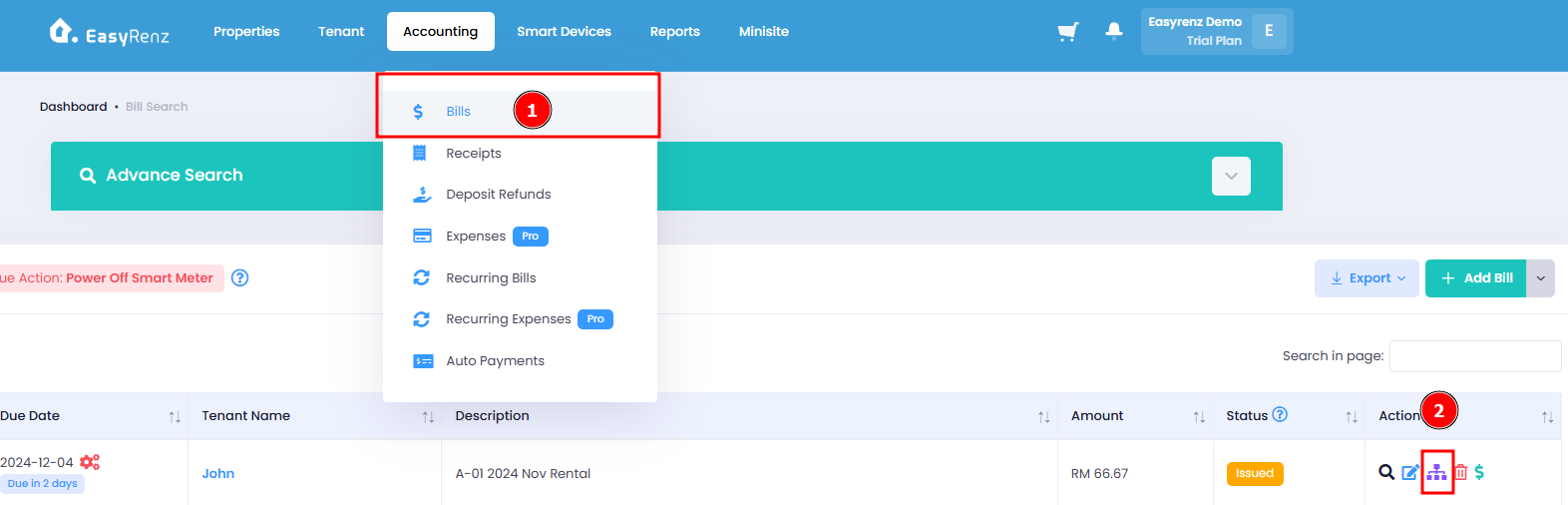
Step 1 : Hover on Accounting > Select Bills > Go to Action tab and click Split Unpaid Bill
Step 2 : Select the number of bill you would like to split into.
Fill in the detail in the New Split Bill. Once completed, you can select the bill to record the payment as usual.