
Steps to create recurring bill
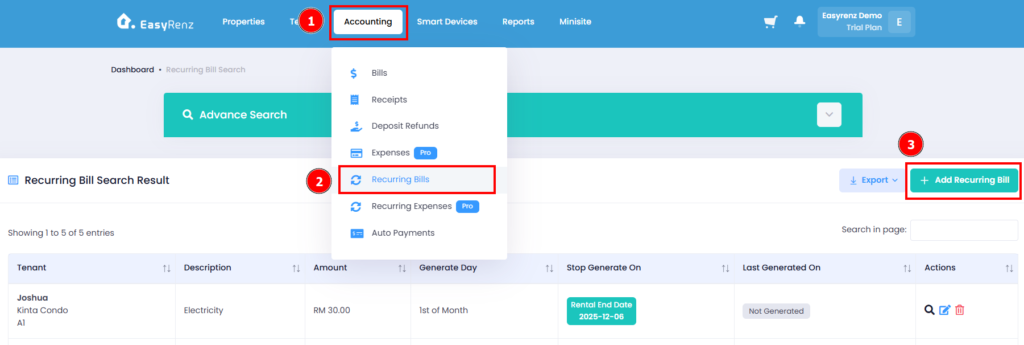
Step 1: Go to Accounting > Recurring Bills > Add Recurring Bill
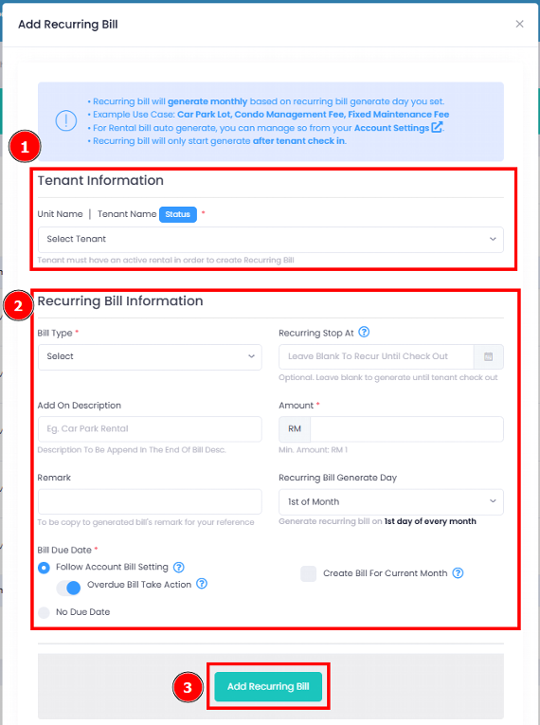
Step 2: Select Tenant > Complete the recurring bill information fields > Click on the Add Recurring Bill button.
You have successfully created a recurring bill for a tenant.