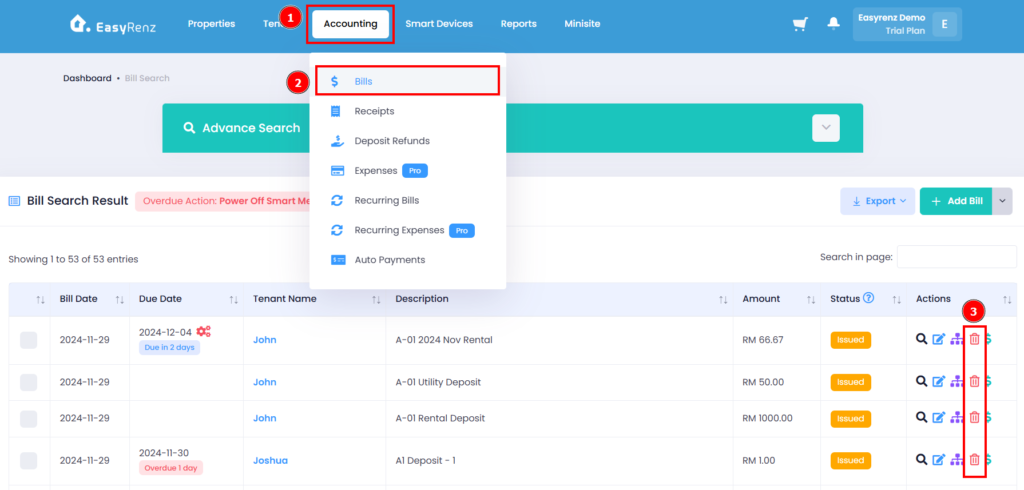
Steps to delete tenant bill
Step 1: Go to Accounting > Bills > Find the tenant bill you wish to delete > Click on the Red Delete Icon
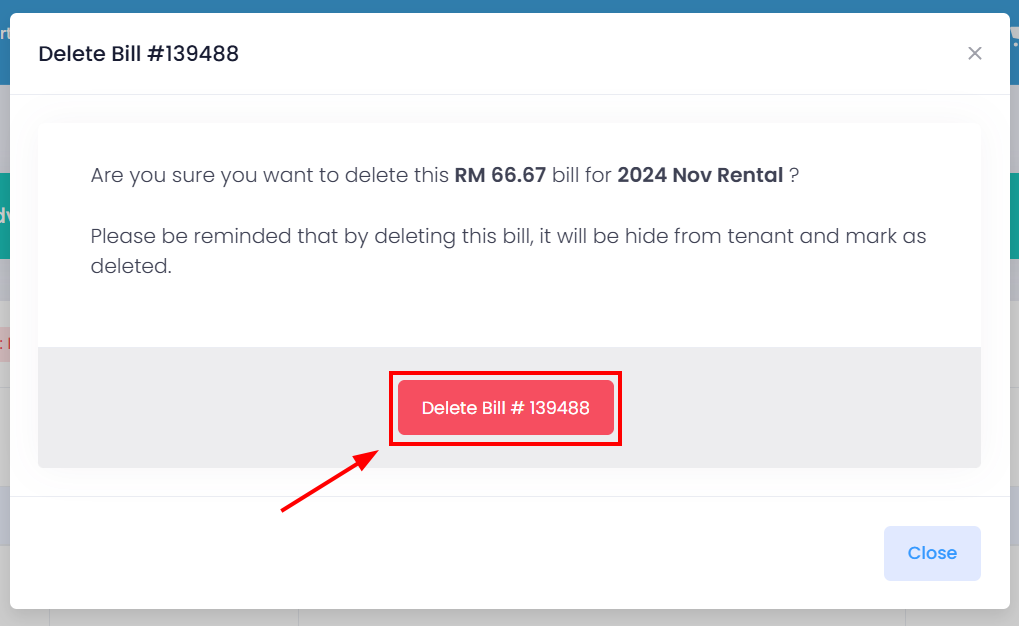
Step 2: Click on the Delete Bill button to delete the tenant bill.
You have successfully deleted the tenant bill.
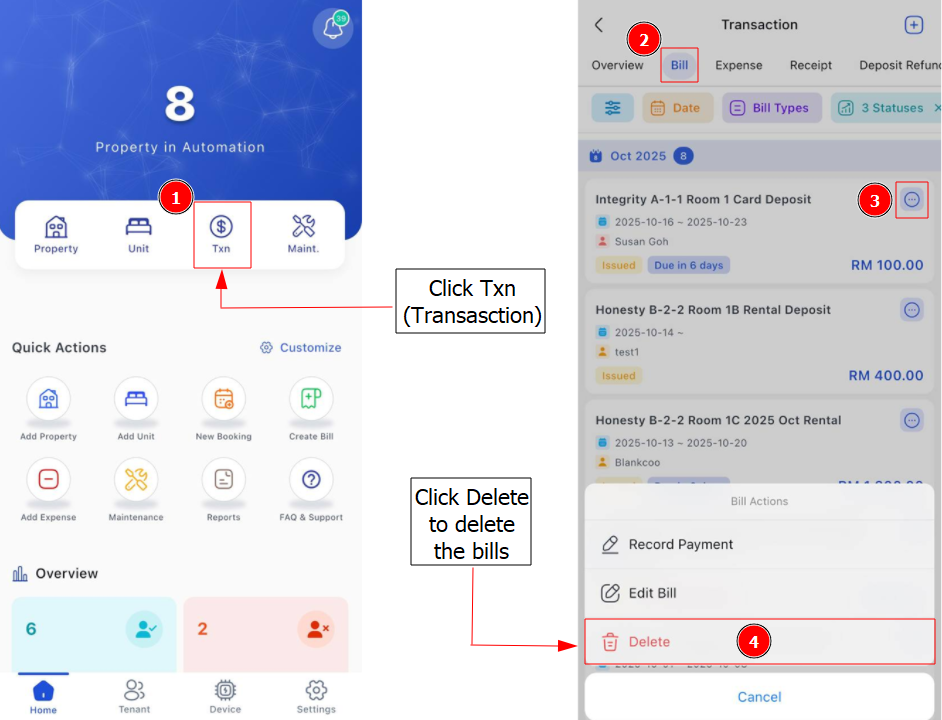
[Mobile Version] Steps to delete tenant bill
Step 1: Go to Txn > Bill > Find the tenant bill you wish to delete > Click on the 3 Dots Button > Click Delete > Click Yes to confirm deleting the bill.
Steps to restore tenant bill
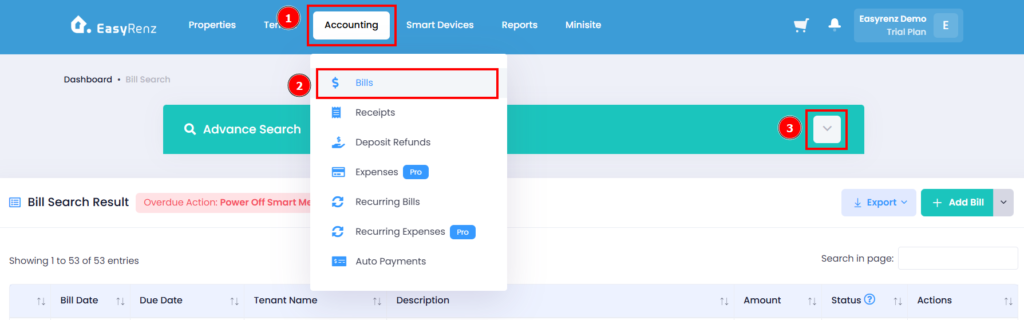
Step 1: Go to Accounting > Bills > Expand Advance Search
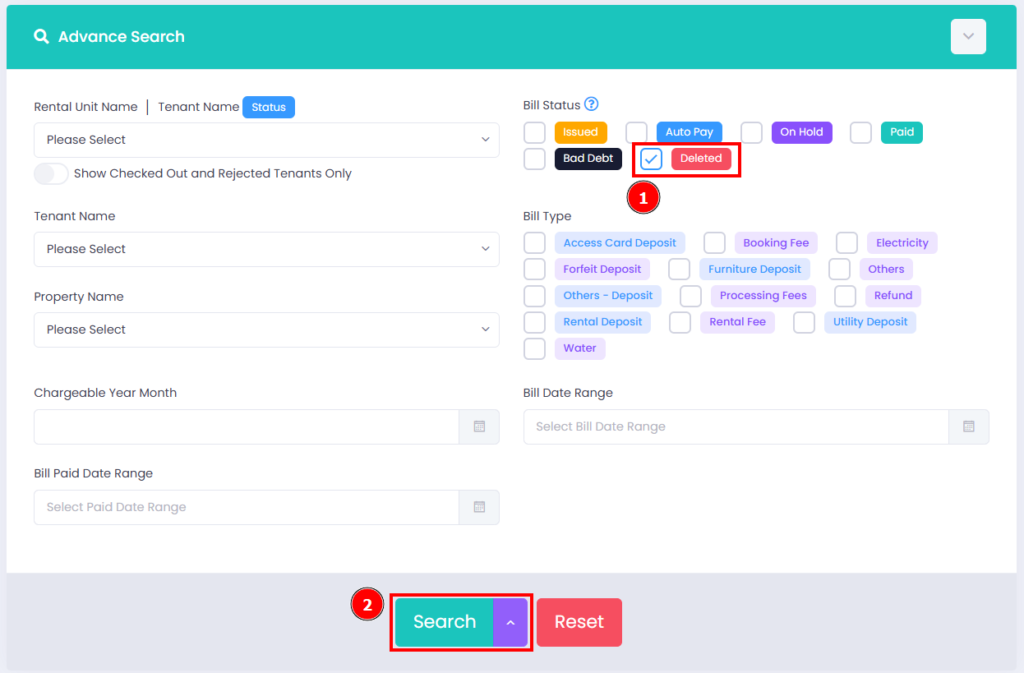
Step 2: Check the Bill Status as Deleted > Click on the Search button.
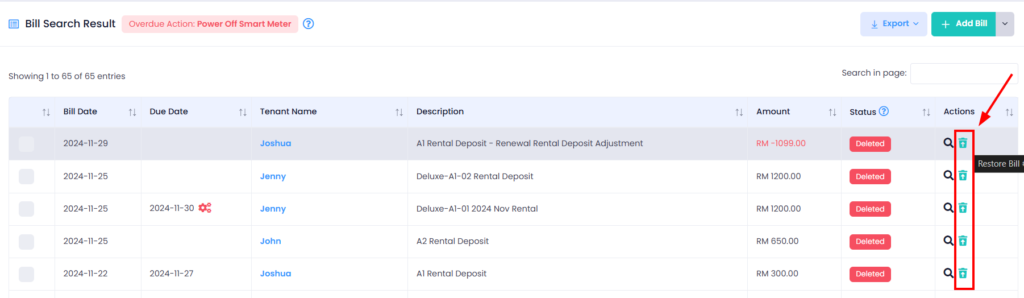
Step 3: Scroll down > Find the bill you wish to restore > Click on Restore Icon.
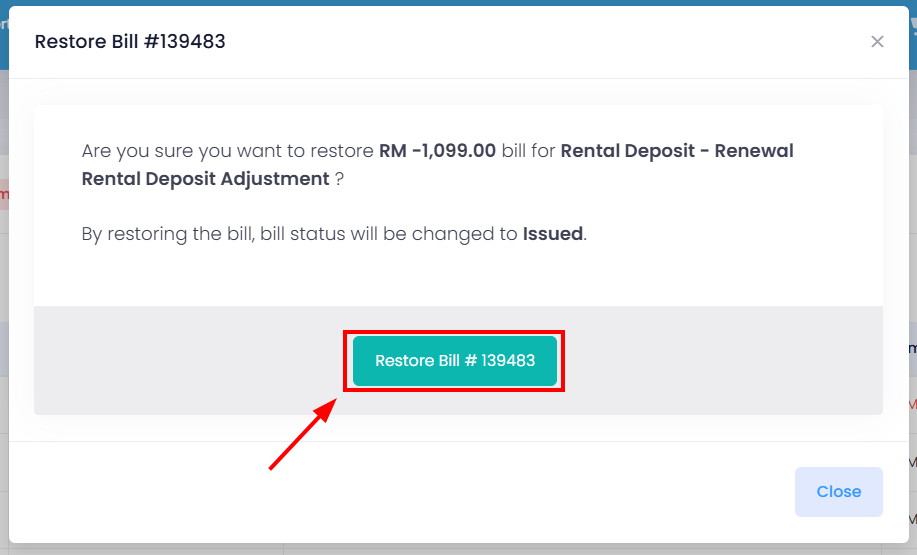
Step 4: Click on the Restore Bill button to complete restore tenant bill.
You have successfully restore a tenant bill.
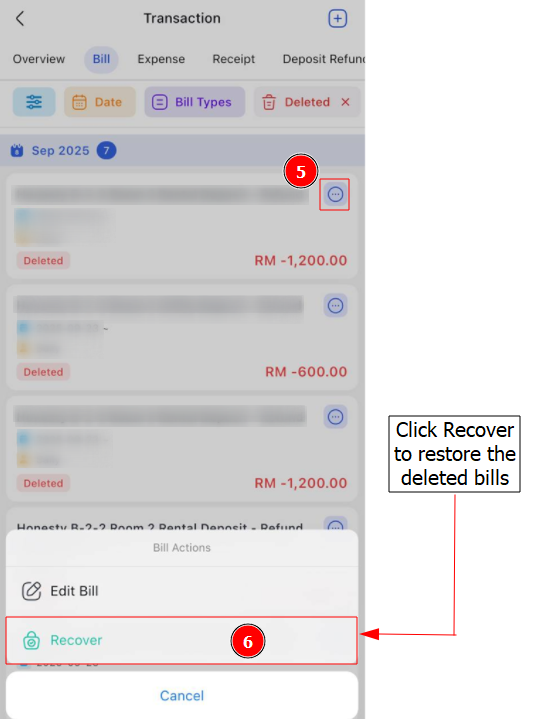
[Mobile Version] Steps to restore tenant bill
Step 1: Go to Txn > Bill > Click on "All Status" (Green Box) to choose bill status that you want to view > Select Deleted to view the deleted bills
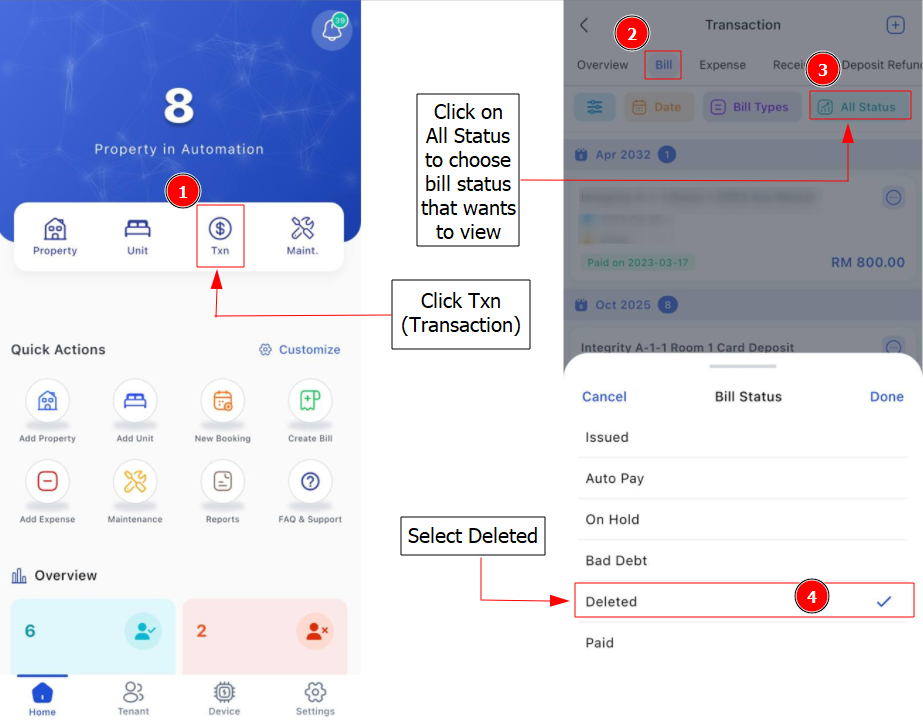
Step 2: Find the bill you wish to restore > Click on 3 Dots Button > Click Recover > Click Yes to confirm restoring the bill.