Edit Tenant Bill
Editing a tenant’s bill in EasyRenz allows you to make necessary adjustments to ensure accurate billing records. Follow these steps to edit a tenant’s bill:
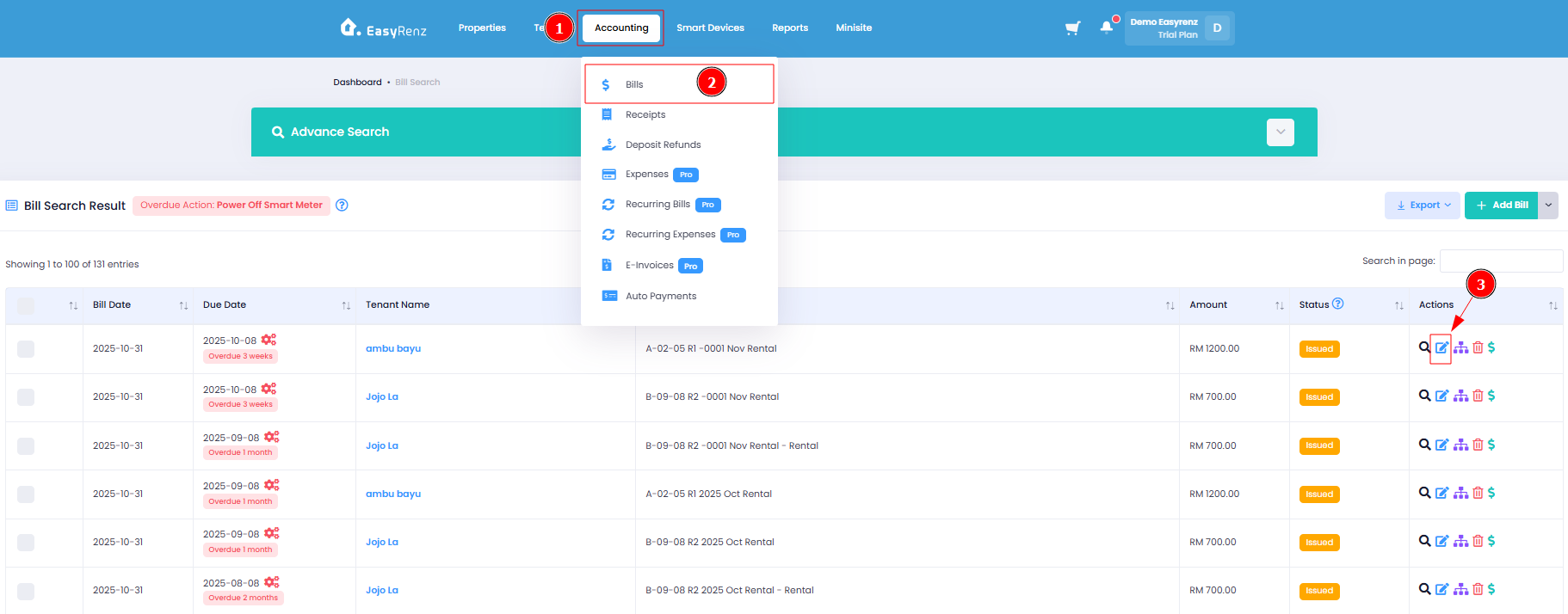
Step 1 : Hover to Accounting Tab > Click Bills > Click Edit Bill
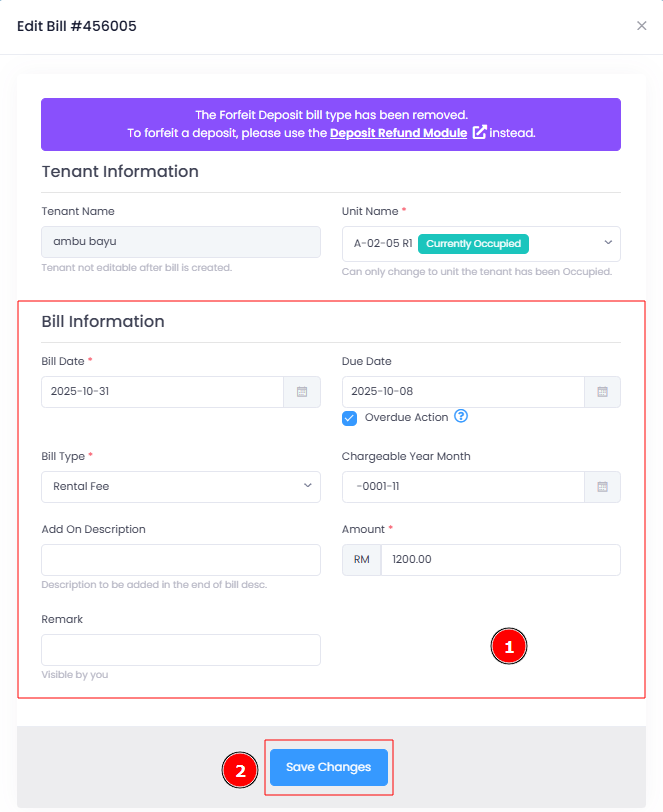
Step 2 : Update details and Save
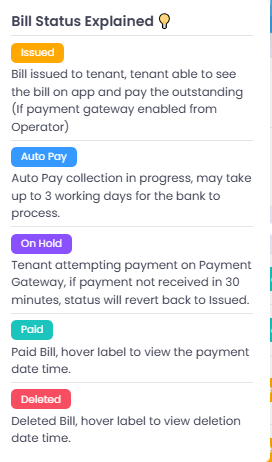
Note : The bill amount cannot be edited if the bill status is not Issued.
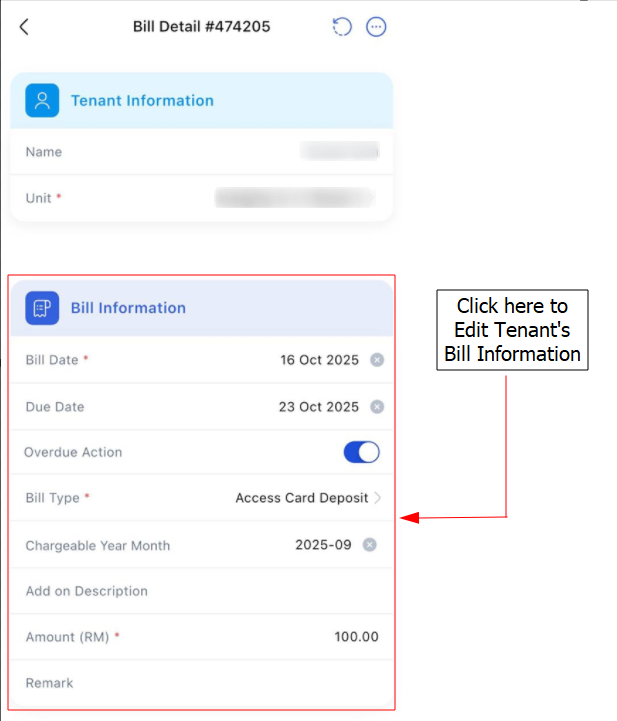
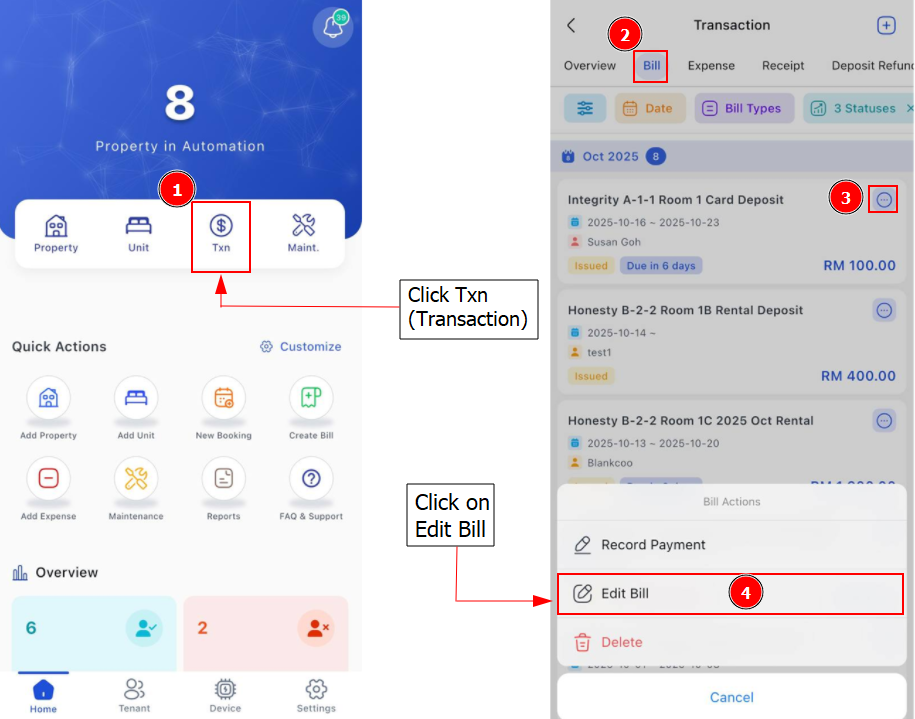
[Mobile Version] Edit Tenant Bill
Step 1 : Click on Txn > Select the bills that you wish to edit > Click 3 Dots Button > Edit Bill
Step 2 : Start to Edit Tenant's Bill Information as required > Add