Tenant Bill Is Overdue
When a tenant bill becomes overdue, EasyRenz can automatically initiate several actions and consequences to encourage prompt payment. Here’s what typically happens when a tenant bill is overdue:
Power Off Smart Meter
Immediate Action: If the bill due date and overdue action are set, the system will take action at 12 PM on the day after the due date.
Applicable Units: This action is only applicable if the unit is linked with an EasyRenz Smart Meter.
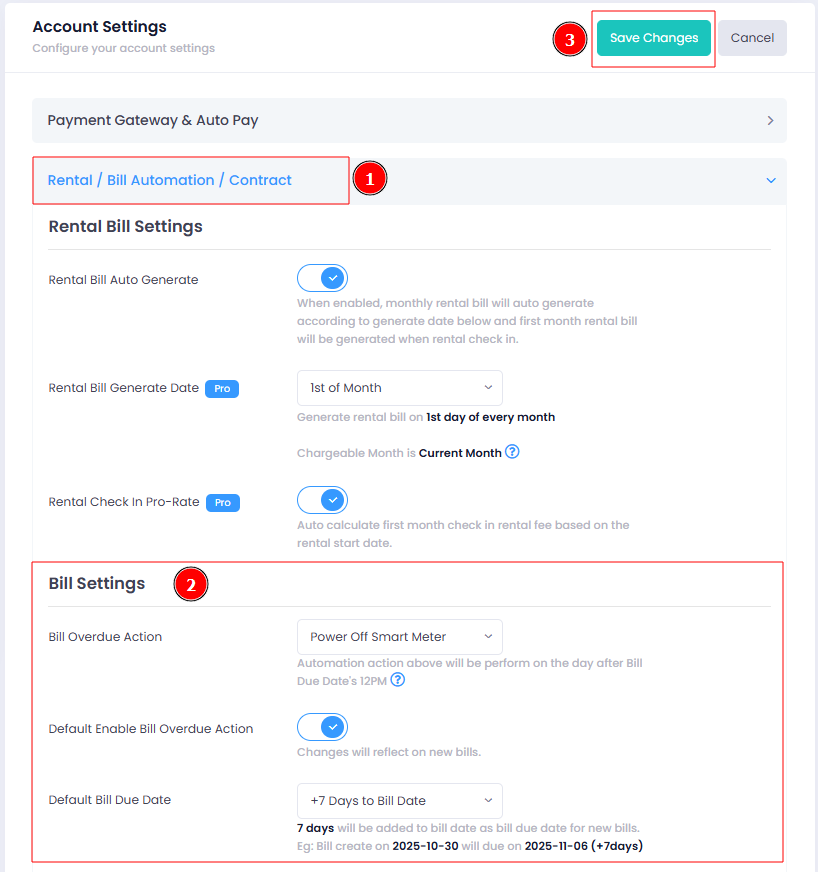
Configuration: Configure the bill overdue action in your Account Settings.
How To Set / Change Bill Overdue Action
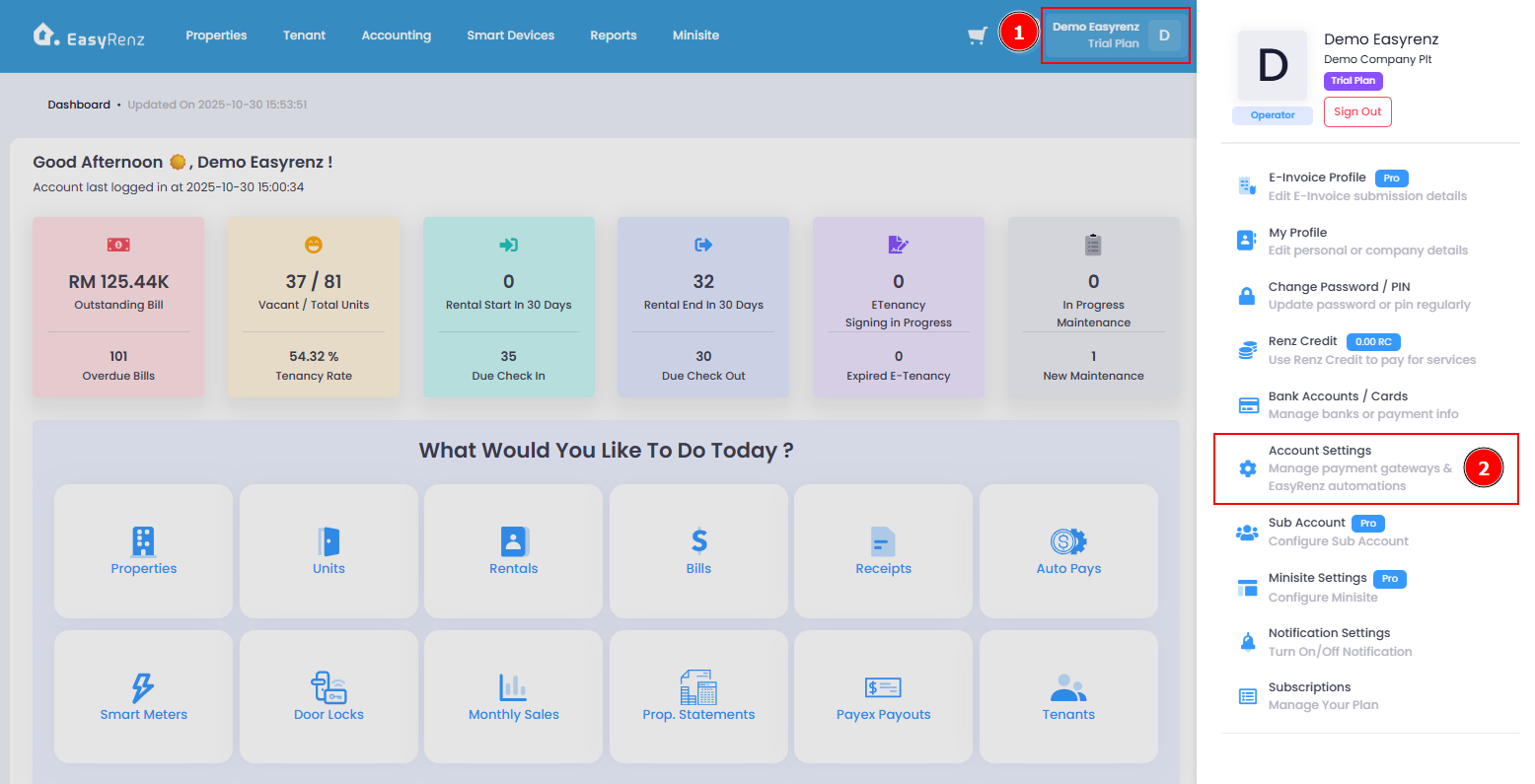
You can change the bill overdue action in the Account Settings.
Step 1 : Profile > Account Settings
Step 2 : Click on Rental / Bill Automation / Contract > update Bills Overdue Action > Save Changes