
Get started with a new account.
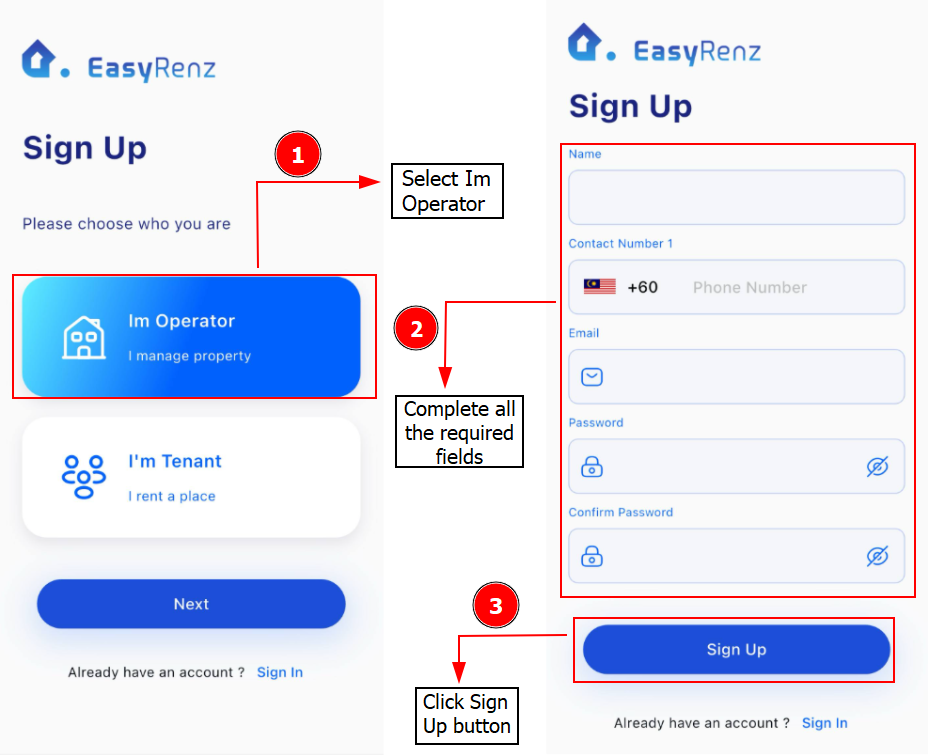
Step 1: Visit https://app.easyrenz.com/register to create a new EasyRenz account.
Step 2: Choose Im Operator > fill in details required.
Here is where you can set email and password for your EasyRenz account.
Step 3: Once account was successfully created you would be prompt with a Sign Up Success message > Click OK > Check and Verify your email.
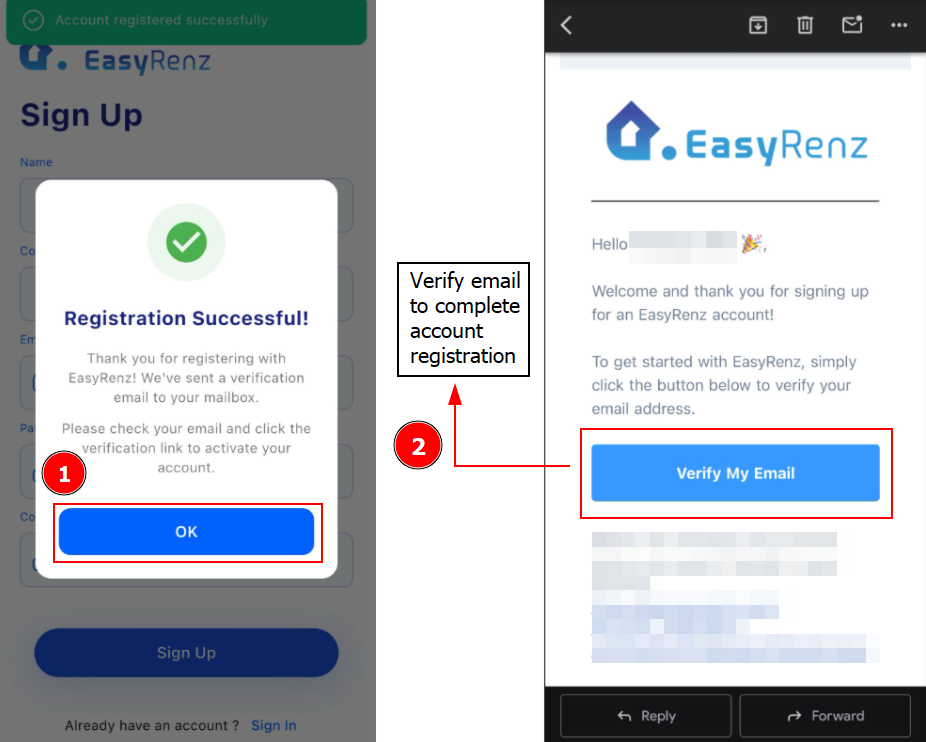
Everything is set! Simply log in to begin using your new EasyRenz account.
Getting Started - Next Topic
(Optional) Sign up for payment gateway - [Payment Gateway] How To Sign Up For Payex Partner ?