
Steps to change your password.
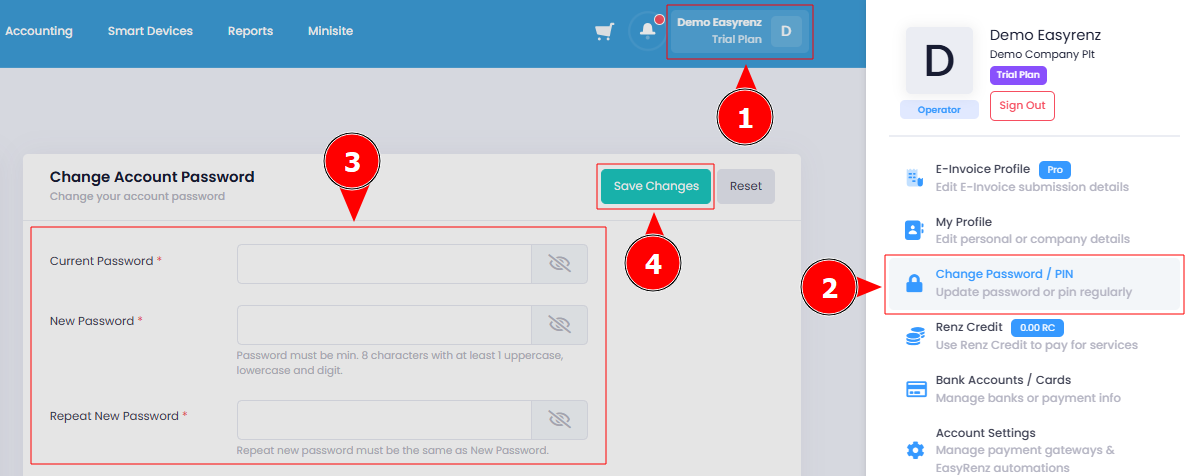
Step 1: Click on the Profile Icon > Change Password / PIN.
Step 2: Fill in the required fields to change your password > Save Changes .
Your password has been successfully changed.
[Mobile Version] Steps to change your password.
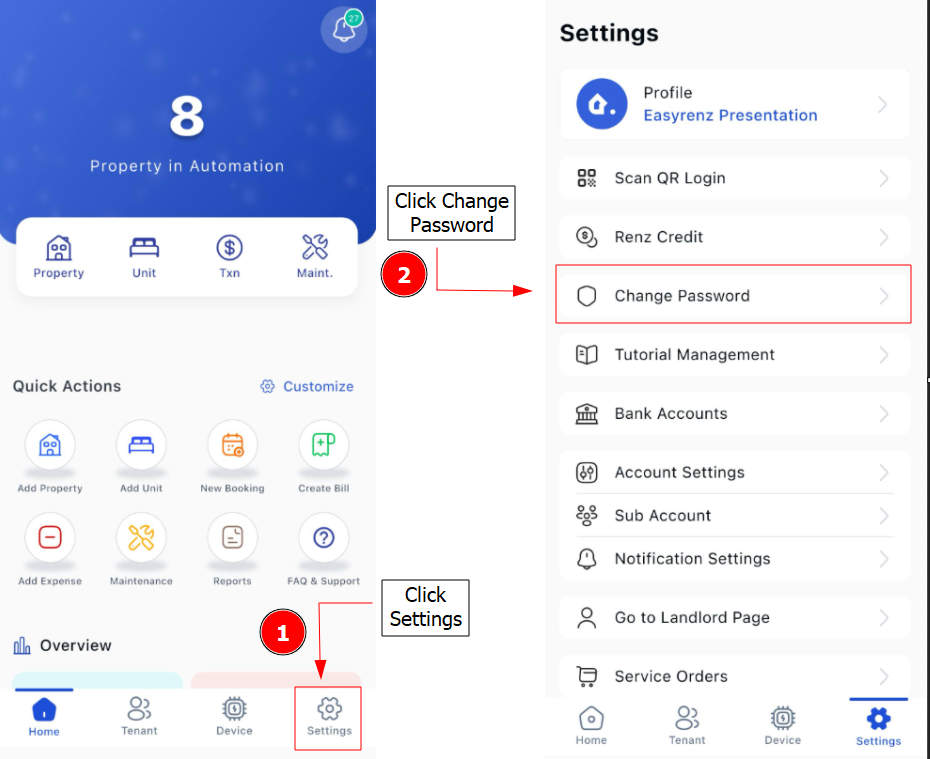
Step 1: Click on the Settings > Change Password
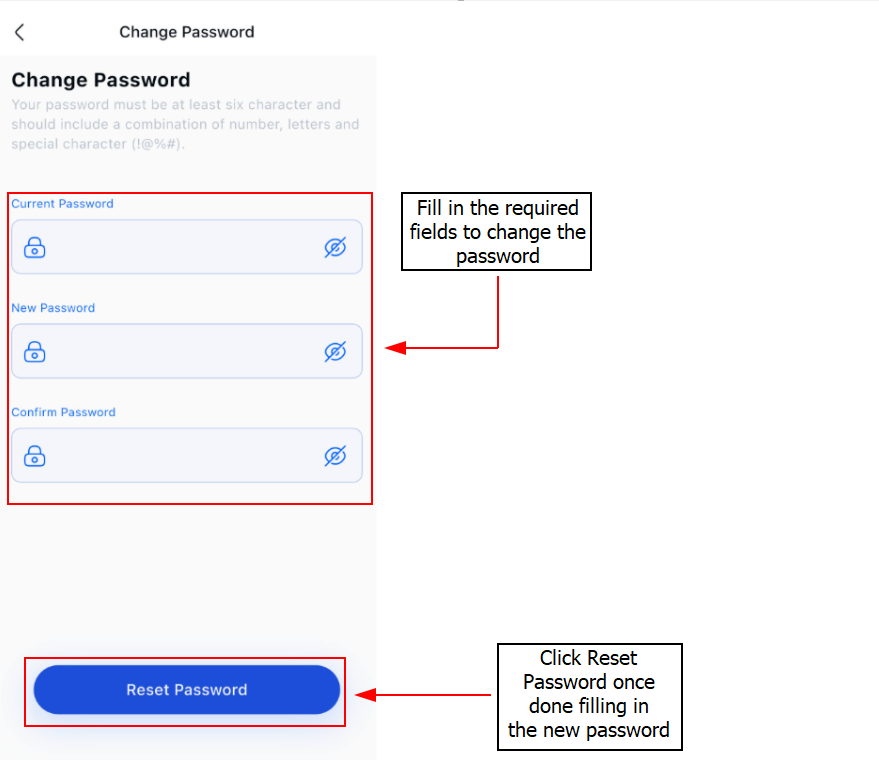
Step 2: Fill in the required fields to change your password > Reset
Your password has been successfully changed.