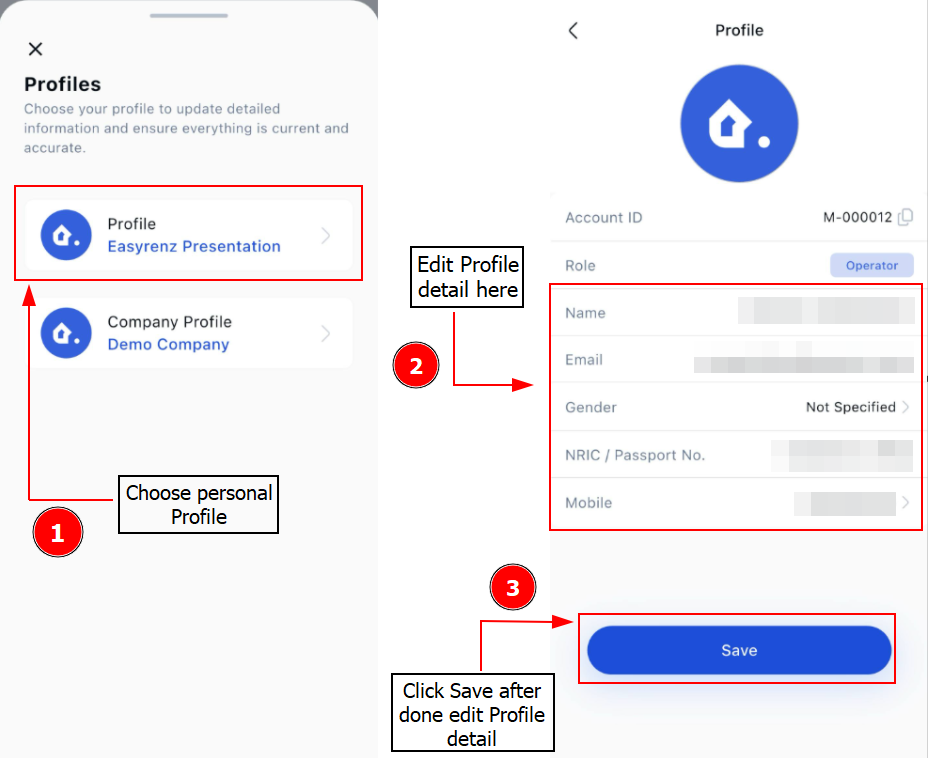
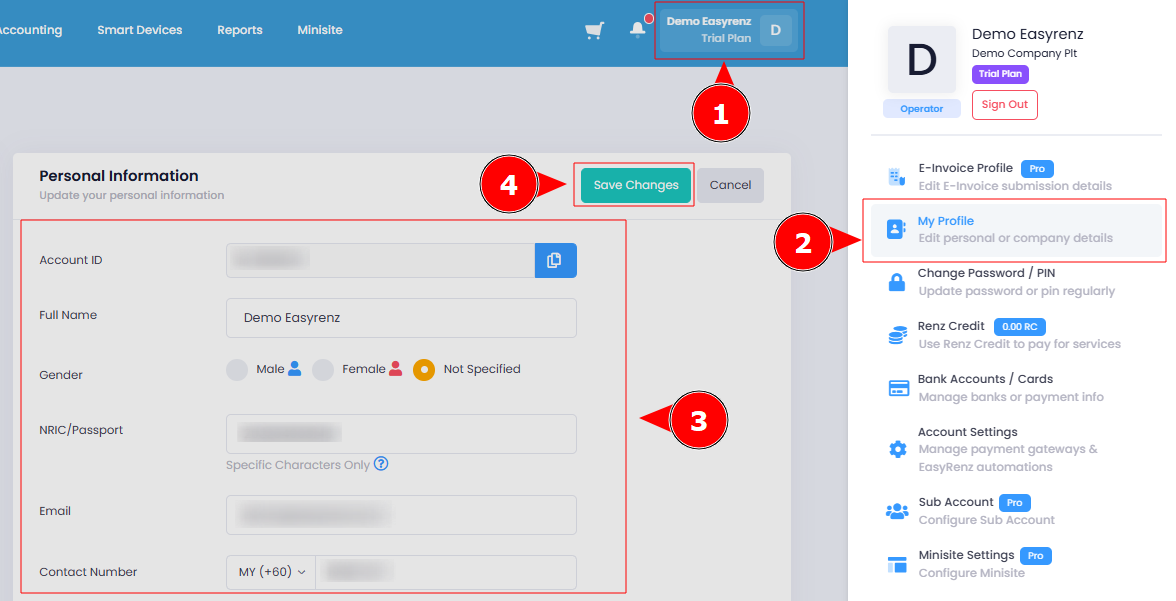
Steps to edit your personal details.
Step 1: Click on the Profile Icon > My Profile
Step 2: Under Personal Information section you can update your details > Save Changes
Your personal information has been successfully updated.
[Mobile Version] Steps to edit your personal details.
Step 1: Click on the Settings > Profile
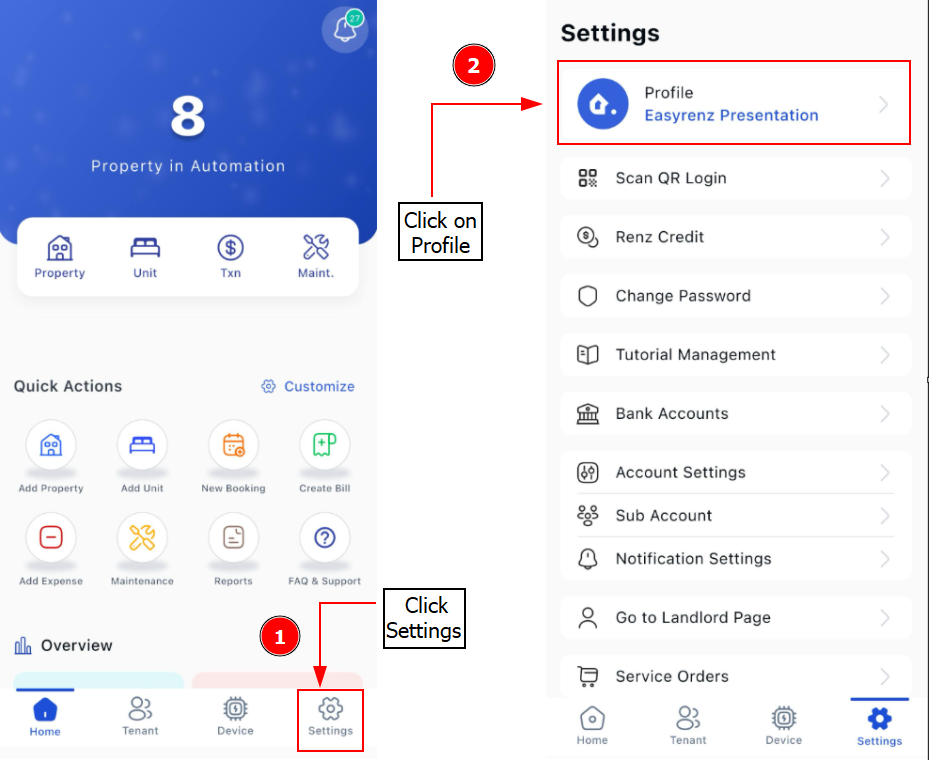
Step 2: Choose Profile > Start to edit/update your personal details > Save