Reset Password / Forget Password / Force logout all device from the account
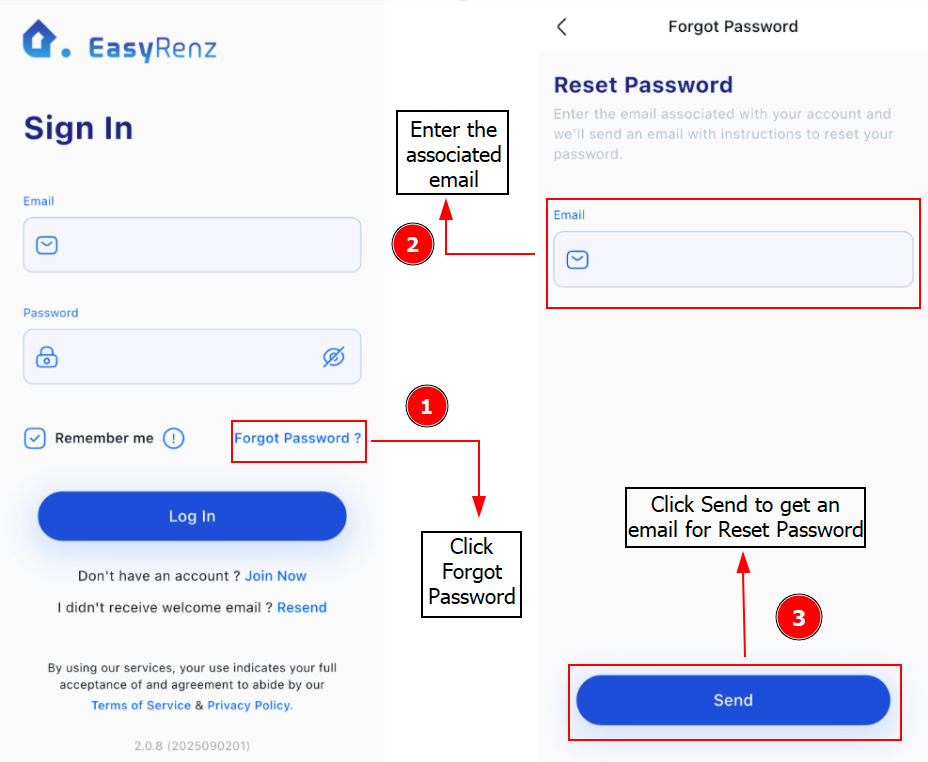
Step 1 : On EasyRenz Login Page / EasyRenz App > Click Forgot Password > Enter Email Address > Send
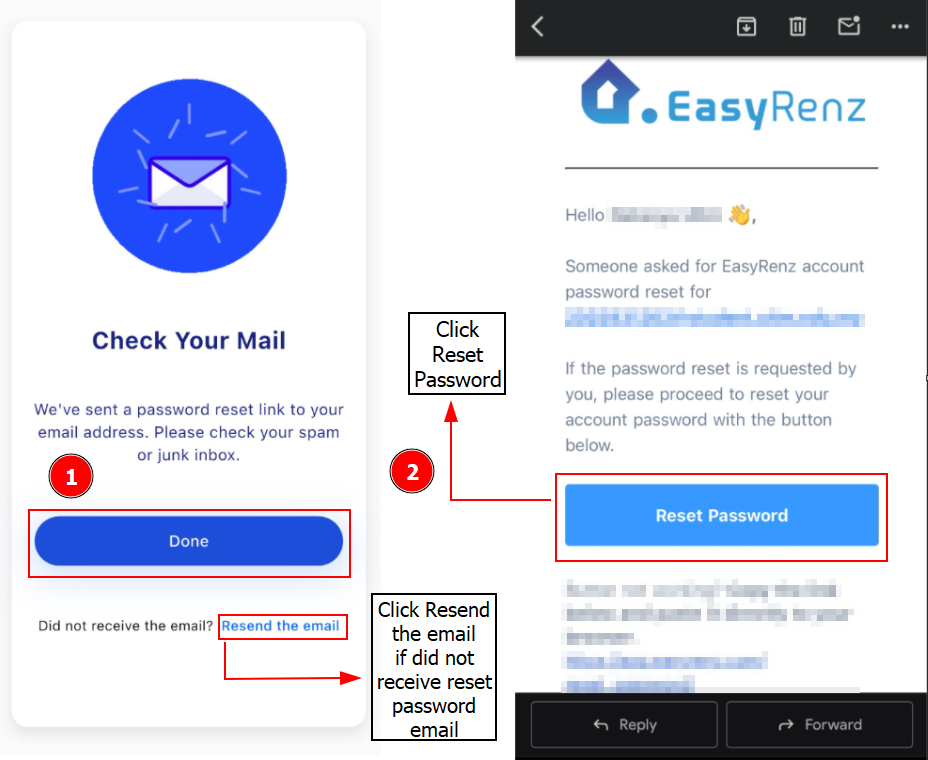
Step 2: You will receive email from EasyRenz > Click Reset Password
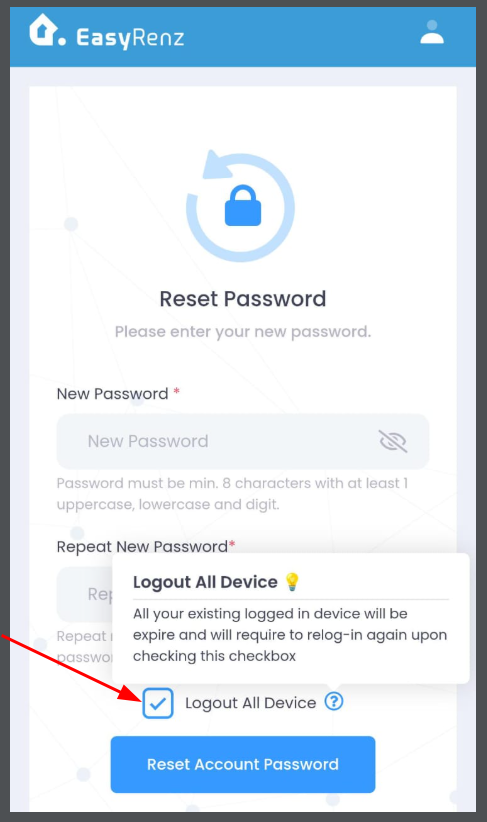
Step 4 : Key in New Password and Repeat New Password > Reset Account Password
Important:
Optionally, User can force logout all devices from EasyRenz account through password reset by ticking the "Logout All Device" checkbox.