Steps to set postpaid electric bill
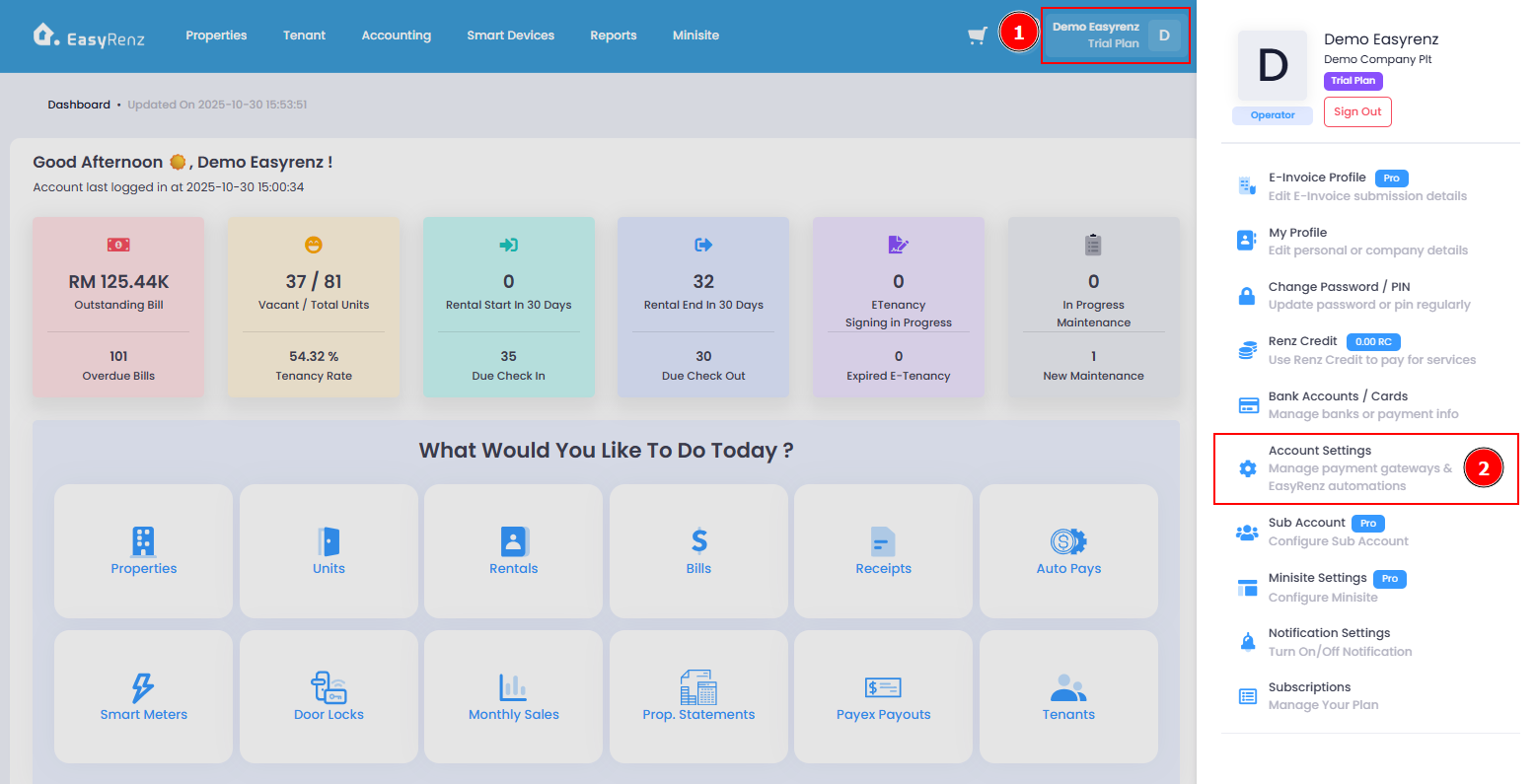
Step 1 : Go to Profile Menu > Account Settings
Step 2 : Expand Smart Meter Automation section
In this section, you can set / update the date for generating the postpaid electric bill, auto power off for vacant units, and TMS Prepaid Meter top-up options.
Vacant unit auto power off can be enabled to prevent electrical appliances from remaining powered on when the tenant or housekeeper leaves the unit. You can set a threshold for electric usage to trigger the power-off automation.
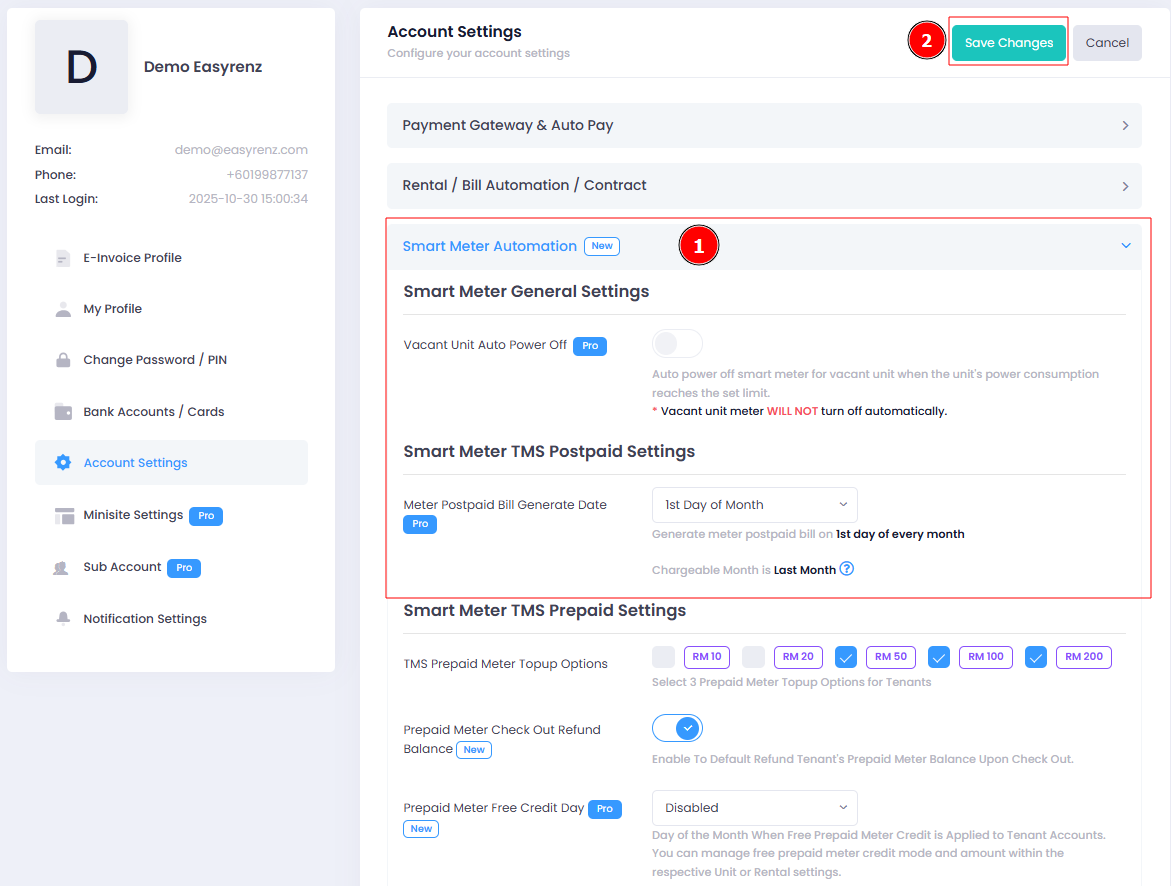
Step 3 : Click on Save Changes to complete setup.
You have successfully set postpaid electric bill.
[Mobile Version] Steps to set postpaid electric bill
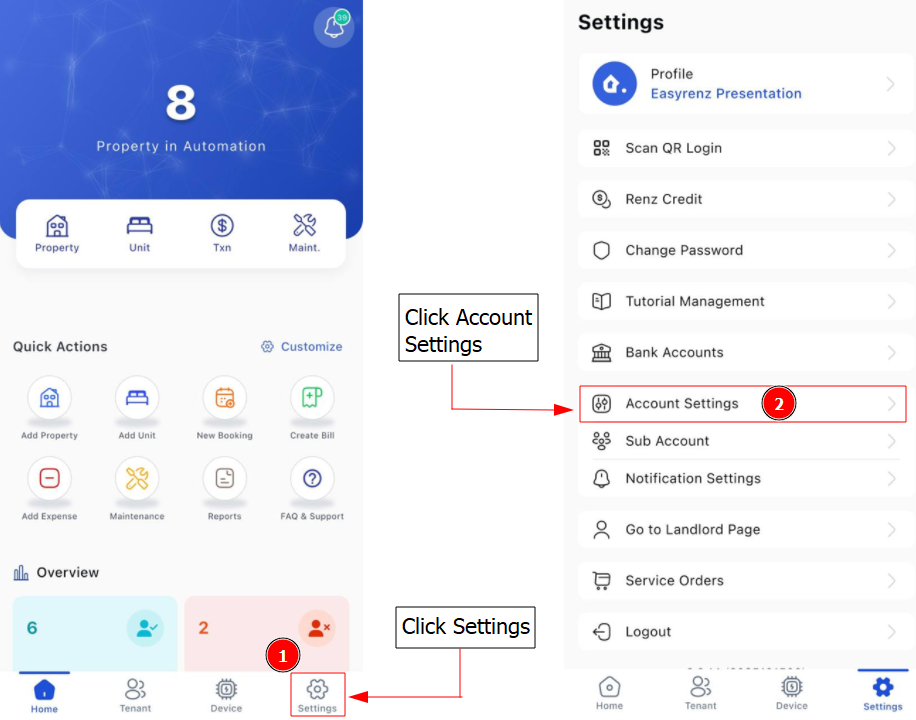
Step 1: Go to Settings > Account Settings
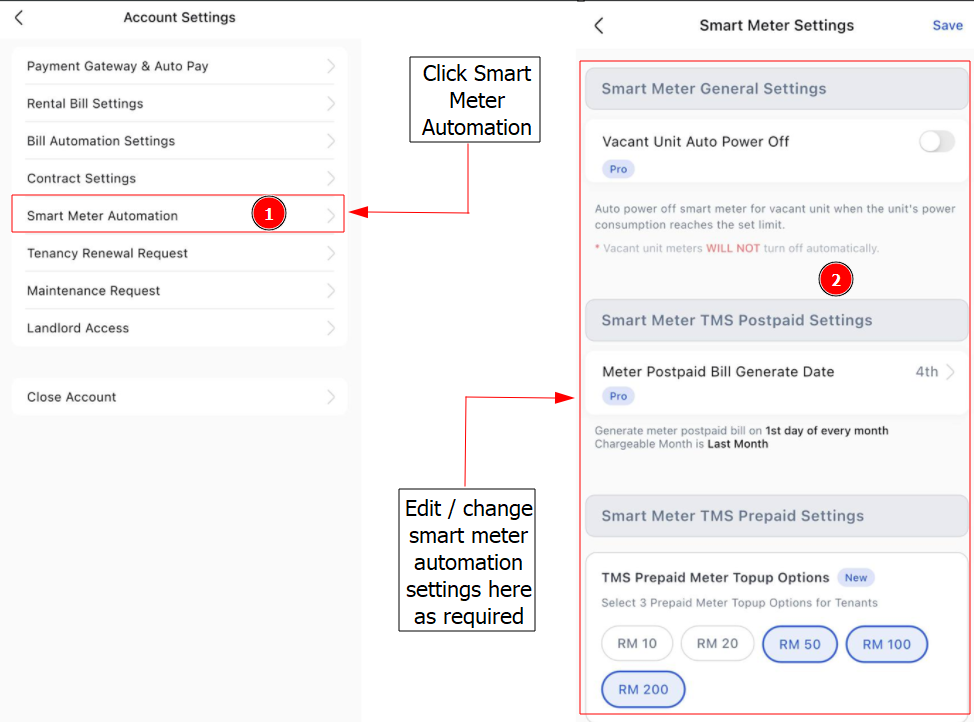
Step 2: Click on Smart Meter Automation > In this section, you can set or update the Auto Power Off For Vacant Units, Date For Generating the Postpaid Electric Bill and TMS Prepaid Meter Top Up Options > Click Save after done edit / change settings