
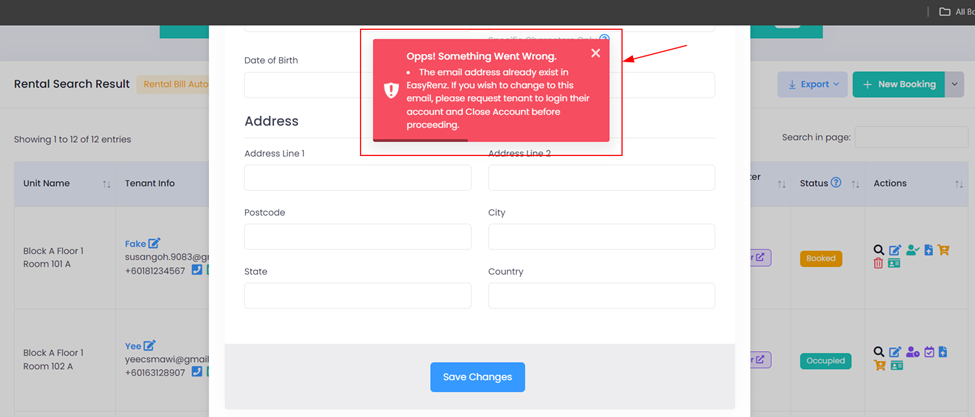
If you receive this error, it means the email address is already registered to another account in EasyRenz.
Please ask the tenant to log in to the EasyRenz mobile app with the registered email, then follow these steps to close the account:
EasyRenz App > Login Tenant Account > My Profile > Close Account at the bottom.
Once the tenant has closed the account, you will be able to update the tenant's email address to the intended email address.
If the tenant does not assist in closing the registered account, you will not be able to change the email address to the intended one.
To avoid any inconvenience, please ensure you use the correct email address when making future bookings.
Learn more on check out a tenant > [Bookings & Rentals]How To Check Out An Occupied Rental ?
Learn more on create a new booking > [Bookings & Rentals]How To Add New Booking ?