
Check Out An Occupied Rental
Checking out an occupied rental in EasyRenz involves a few simple steps. Follow the guide below to ensure a smooth check-out process for your tenant.
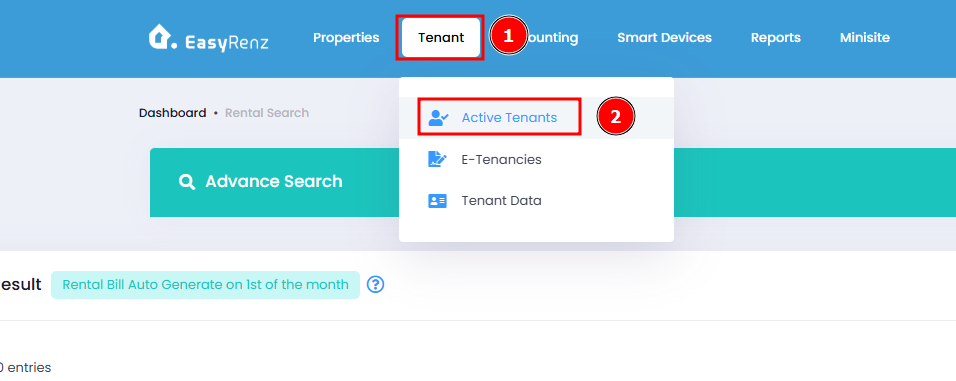
Step 1 : Go to Active Tenants Tab
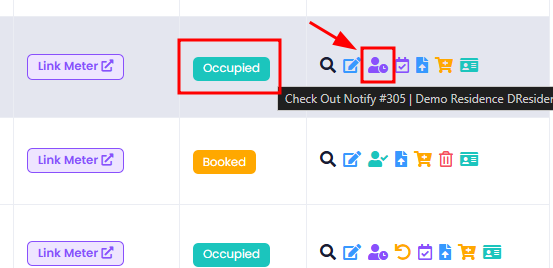
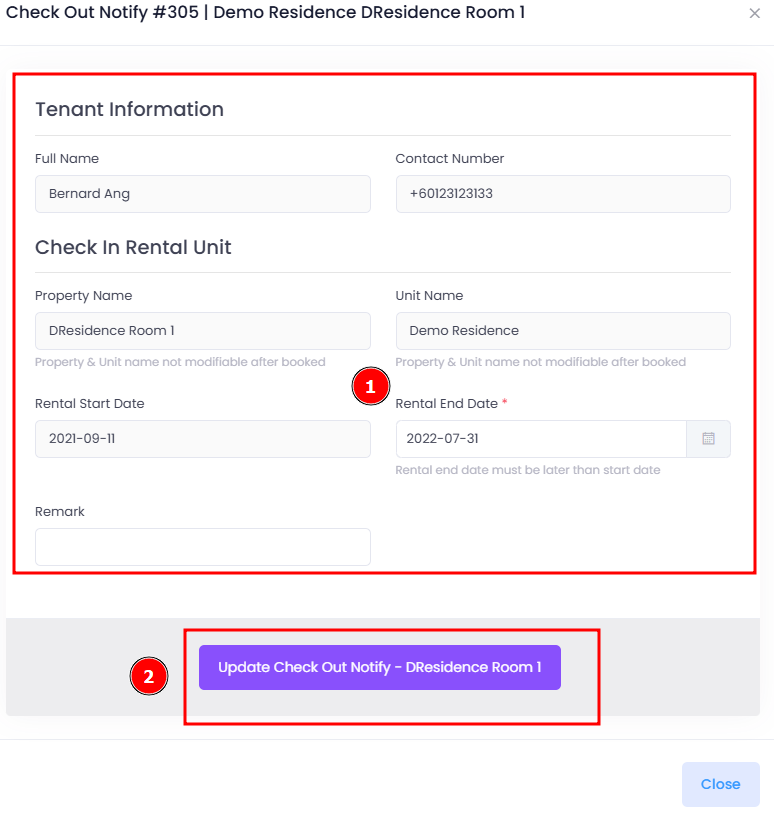
Step 2 : Action Check Out Notify on an Occupied rental > Fill in details > Update Check Out Notify
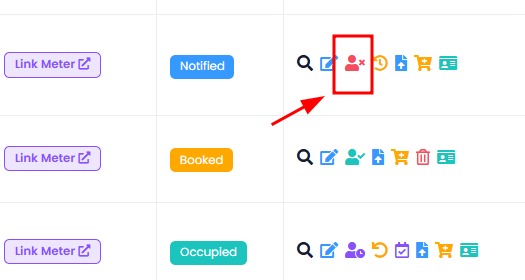
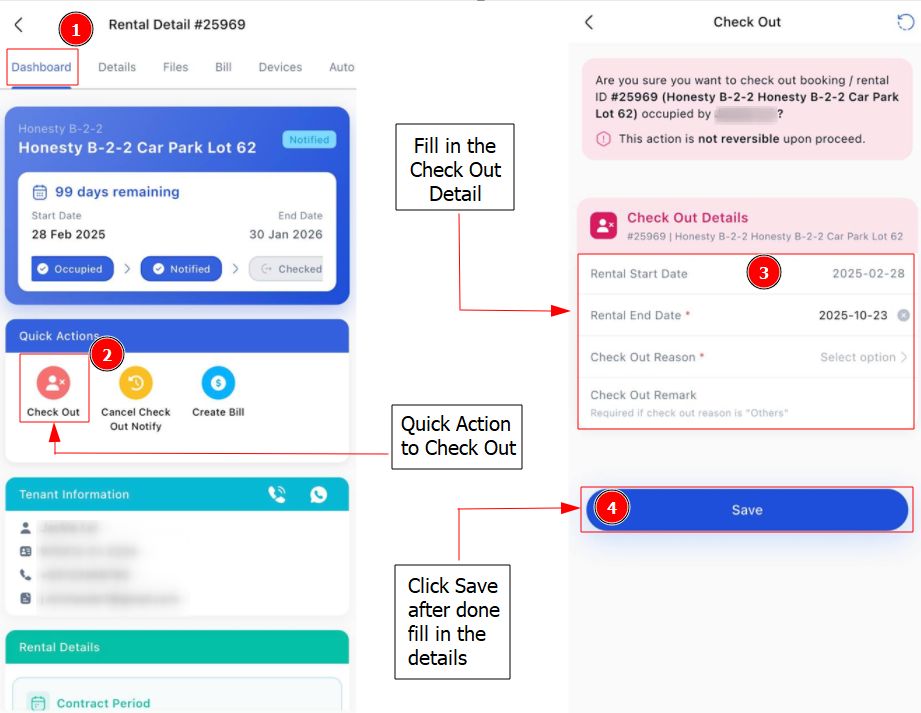
Step 3 : Action Check Out on a Notified rental > Choose Check Out Reason > Check Out > Confirm Check Out
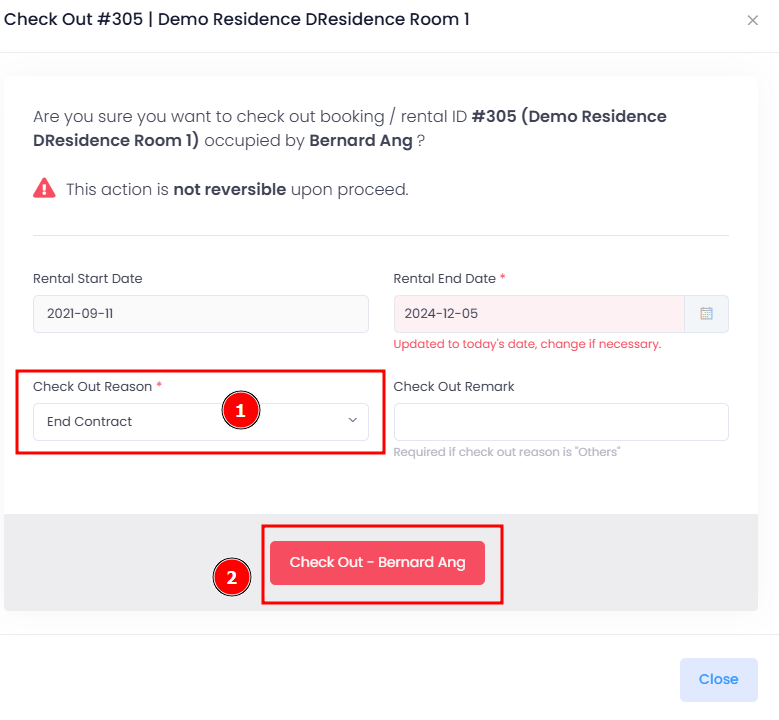
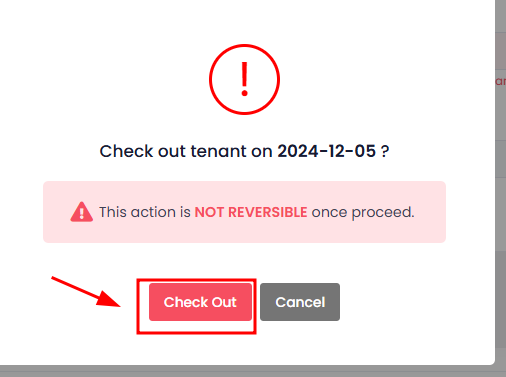
[Mobile Version] Steps to Check Out An Occupied Rental
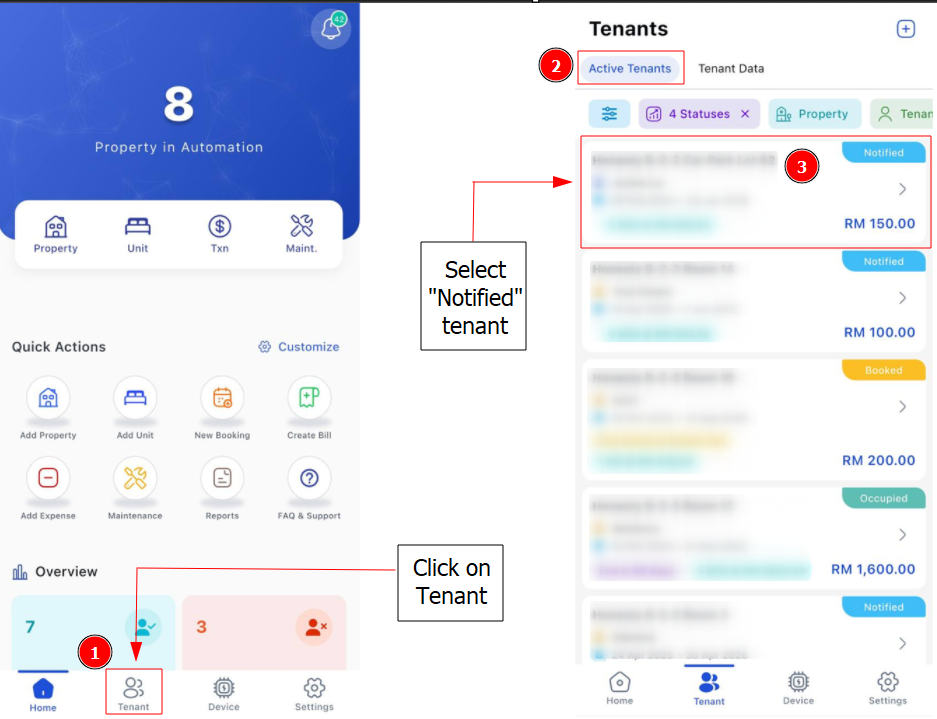
Step 1 : Go to Tenant > Active Tenant >Select an "Occupied Tenant" that you wish to check out.
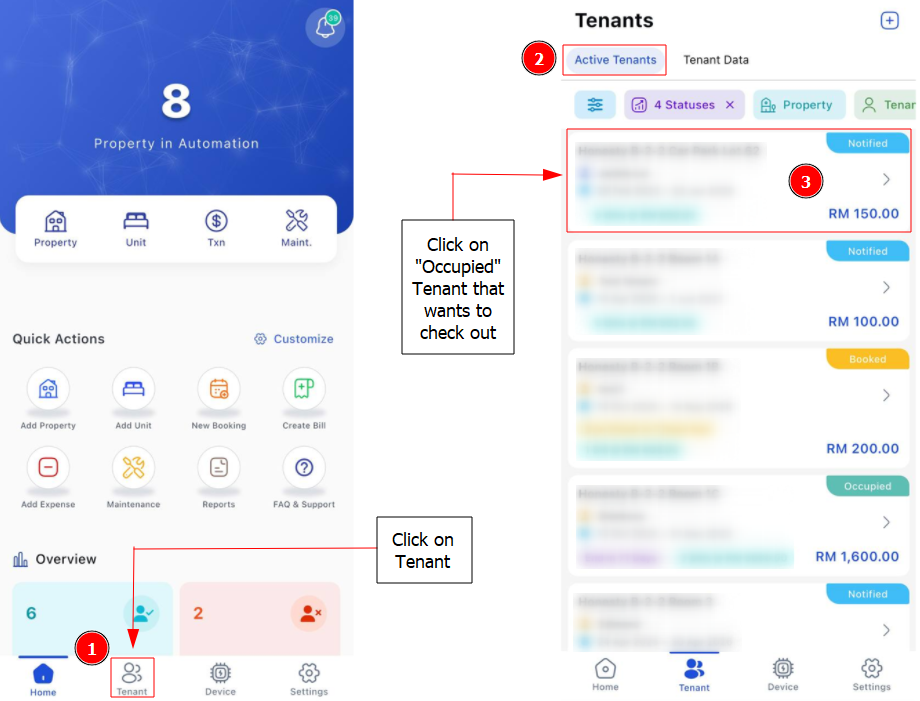
Step 2 : Dashboard > Click on 3 Dots Button > Check-out Notify > Check tenant and rental information > Save
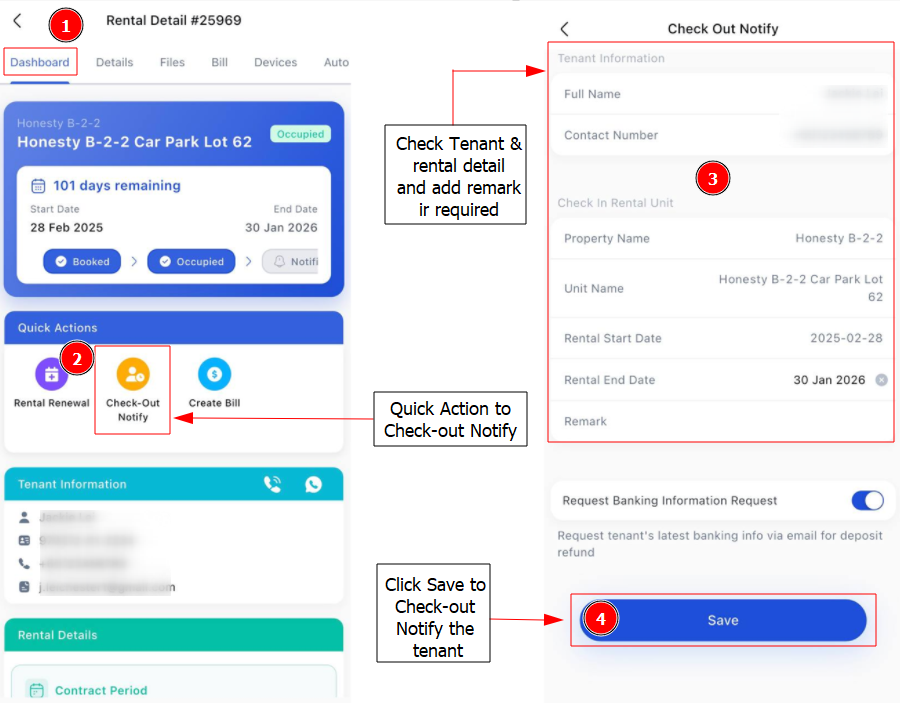
Step 3 : Select on "Notified Tenant" that you wish to check out.
Step 4 : Dashboard > Click on 3 Dots Button > Check Out > Fill in Check Out Details > Save
Getting Started - Next Topic
Handling deposit refunds - [Deposit Refunds] How To Create Deposit Refund ?