Adding a bank account will be used for generating digital contracts, while adding a bank card will be used for your EasyRenz subscription payments.
Add Bank Account And Bank Card
Step 1 : Click on your profile icon > Select “Bank Accounts / Cards”. This option allows you to edit bank account information.
Step 2 : Adding Bank Accounts/ Cards
To add a new bank account or card, click on the “Add Bank Account / Card” button.
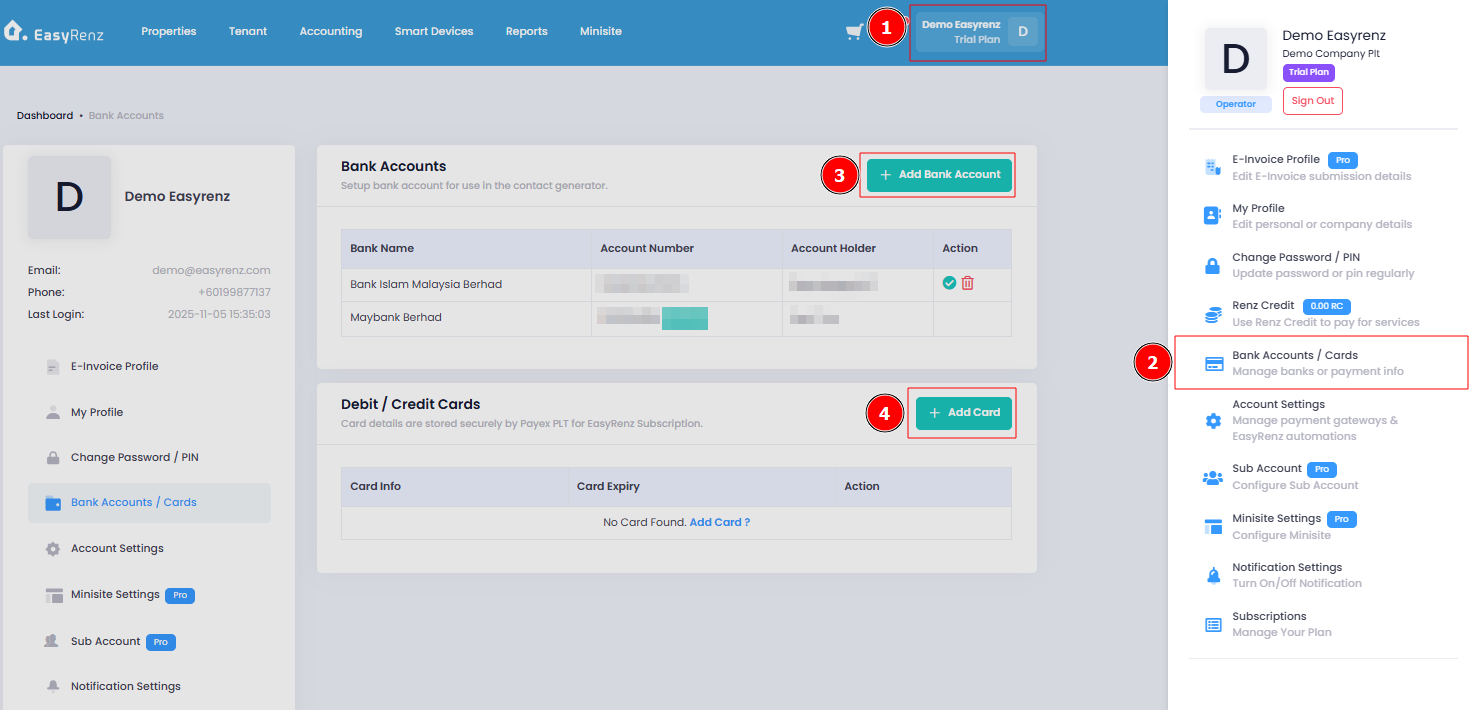
Bank Account
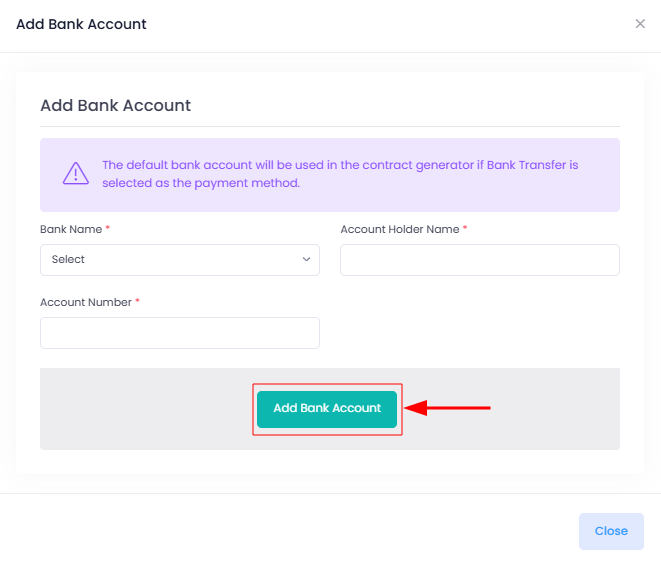
After entering the required information, click on the “Add Bank Account” button to save the bank account details.
Bank Card
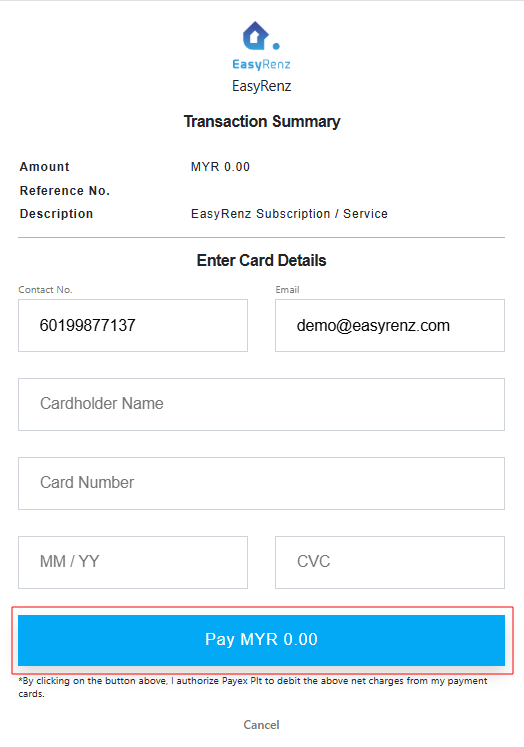
Click on the “Pay With Master Card / VISA” button.
* We only accept Master Card / Visa Credit or Debit card.
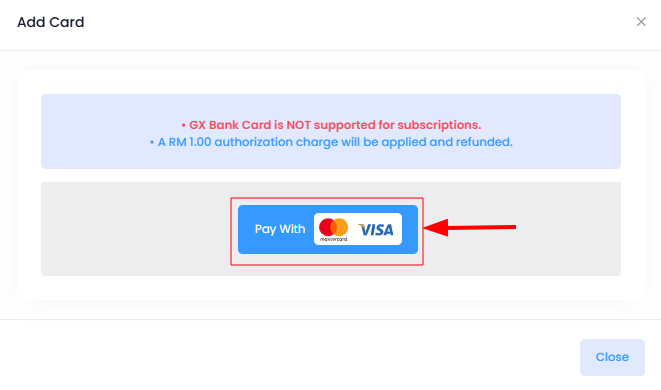
After entering the required information, click on the “Pay MYR 0.00” button to save the bank card details.
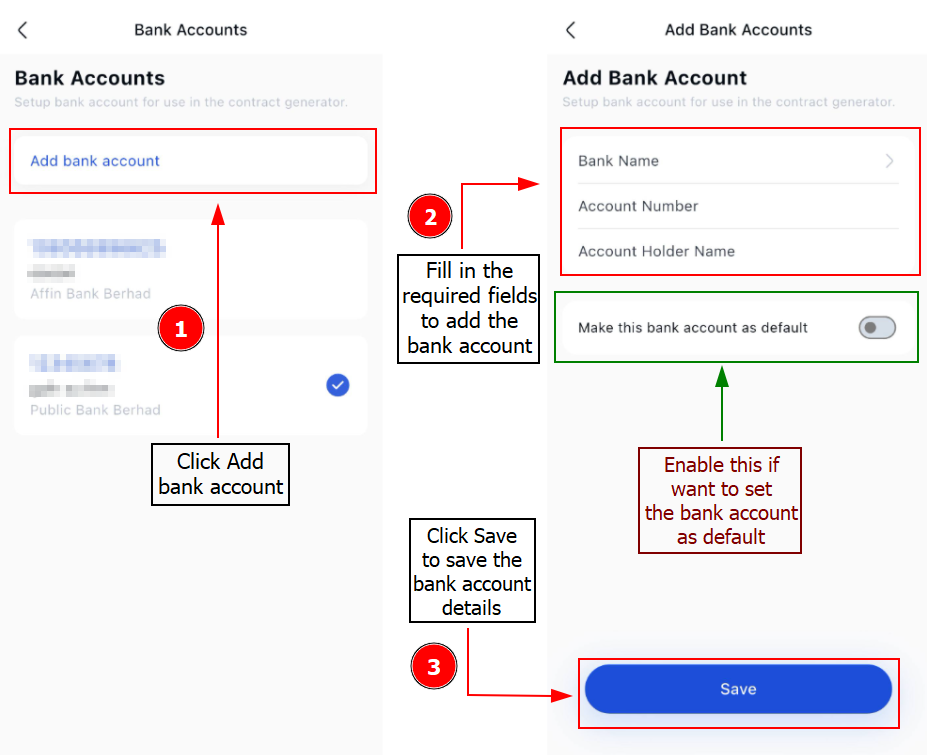
[Mobile Version] Add Bank Account
To add your bank account, follow these steps:
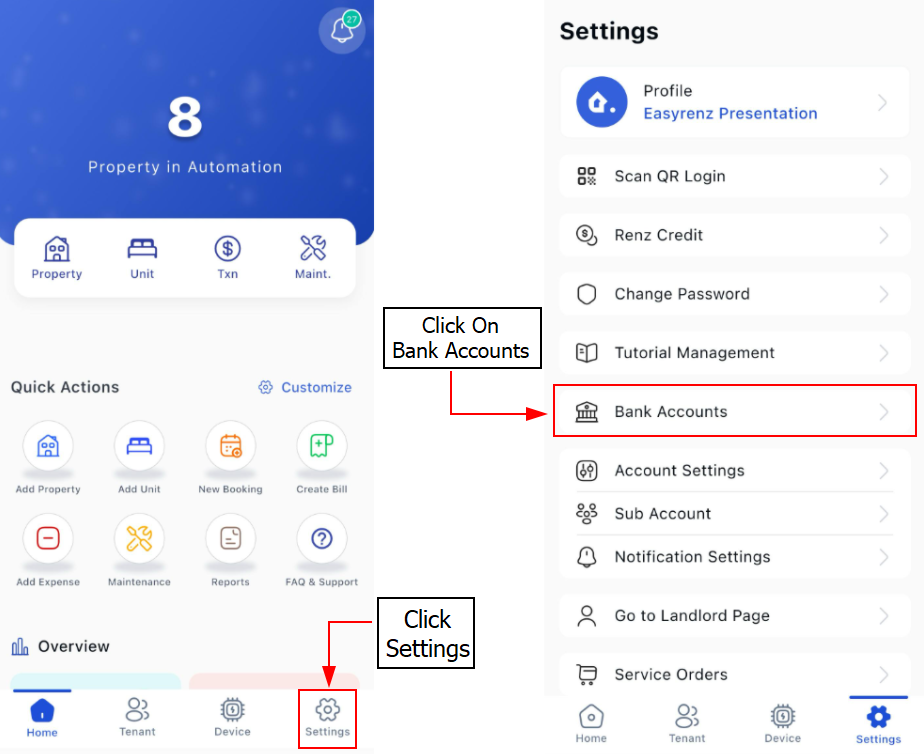
Step 1: Click on the Settings > Bank Account
Step 2: Click Add bank Account > Fill in the required fields to add your bank account > Save