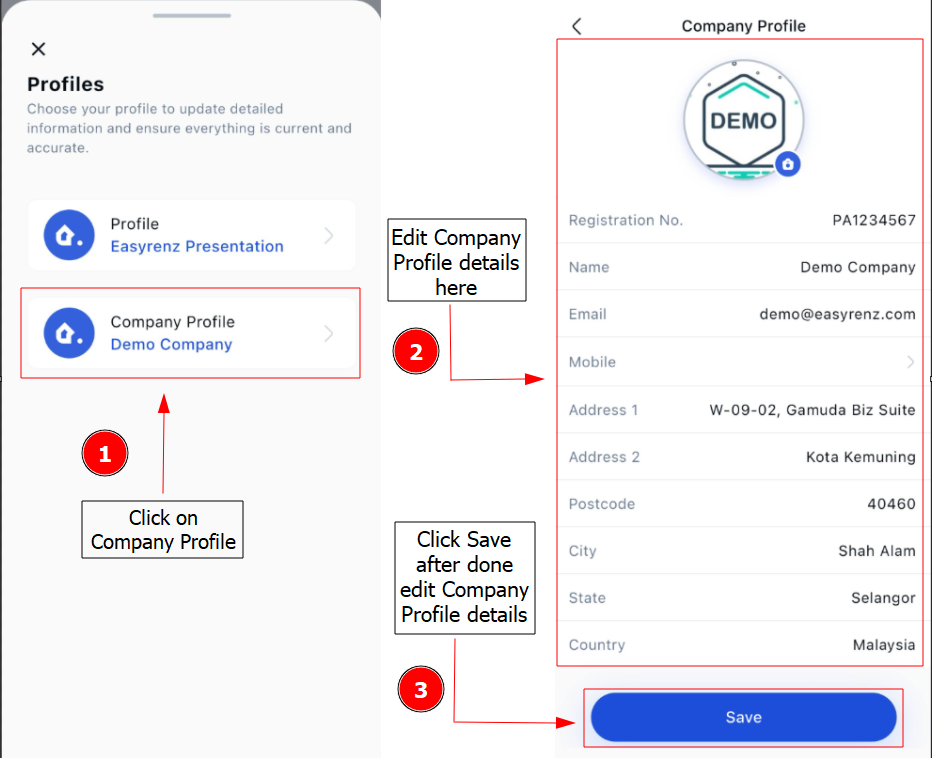
Completing your company profile in EasyRenz ensures that it will be displayed on receipts issued to tenants, as well as on any receipts billed to you.
Steps to update your company profile.
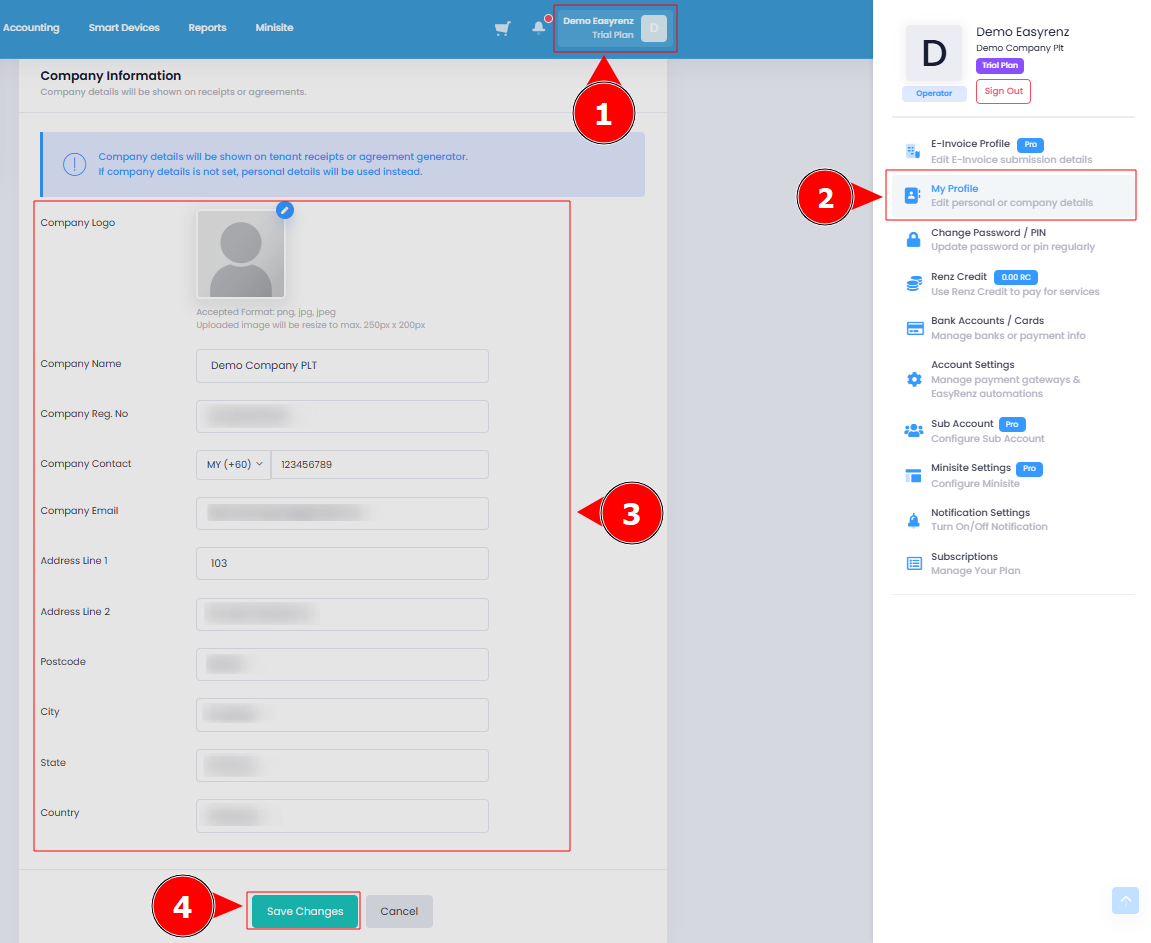
Step 1 : Click on your profile icon > Account Settings > My Profile
Step 2 : Scroll down to the “Company Information” section. Here, you can update various details related to your company > Save Changes
Important:
After updating the necessary fields, click on the “Save Changes” button located at the bottom of the form.
Important:
To cancel any changes, click on the “Cancel” button. This will discard any modifications and revert to the previous information.
[Mobile Version] Steps to update your company profile.
Step 1 : Click on the Settings > Profile
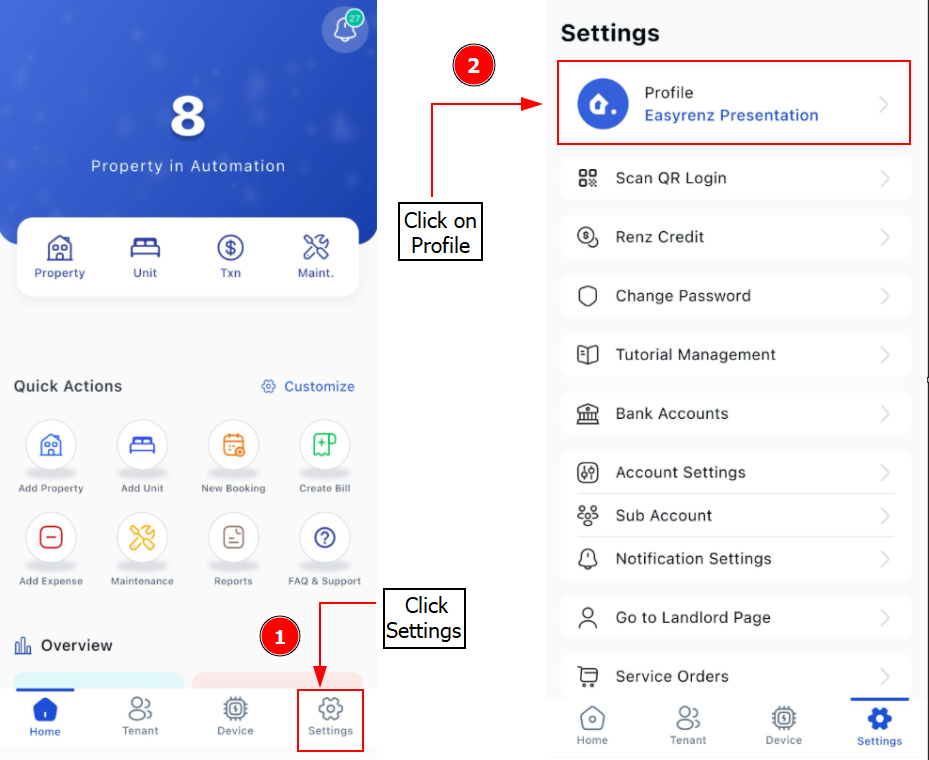
Step 2 : Choose Company Profile > Start to edit/update your company profile details > Save