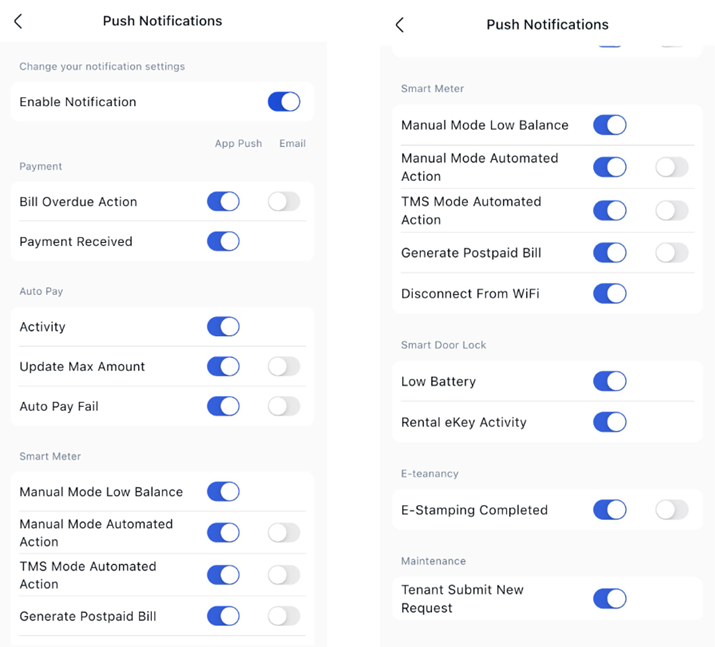
Step to manage your notifications preferences
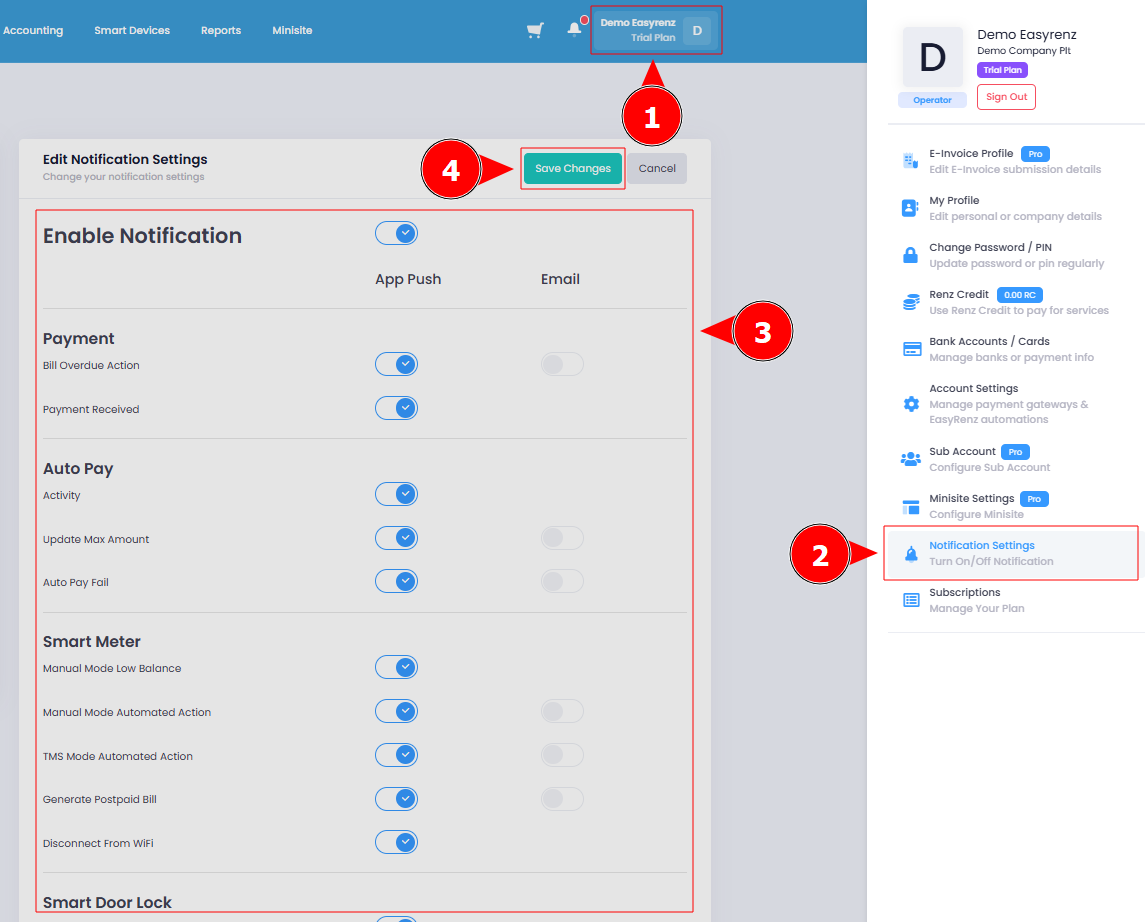
Step 1 : Click on the Profile Icon > Notification Settings.
Step 2 : You can change/choose to receive the notification either through the app (App Push) or some available via email > Save Changes button.
Your notification preferences has been successfully changed.
[Mobile Version] Step to manage your notifications preferences
Step 1: Go to Settings > Click on Notification Settings.
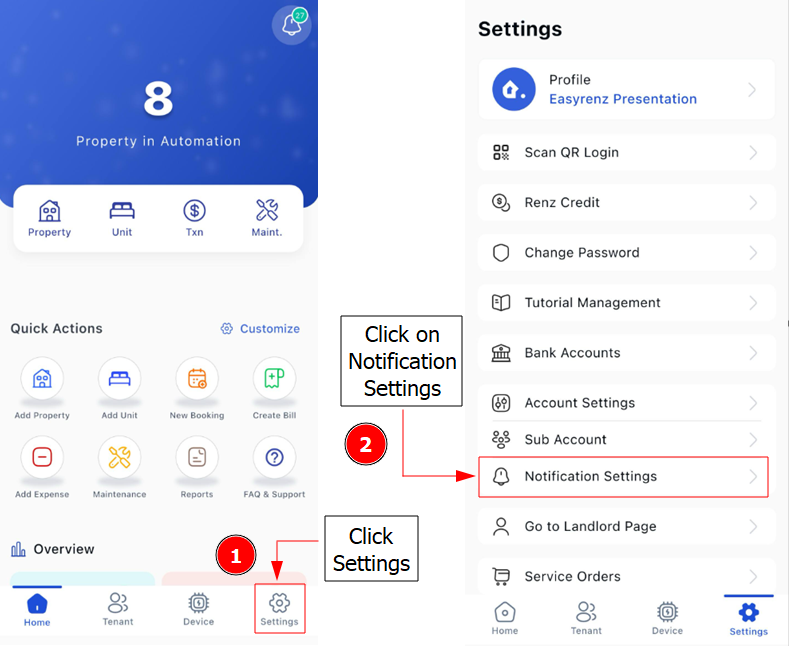
Step 2 : You can change/choose to receive the notification either through the app (App Push) or some available via email.