
You may change it by editing to the new email address.
Steps to edit tenant’s email address
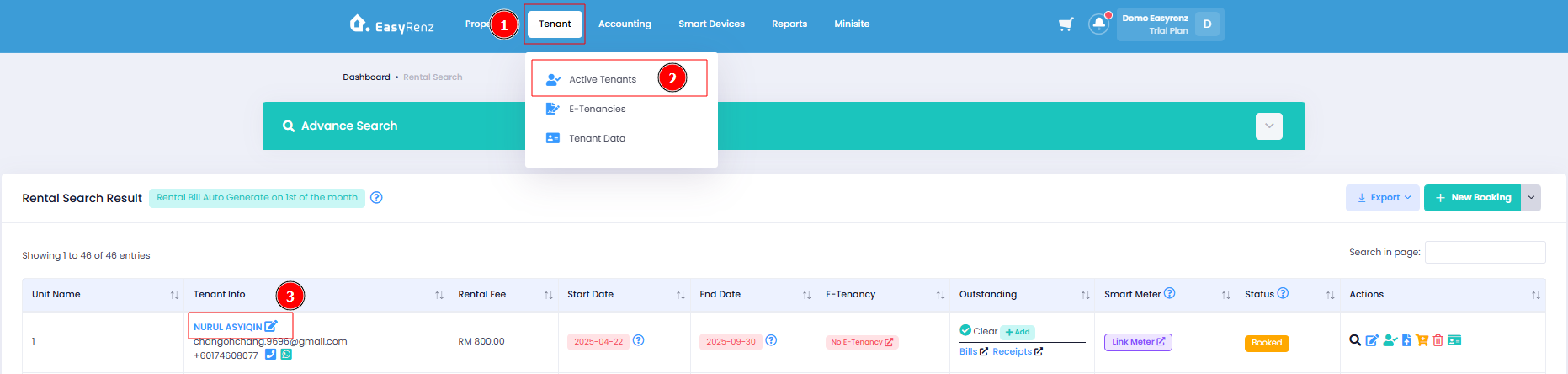
Step 1: Go to Tenant > Active Tenants Click the Edit button beside Tenant Name to edit tenant details.
Step 2: At the end of the form, press Edit Tenant.
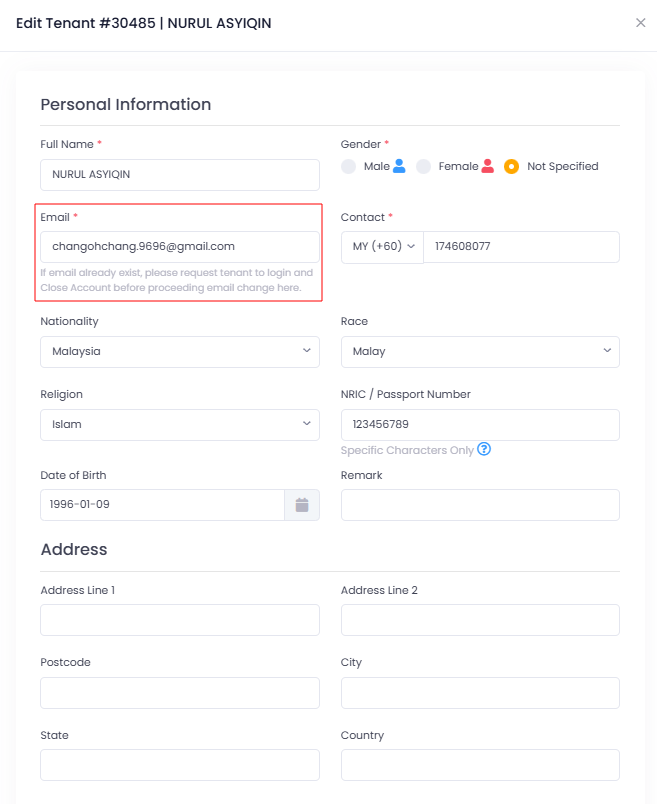
You have successfully edited a tenant detail.
[Mobile Version] Steps to edit tenant’s email address
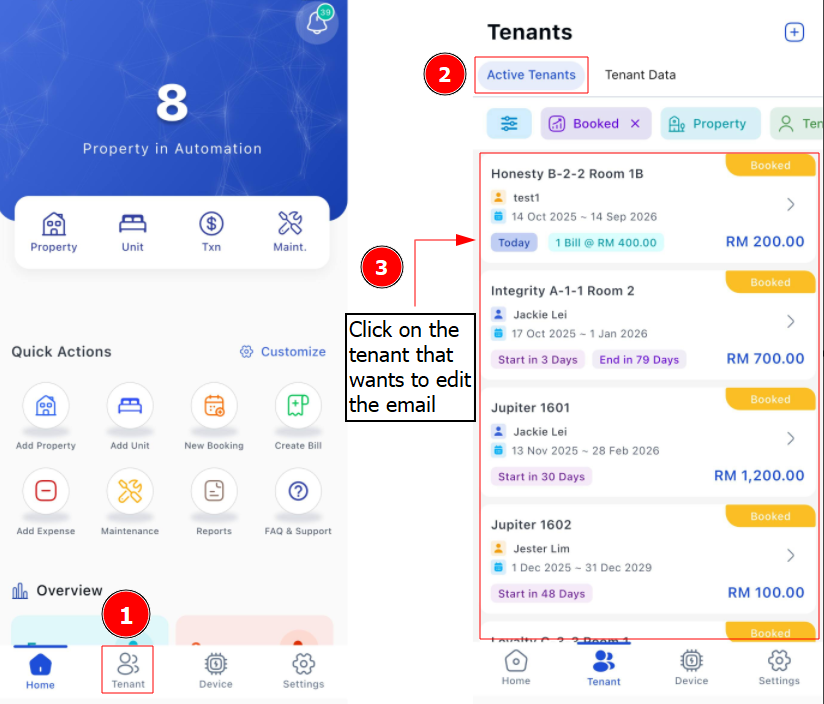
Step 1: Go to Tenant > Click on the tenant
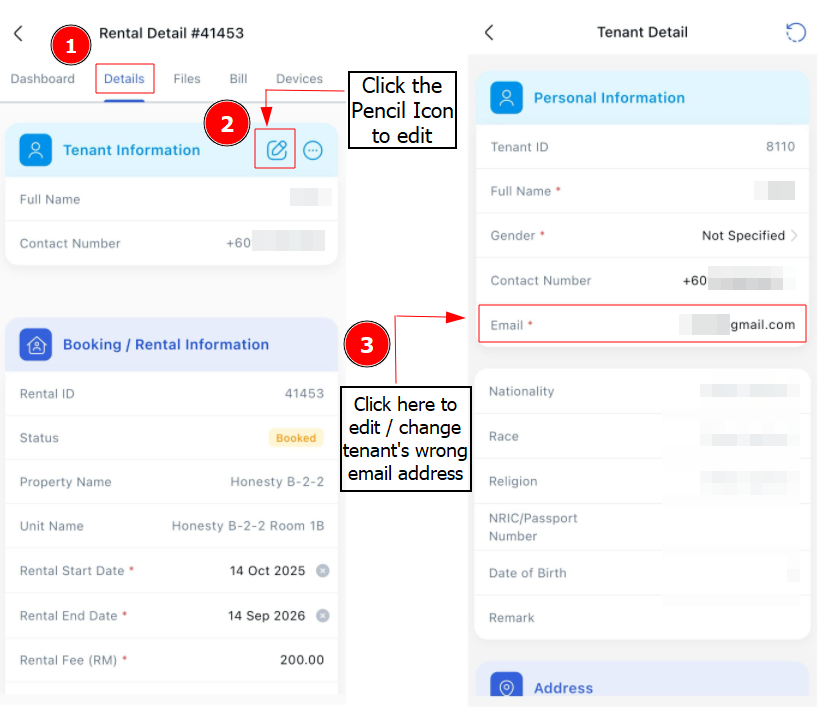
Step 2: Click the Pencil Icon> Edit your tenant's email > Save
Unable to change the tenant's email ?
You may refer on this article > [Bookings & Rentals] When Edit Tenant Email, I Receive An Error "This email address already exists in EasyRenz".