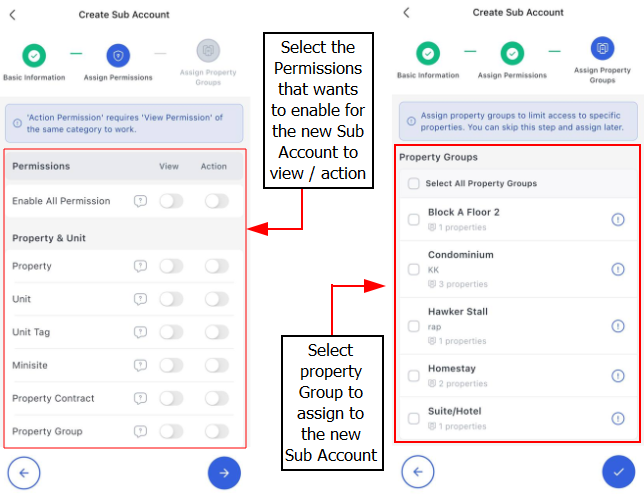
Sub-account Explained.
A sub-account is a secondary account linked to your principle account. It allows multiple users under a single principal account, each with its own permissions and access controls.
A sub-account requires an active subscription to be used.
All sub-account access will be restricted if your subscription plan expires.
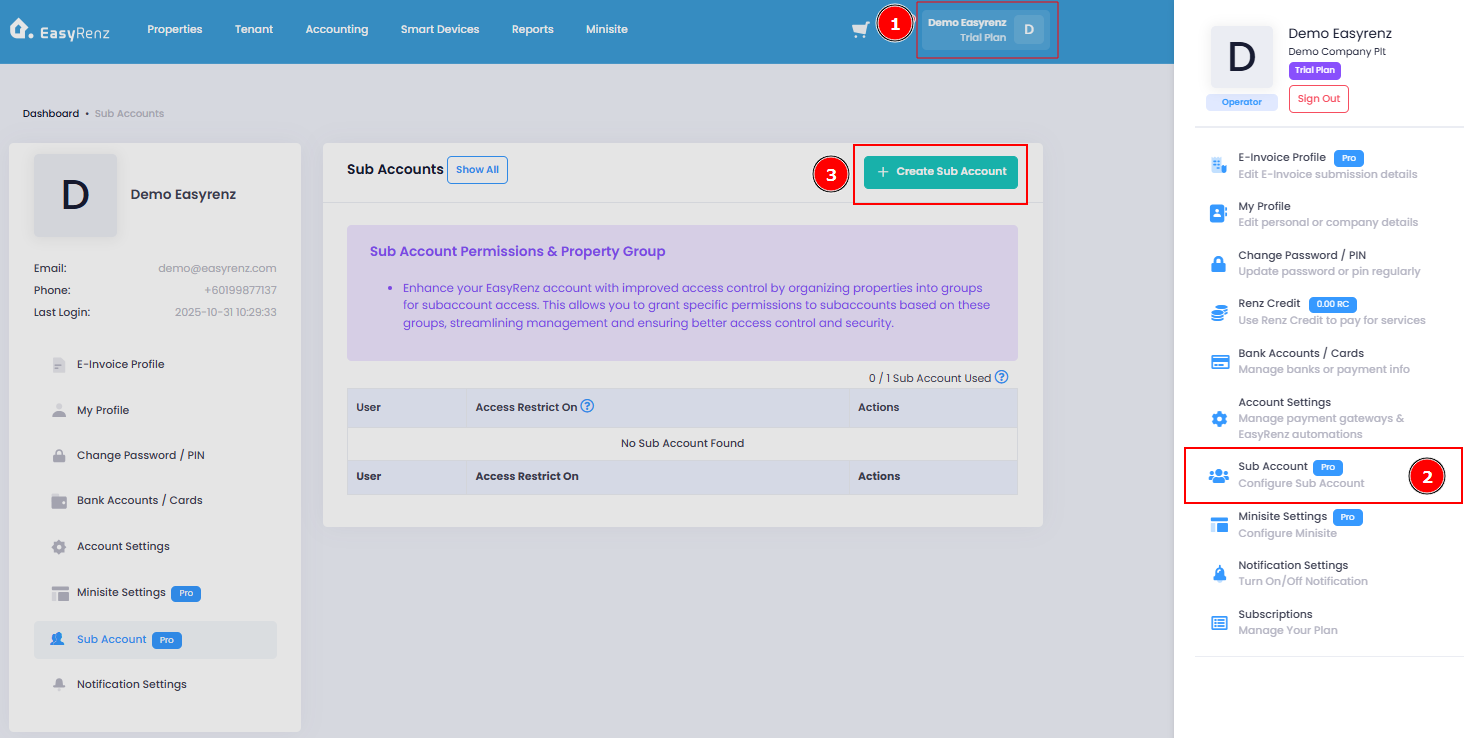
[Web Version] Steps to add sub-account
You should create property groups before creating a sub-account.
Learn more about property groups: [Properties & Units] How To Add Property Group ?
Step 1: Go to Profile > Sub Account > Click on Create Sub Account button
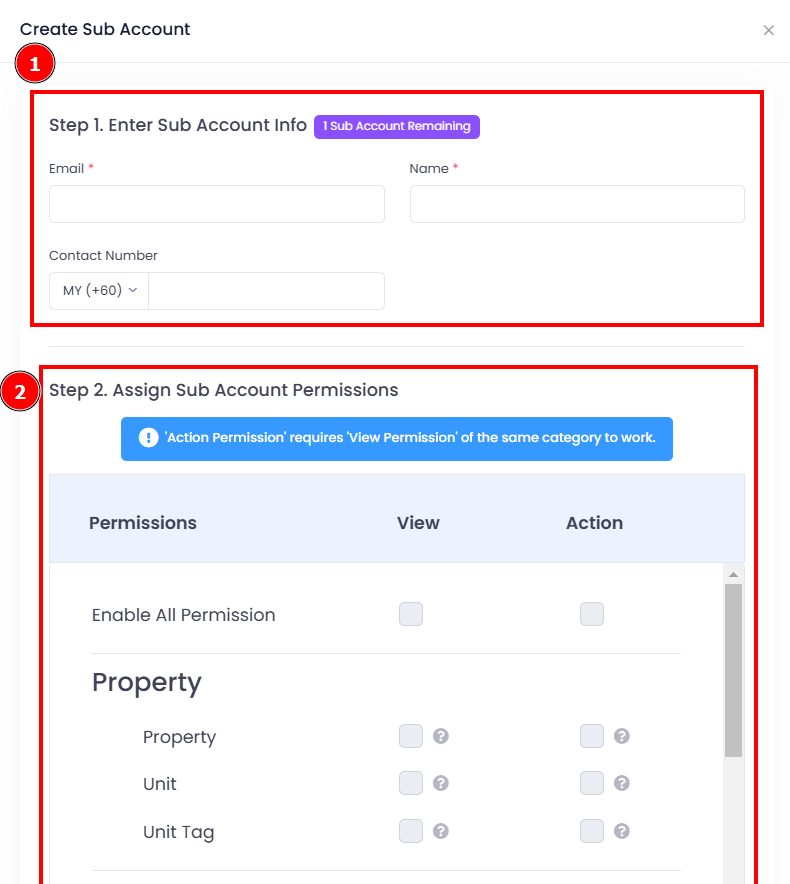
Step 2 : Enter sub account info > Assign permission > Assign property groups > Create Sub Account
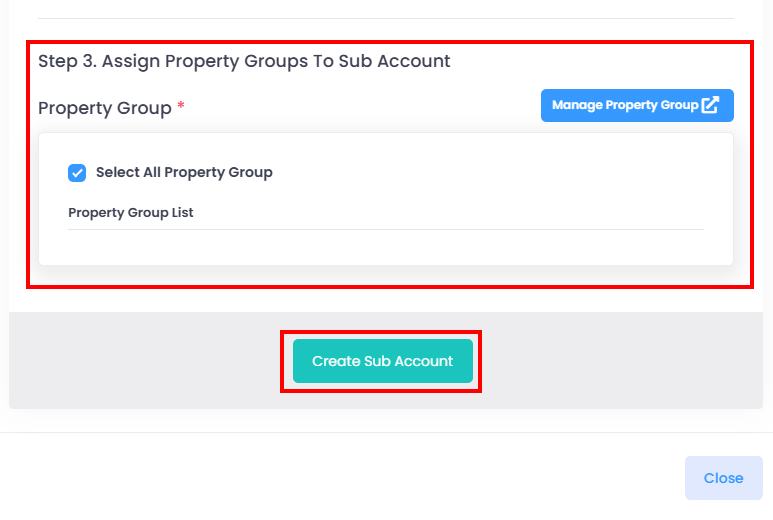
Once a sub-account is created, EasyRenz will send an invitation email to the user to set up their sub-account. After the setup is complete, the user can log in to their sub-account.
[Mobile Version] Steps to add sub-account
Step 1: Go to Settings > Sub Account
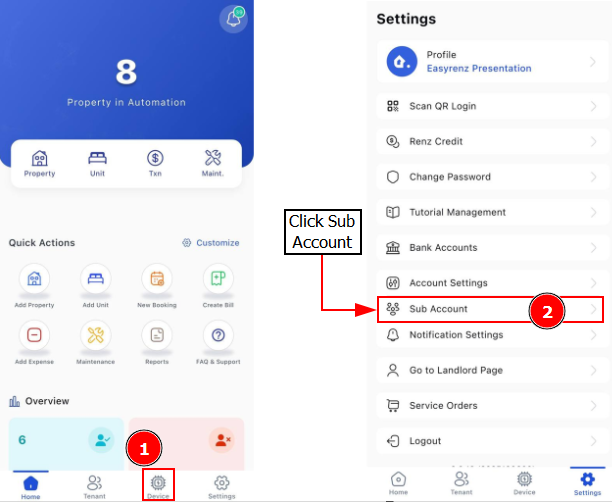
Step 2: Click on Plus Button > Fill in basic information for new Sub Account
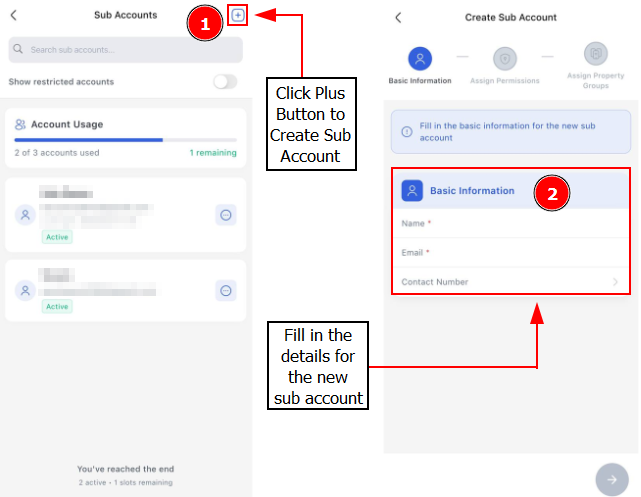
Step 3: Enter sub account info > Assign permission > Assign property groups > Click Right Button to create Sub Account.