
Resending a verification email for sub-accounts in EasyRenz ensures that user verify their email and setup their account password for the first time. Follow these steps to resend a verification email to a sub-account:
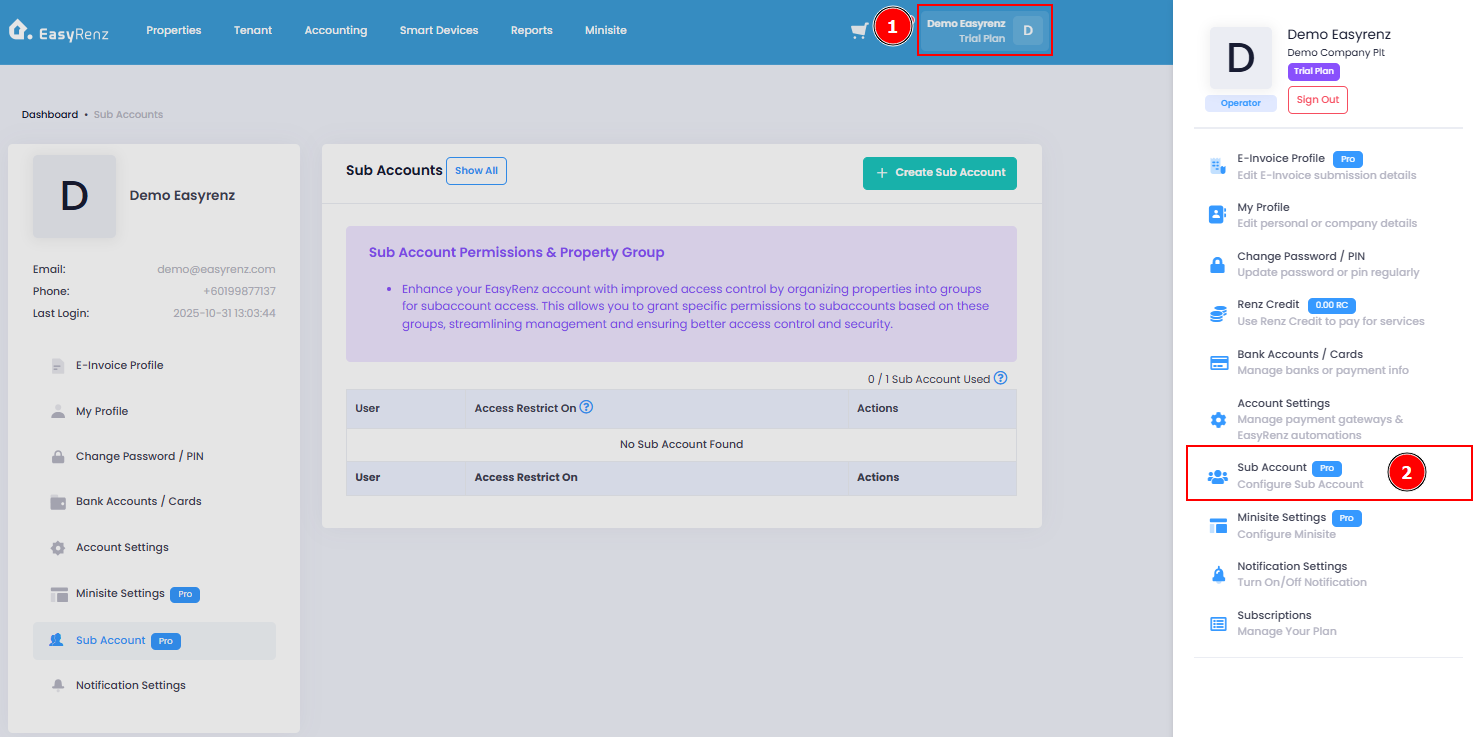
Step 1 : Profile > Sub Account
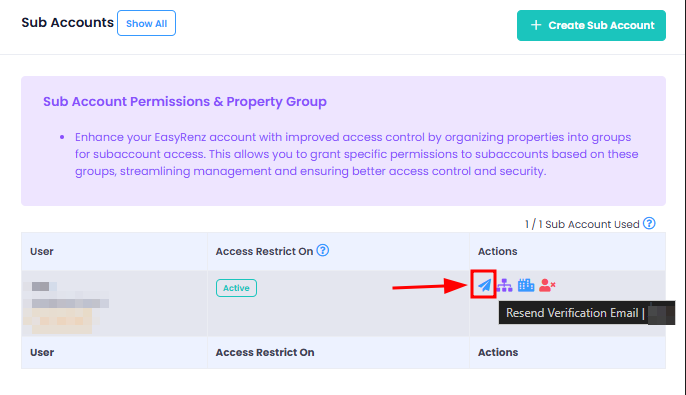
Step 2 : Resend Verification Email
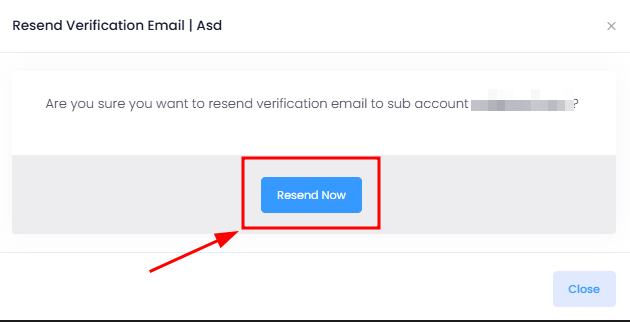
Step 3 : Resend Now
If invited user did not receive any welcome email, here's some checklist for them:
Important:
1. Verify the email address to ensure it is correct.
2. Ask the tenant to check their spam or junk folder. For Gmail users, they may also want to check the "All Mail" folder.
3. Ensure the tenant's mailbox is not full.
4. Remind tenants to check the email inbox associated with their booking.