Removing sub-account access in EasyRenz allows administrators to revoke permissions for users who no longer need access to the platform. Follow these steps to remove sub-account access:
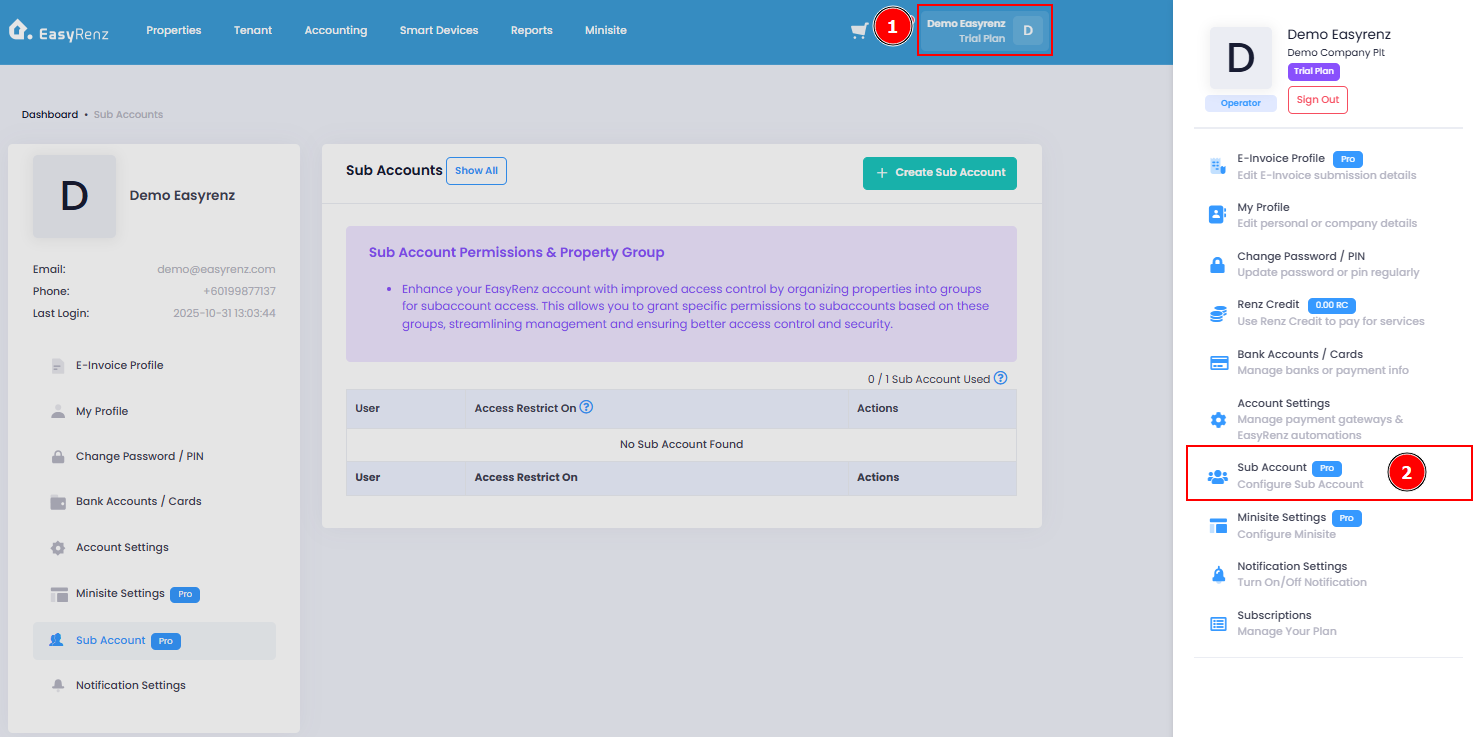
[Web Version] Remove Sub Account Access
Step 1 : Profile > Sub Account
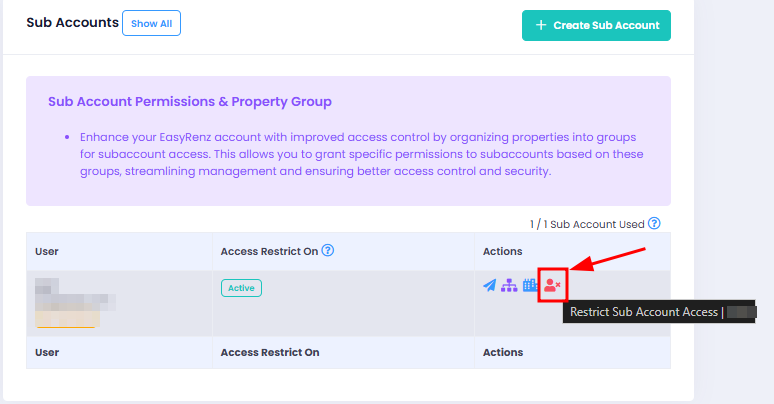
Step 2 : Restrict Sub Account Access
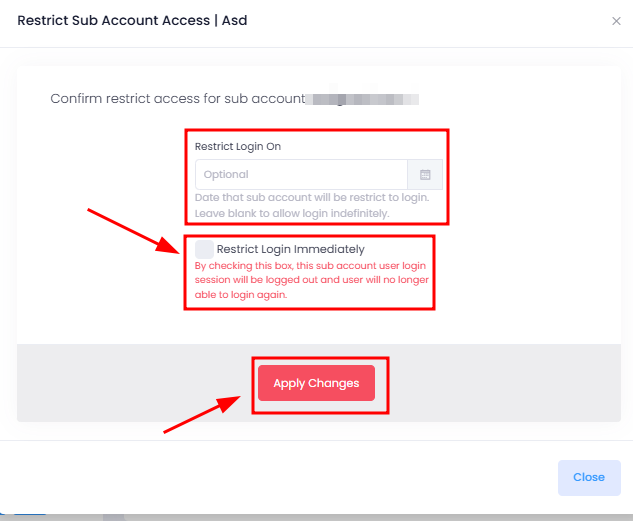
Step 3 : You may choose to restrict the account after a specific date or restrict immediately > Apply Changes
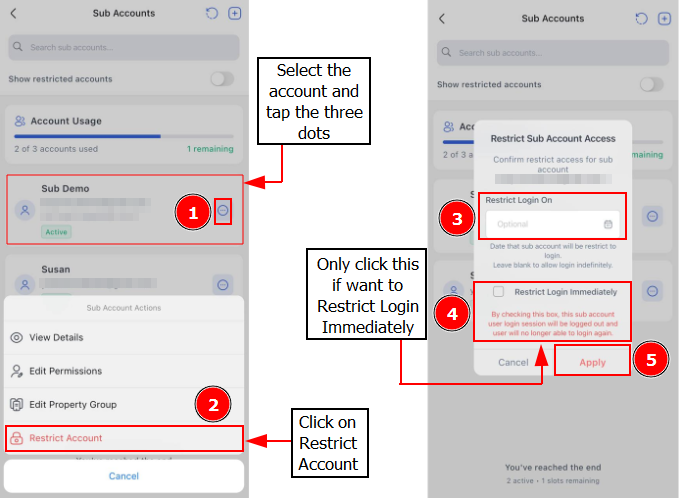
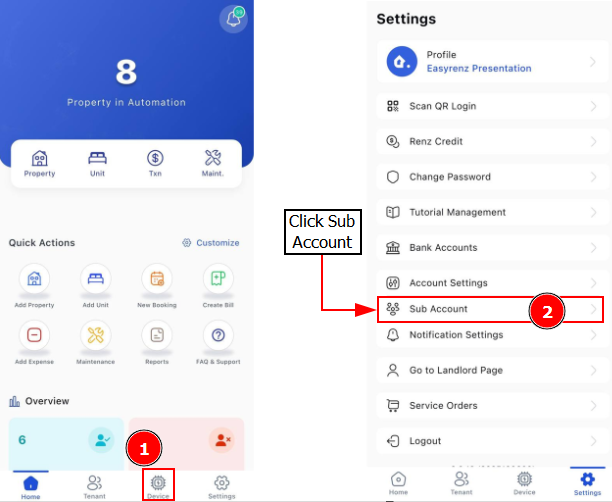
[Mobile Version] Remove Sub Account Access
Step 1 : Go to Settings > Sub Account
Step 2 : You may choose to restrict the account on a specific date or Restrict Login Immediately > Apply