
This is only for Web version
What is property group ?
A property group enhances your EasyRenz account by providing improved access control through the organization of properties into specific groups for subaccount access. This allows you to assign permissions to subaccounts based on these groups, streamlining management and ensuring better security and control.
Property groups are commonly organized by building, area, or any other relevant criteria.
Example By Area: Selangor, Penang, Terengganu, Cheras, Klang, Kepong
Example By Building Group: M vertica, Parkhill, Razak City etc
Steps to add a new property group
Step 1: Go to Properties > Properties > Property Group button.
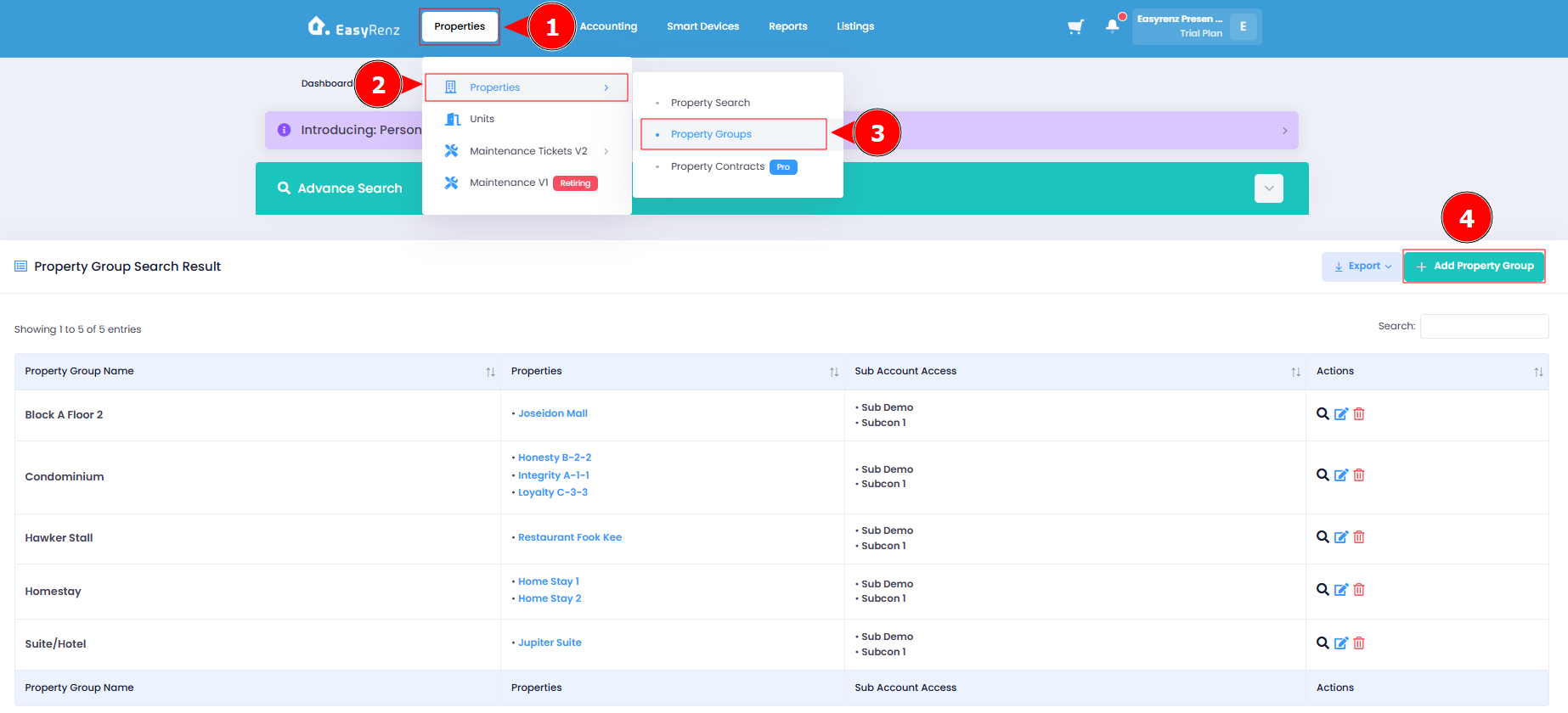
Step 2: Click Add Property Group > Key in the Group Name and complete the required fields > Select the Properties to be added in the Property Group Select the Sub Account(s) that can access the Property Group > Click Add Property Group.
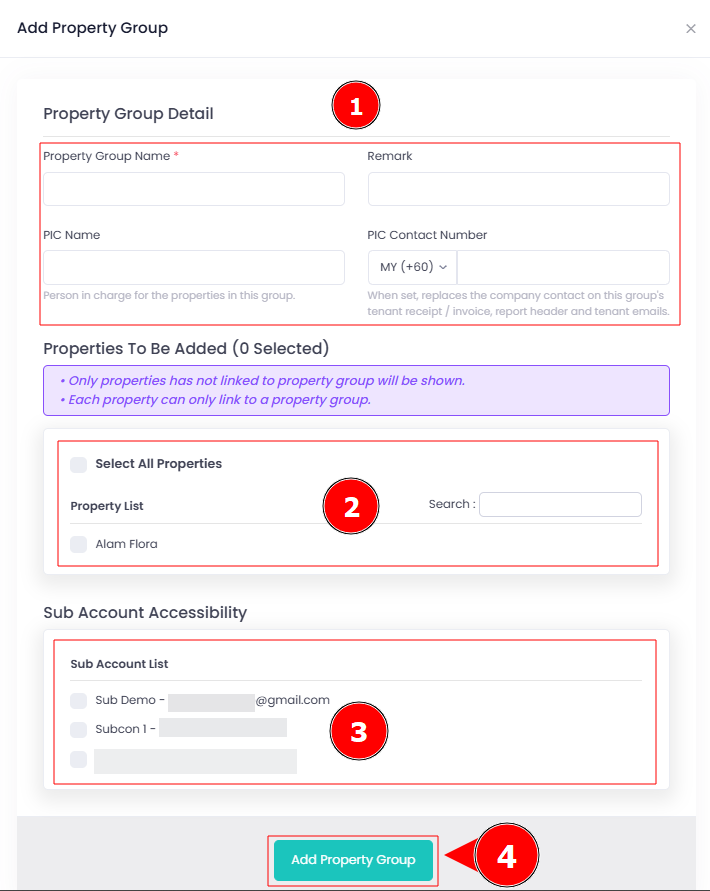
A new property group has been successfully added.
Assign a property group to subaccount
Operator can grant specific property group access to a sub account.
You can learn how here: [Sub-accounts] What & How To Add Subaccount ?
Why I am not able to see function to add property group in my account
Only principle account has the option to add new property group. Sub account do not have the permission to do so in their account.
Why I am not able to add a new property into the system as a subaccount.
If you're having trouble creating a property in the EasyRenz app and are unable to proceed, it's likely because no property group has been created by your main account.
You may need to contact the principle account holder to create a property group for you to select before you can continue with the property creation process.