
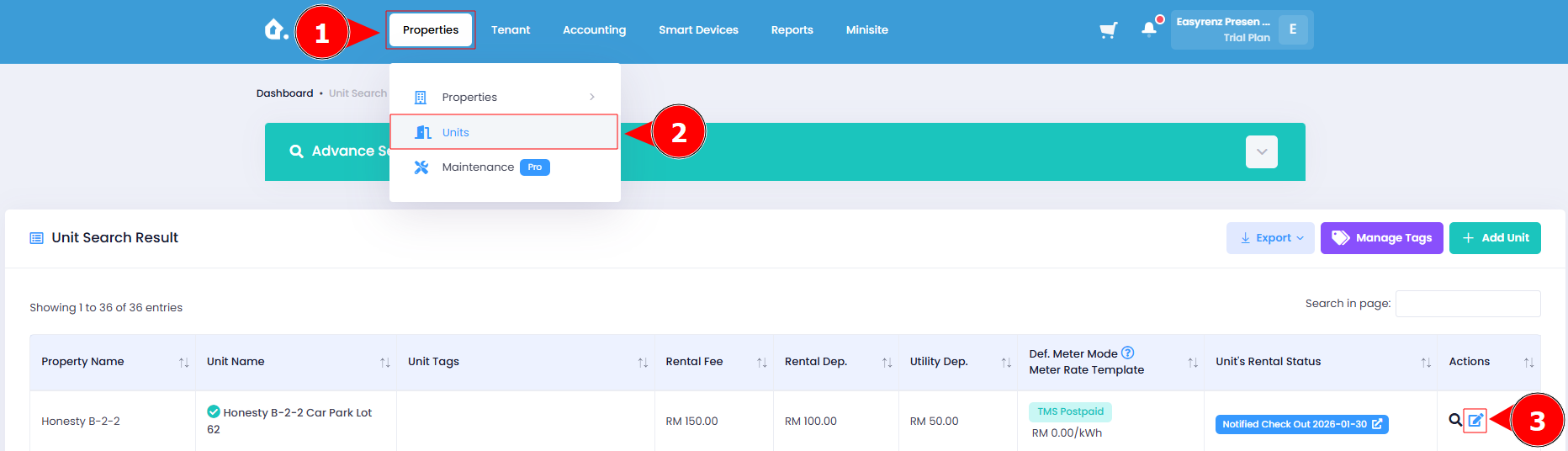
3.1 Go to ‘Unit Search’ page and edit the unit that you want to list on minisite.
3.2 Click on ‘Unit Photos’ Tab and upload the unit’s photos respectively.
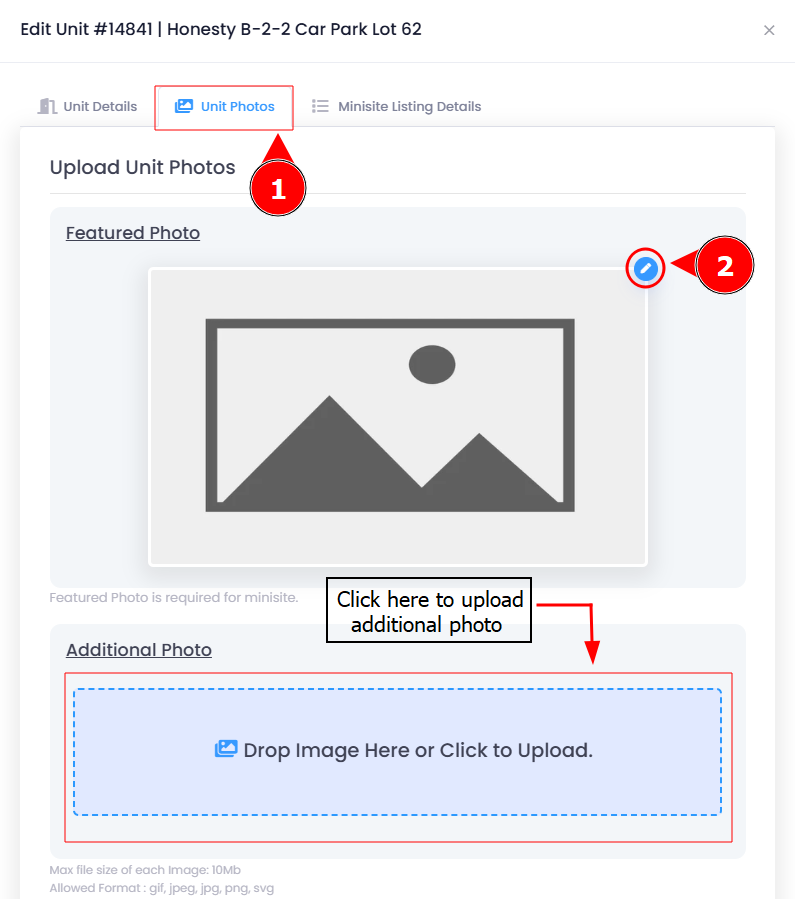
💠 You can upload only 1 featured photo for each unit. This photo will appear on the unit listing page and will be displayed as the largest image on the unit details page.
💠 You will need to upload at least 4 additional photos for a unit to be listed on minisite.
💠 All of the uploaded unit photos will be watermarked with the company logo uploaded earlier.
💠 It is recommended to reupload the unit photos that are previously uploaded without watermark on it to prevent misuse and copying of your photo.