
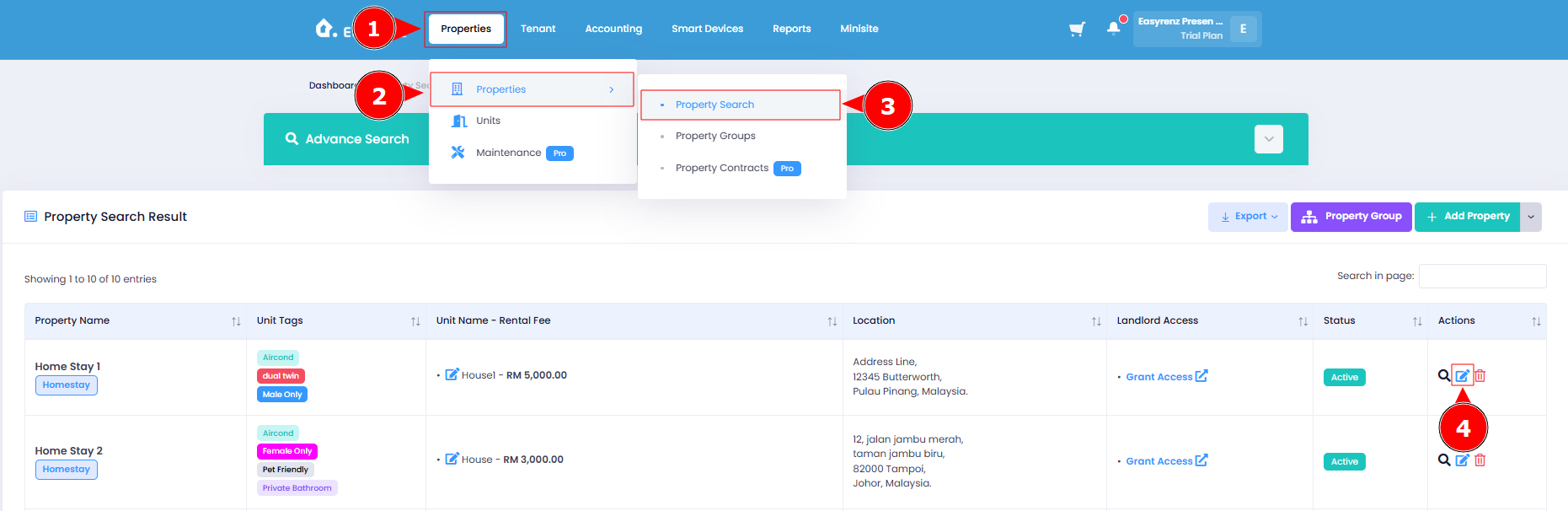
2.1 Go to ‘Property Search’ page and edit the property that you want to list on minisite.
2.2 Upload the property photo of this property.
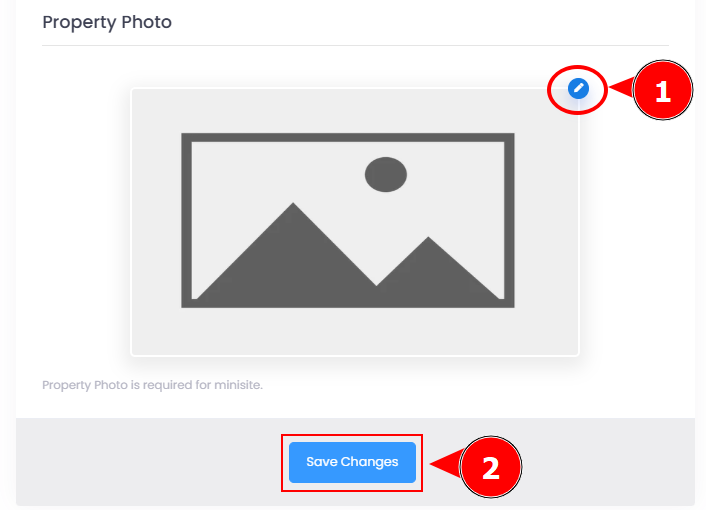
The uploaded photo will be resized to a maximum of 1280 pixels in height and width while maintaining its aspect ratio.
If a company logo was uploaded in the previous step for the minisite header, the property photo will be watermarked with the logo to help prevent misuse or copying of your photo.