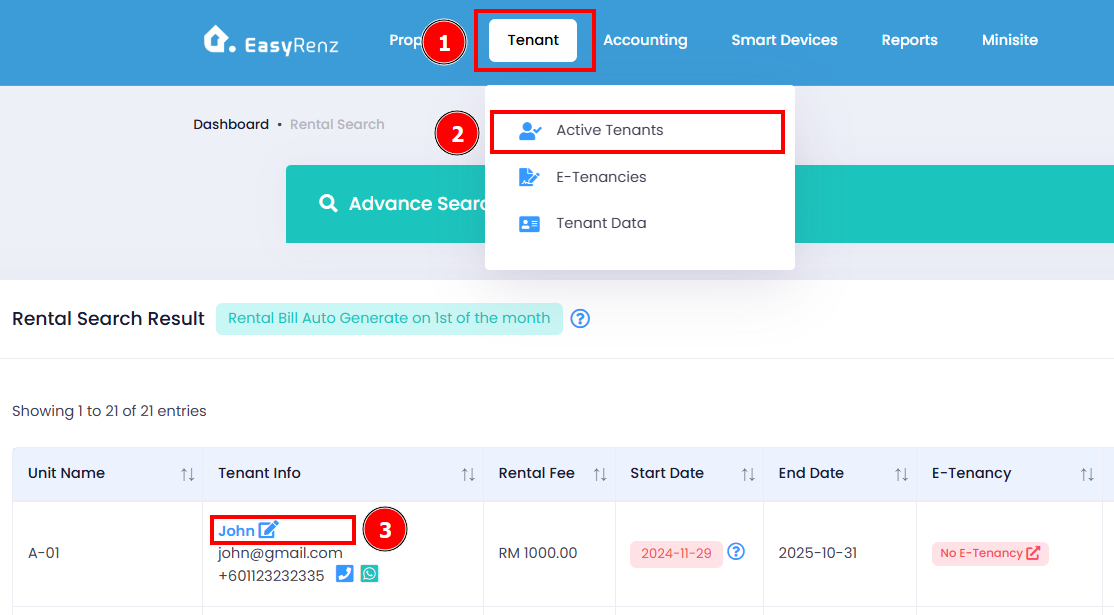
Steps to edit tenant details.
Step 1: Go to Tenant > Active Tenants > Select the name of the tenant you would like to edit.
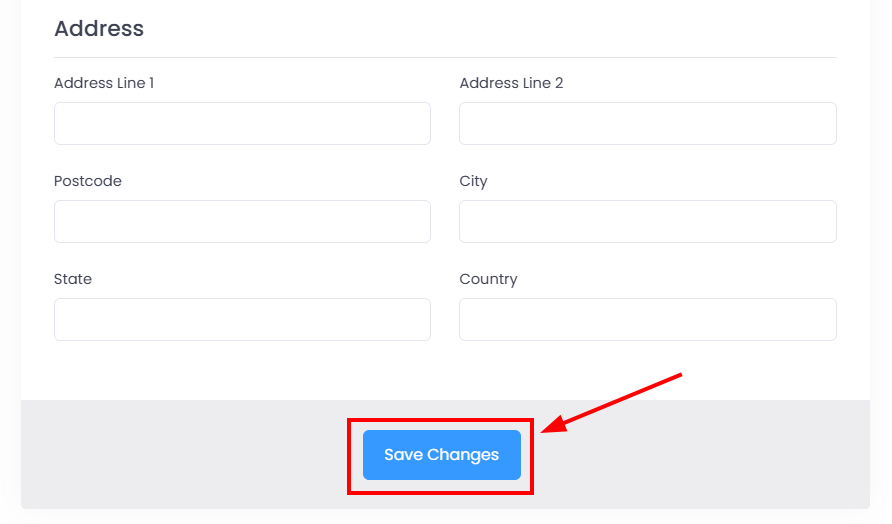
Step 2: The popup window will display the details of the selected tenant. You can make any necessary updates to the tenant information. Once you're finished, click the 'Save Changes' button to apply the updates.
Tenant details have been successfully updated.
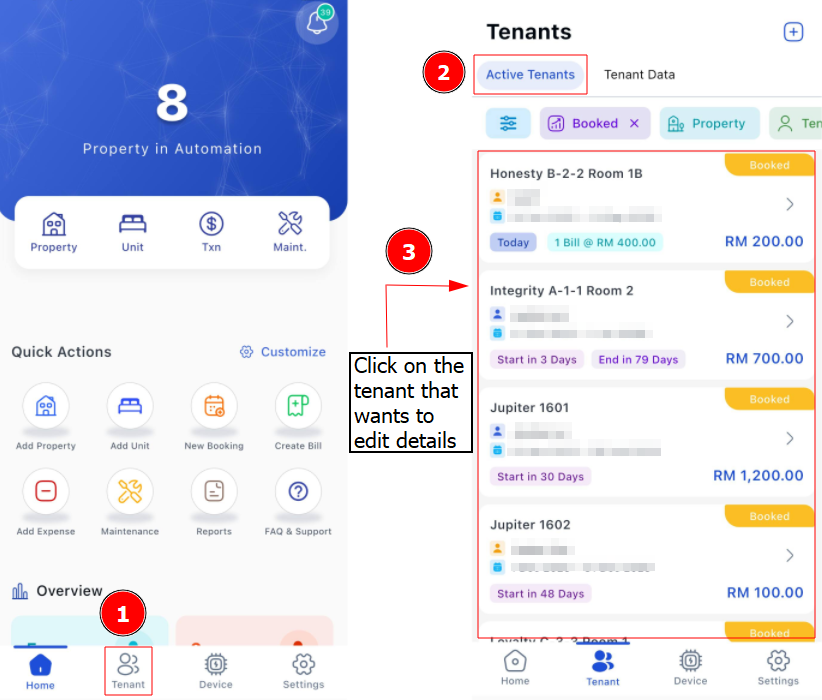
[Mobile Version] Steps to edit tenant details.
Step 1: Go to Tenant > Select the name of the tenant you would like to edit.
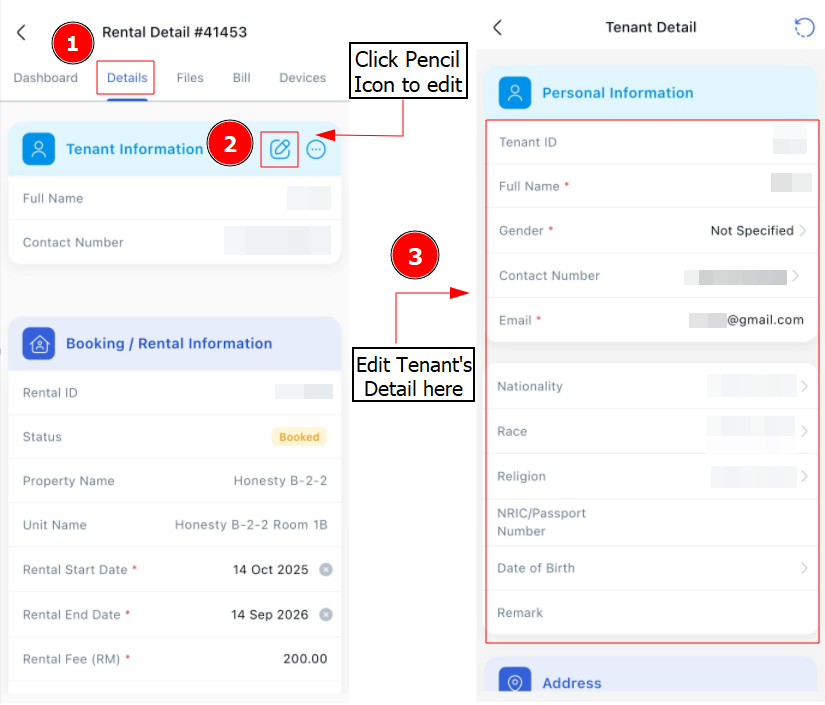
Step 2: Go to Details > Click Pencil Button > Edit necessary details > Save