To transfer a smart door lock to another EasyRenz user, follow these steps:
Transfer Smart Door Lock To Another EasyRenz User
Step 1 : Ensure Proper Account Roles
Confirm that the EasyRenz account of the user you are transferring to has a Management or Operator role.
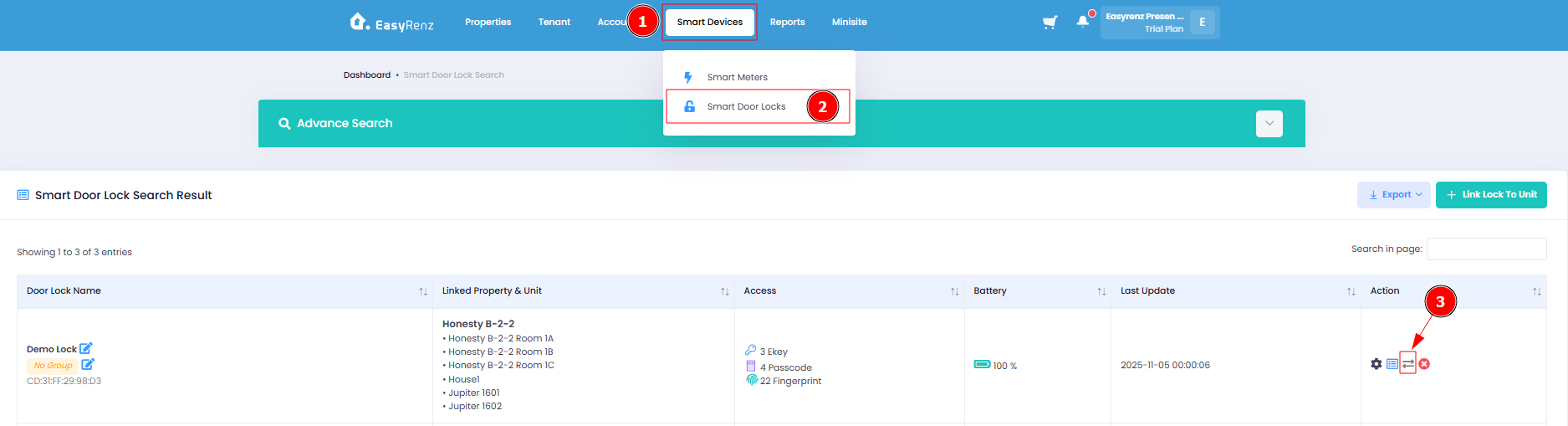
Step 2 : Smart Devices > Smart Door Locks > Transfer Door Lock
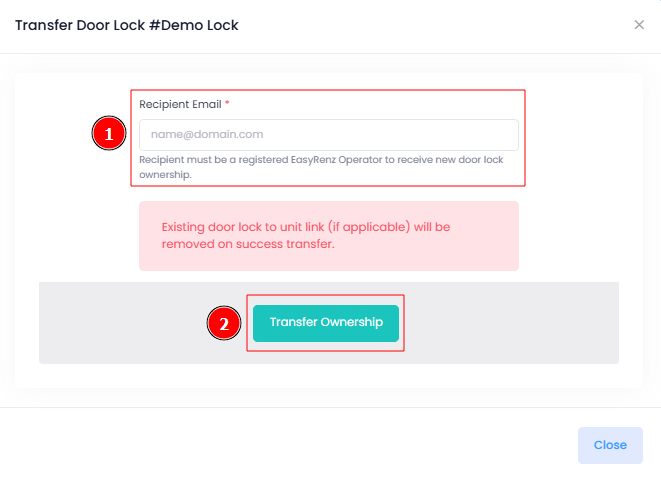
Step 3 : Enter Recipient Email > Transfer Ownership
[Mobile Version] Transfer Smart Door Lock To Another EasyRenz User
Step 1 : Ensure Proper Account Roles
Confirm that the EasyRenz account of the user you are transferring to has a Management or Operator role.
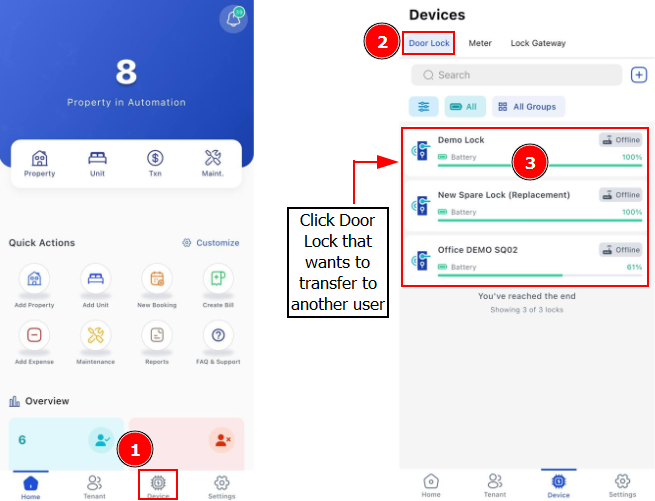
Step 2 : Device > Door Lock > Select the lock you wish to transfer ownership
Step 3 : Tap Settings Icon > Click on Transfer Lock
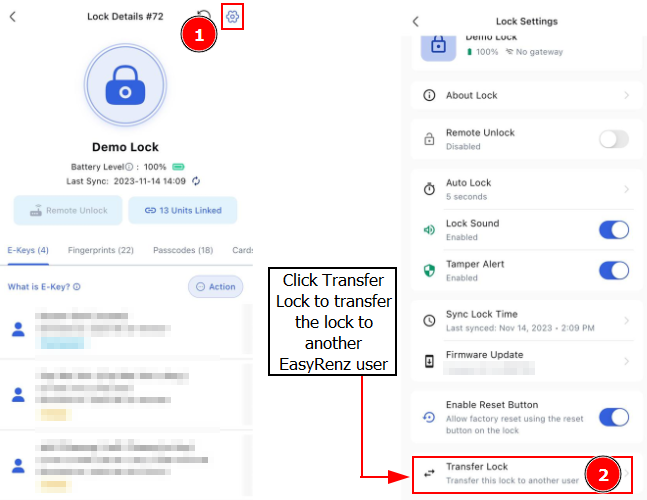
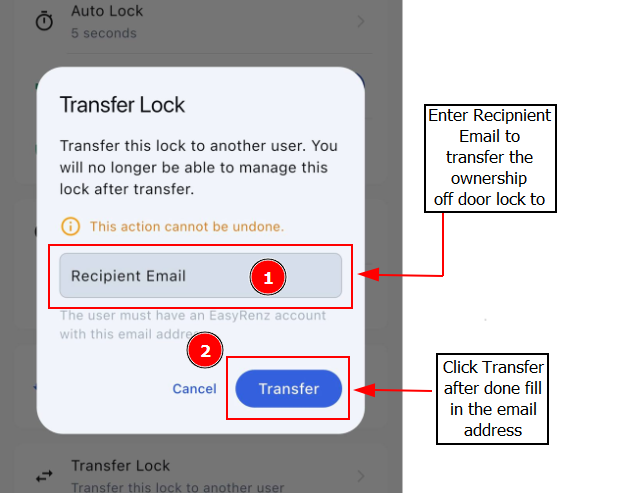
Step 4: Enter Recipient EasyRenz Email > Confirm by clicking on Transfer