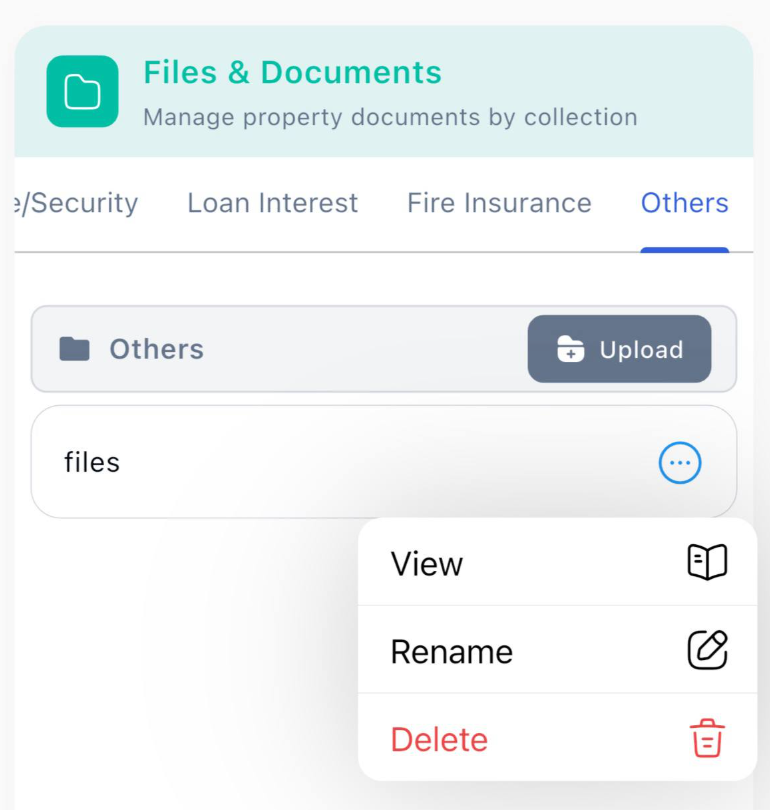
Example property related files you could store to organize and easy access your property files:
Lease Agreements
Purchase Agreements
Title Deeds
Inspections Report
and more…
Step to store property related files to property
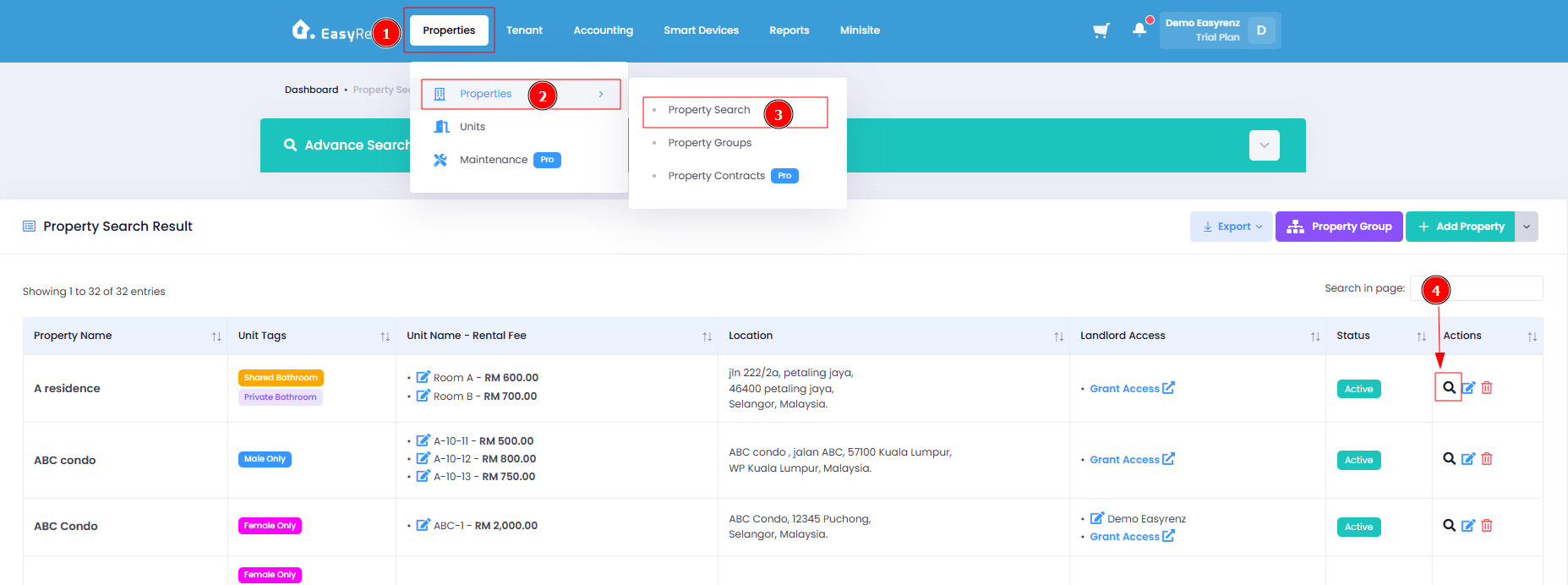
Step 1: Go to Properties > Properties > Property Search > Find the property that you wish to store to > Click on the "Search" icon.
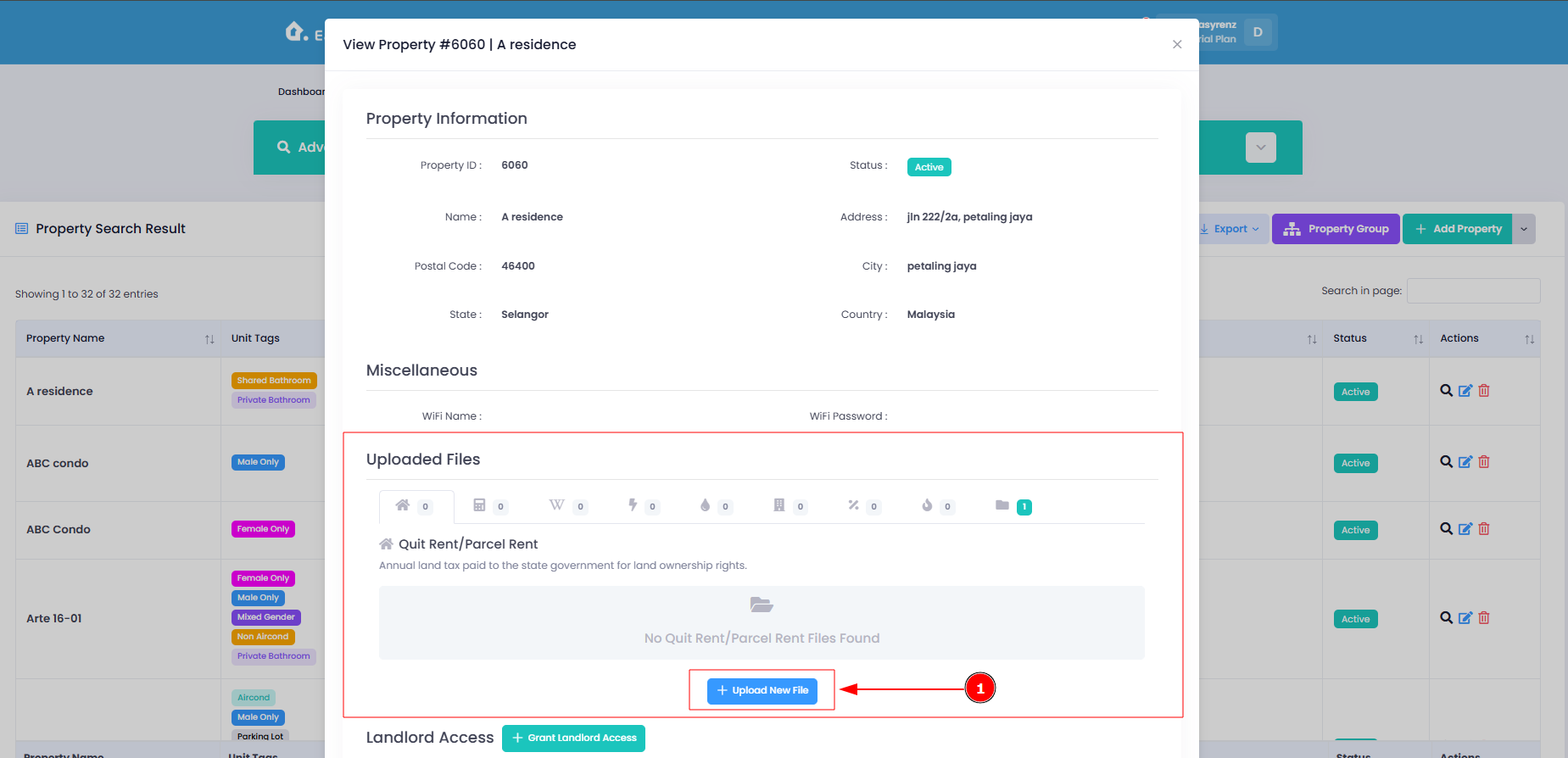
Step 2: Click on Upload New File
Step 3: Upload New File > Click File
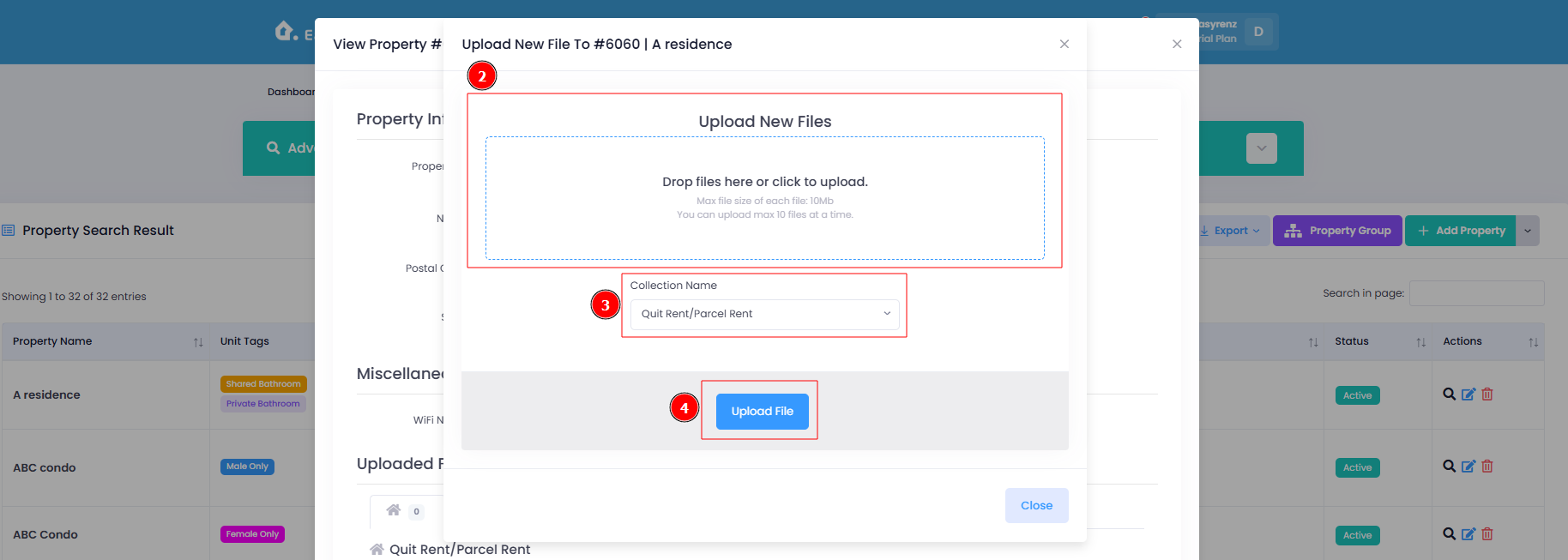
Your files has been successfully stored into your property.
[Mobile Version] Step to store property related files to property
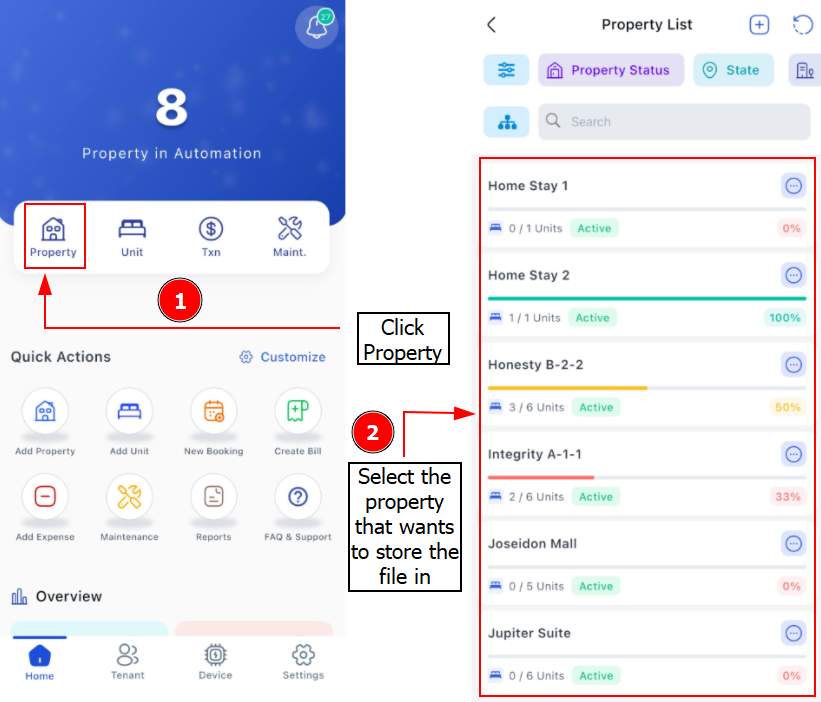
Step 1: Go to Properties > Find the property that you wish to store to
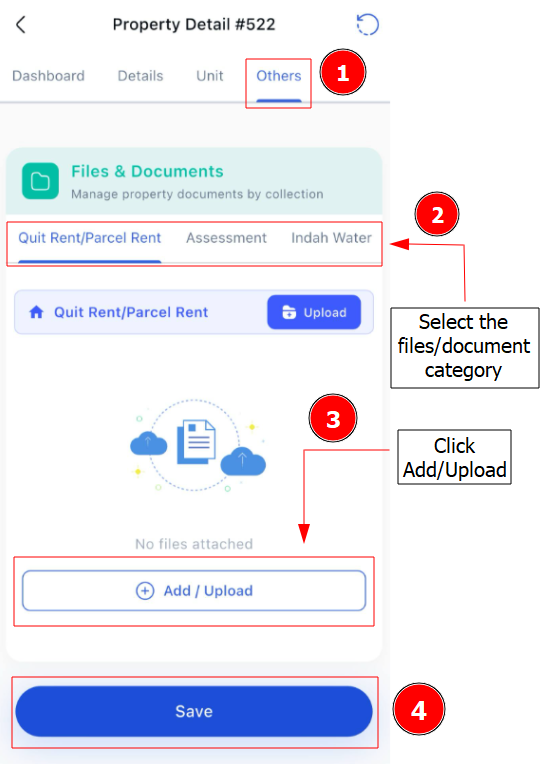
Step 2: Go to Others > Select the Files/Document
Important:
Once files are upload, you can delete, rename or view your files.