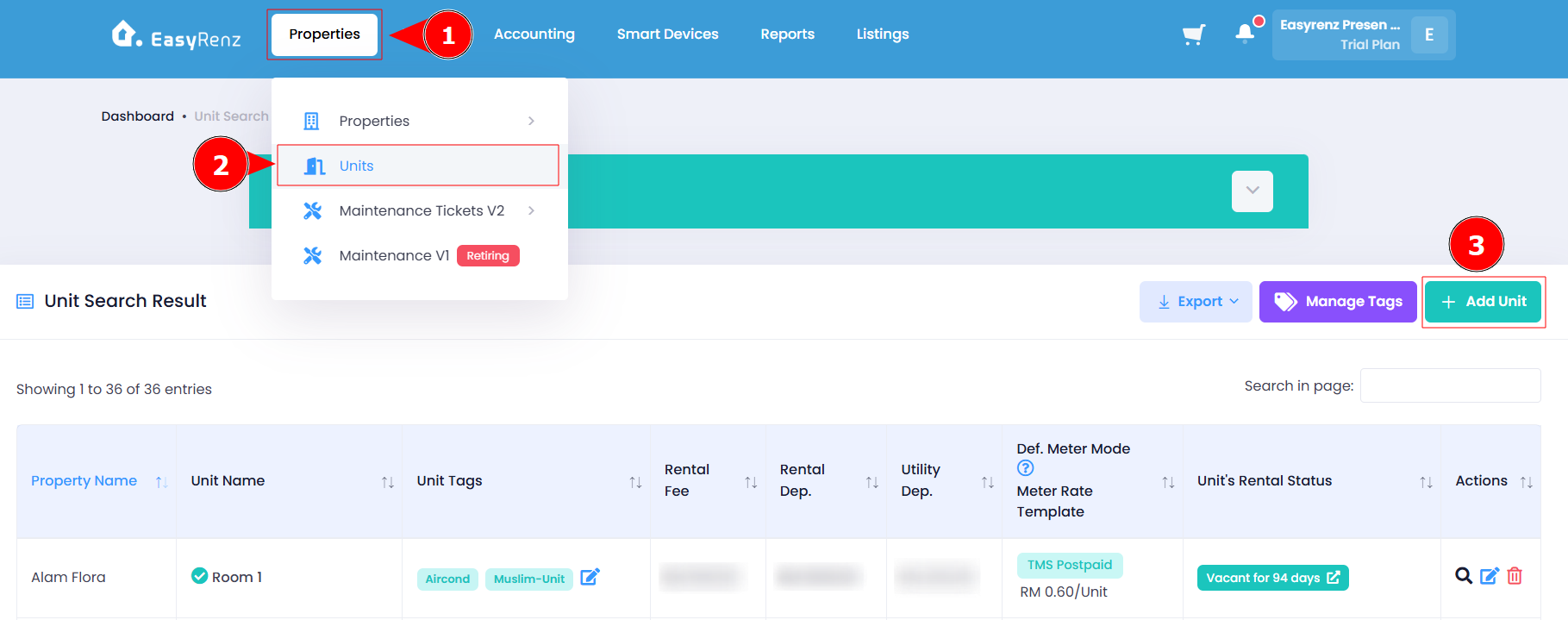
Steps to add more units to existing property
Step 1: Go to Properties > Units > Add Unit
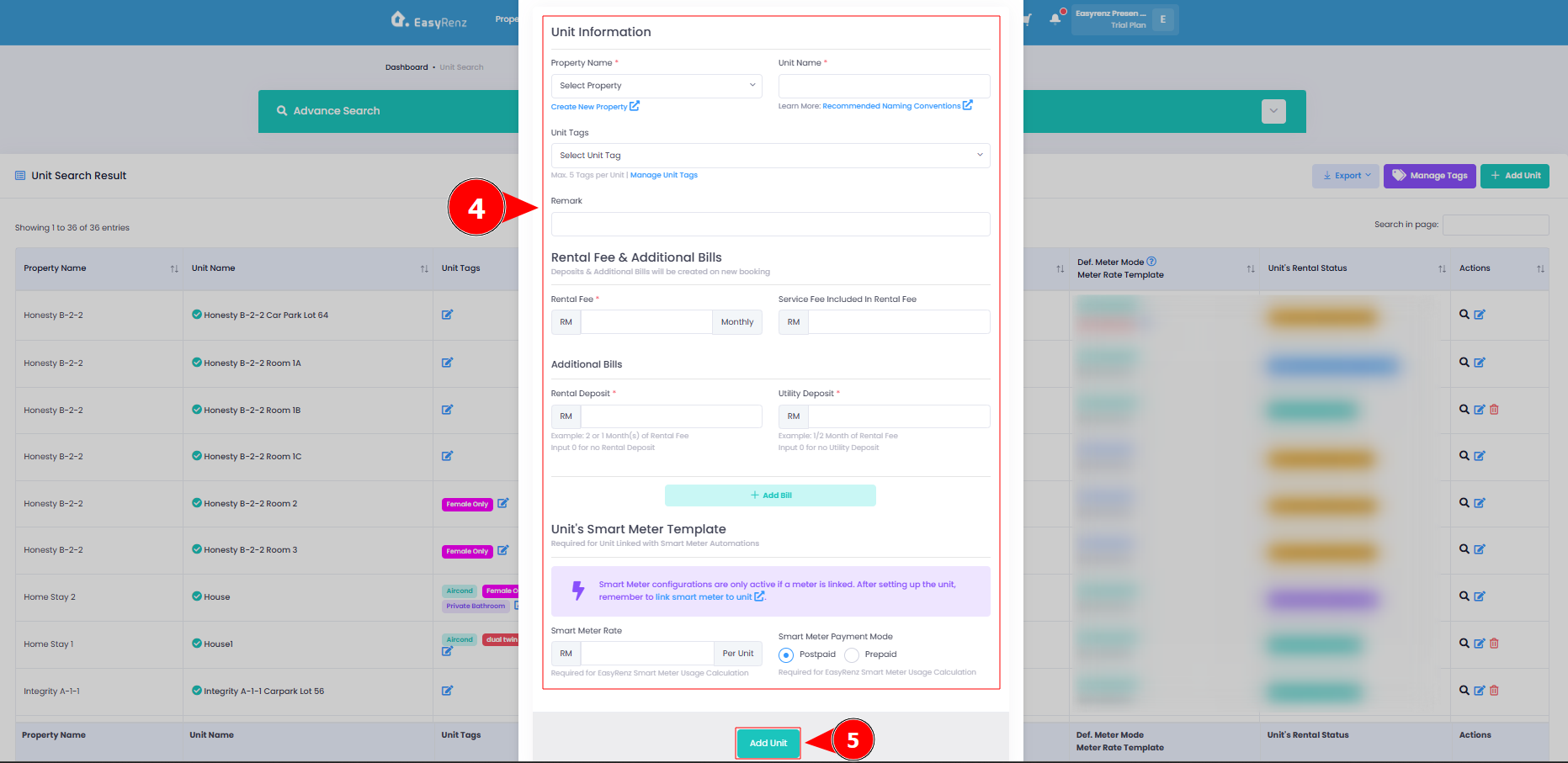
Step 2: Complete all the required fields > Click Add Unit to add new unit.
Your new units has been successfully added to an existing property.
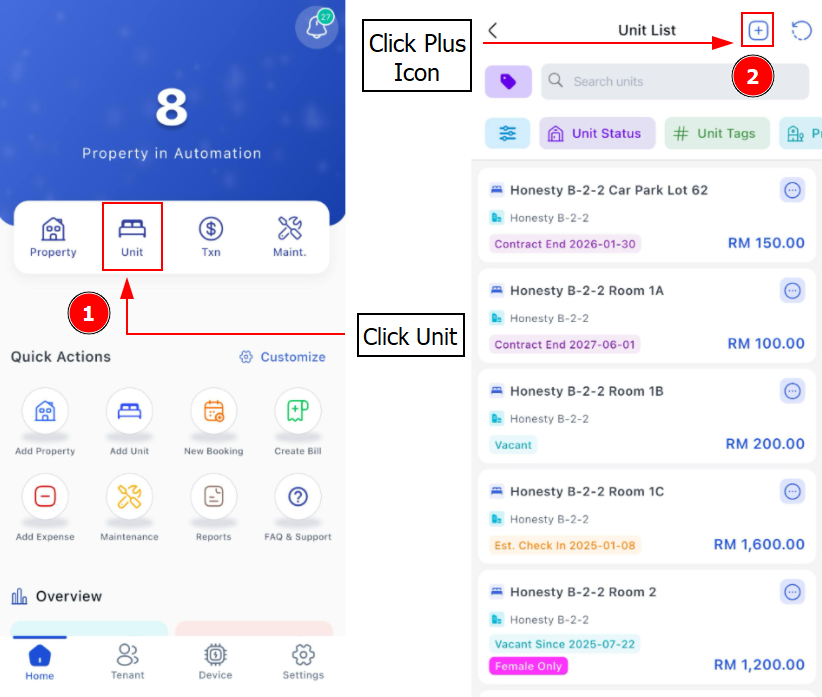
[Mobile Version] Steps to add more units to existing property
Step 1: Go to Unit > Click Plus Button to Add Unit
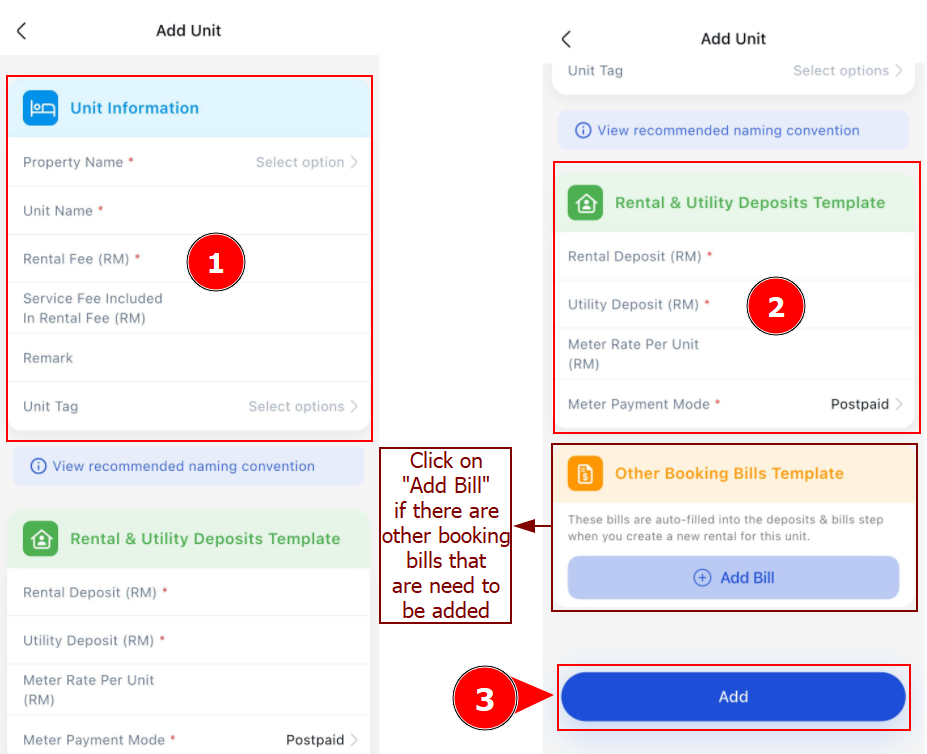
Step 2: Complete all the required fields > Click Add to add new unit.