
Steps to delete a property
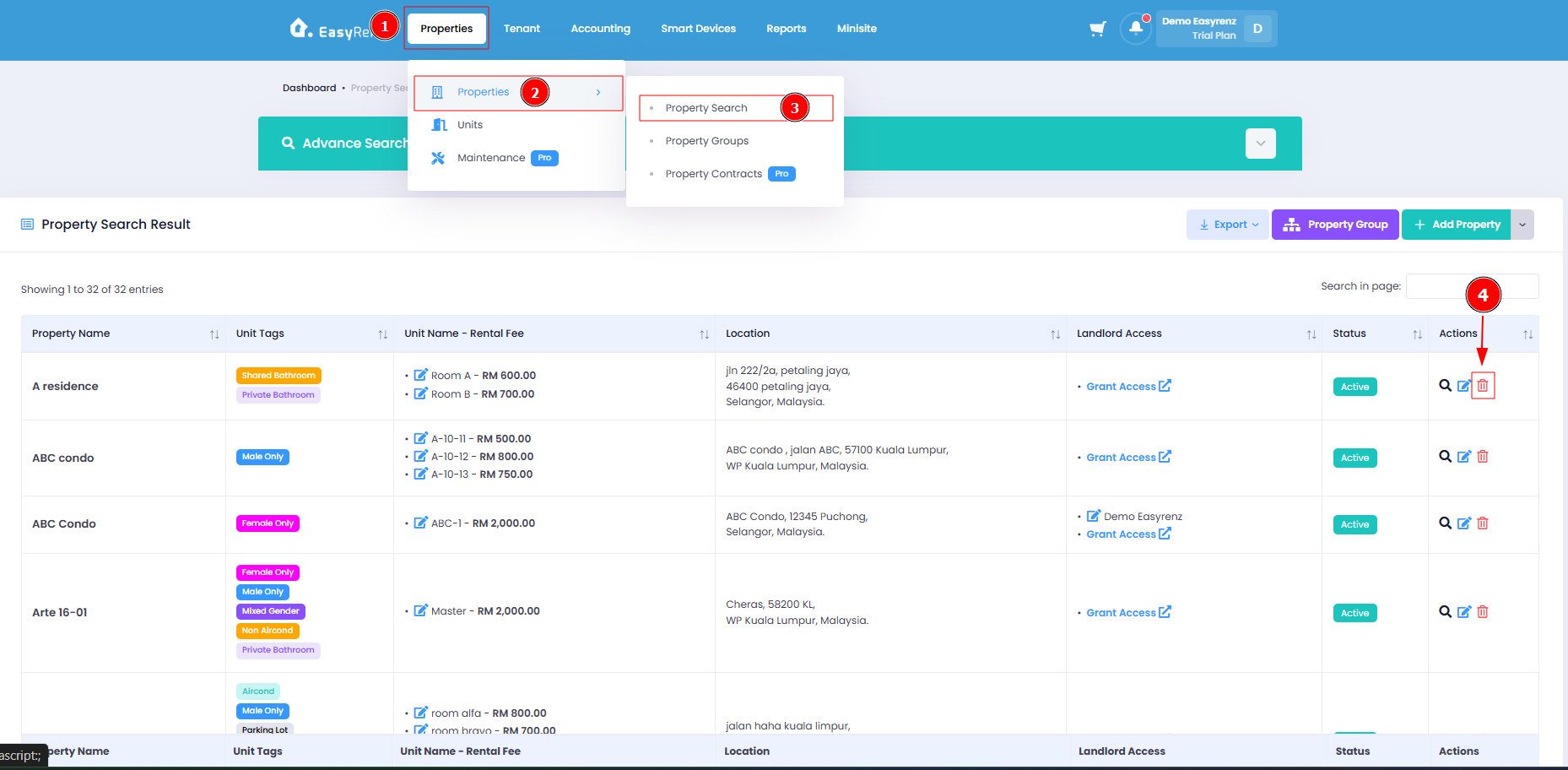
Step 1: Go to Properties > Properties > Property Search > Find the property you wish to delete > Click on the Trash icon.
Step 2: Click on the Delete button to delete you property.
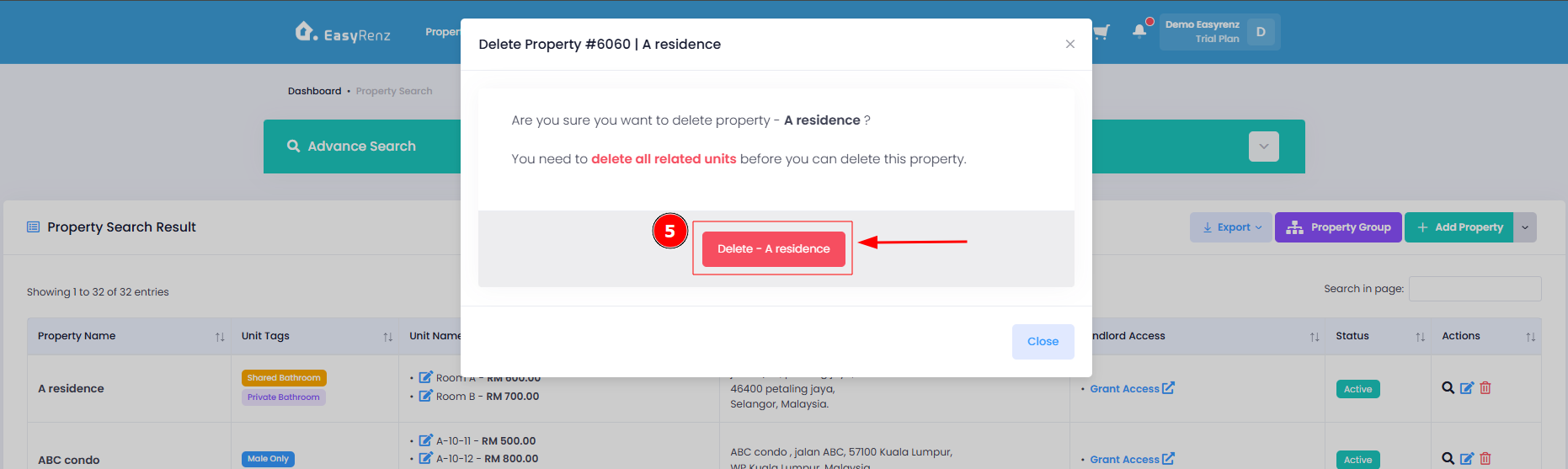
You have successfully deleted your property.
[Mobile Version] Steps to delete a property
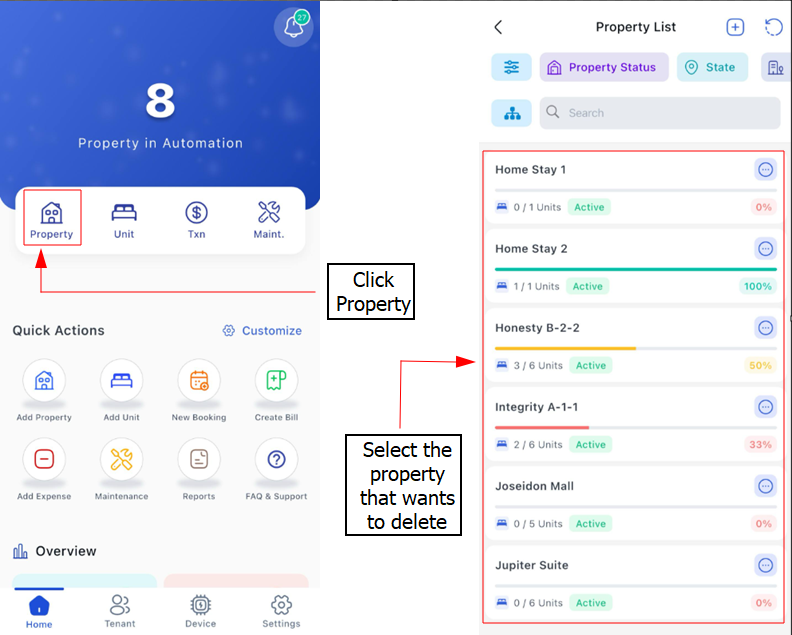
Step 1: Go to property and select the property you would like to delete.
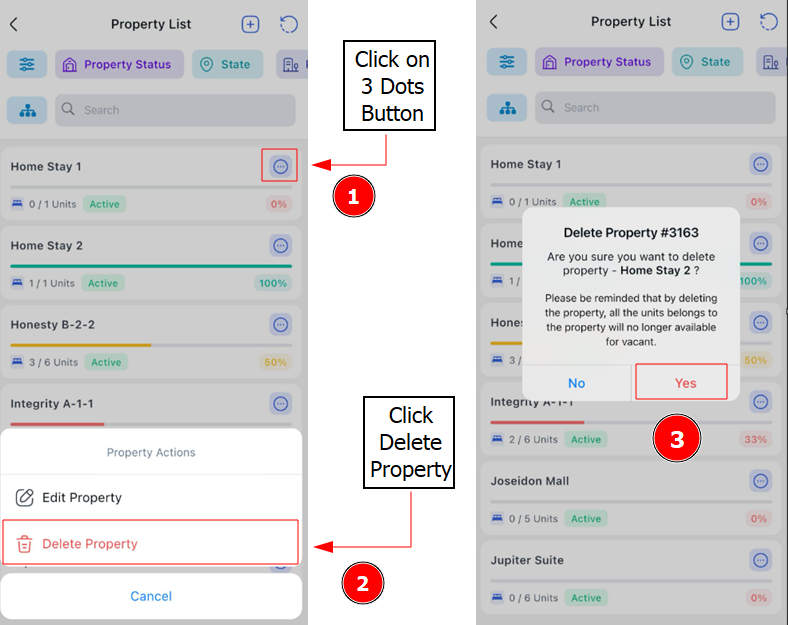
Step 2: Click the 3 Dot Buttomn > Delete Property > Yes
Why I cannot delete my property ?

If your property has units, it cannot be deleted directly. You must first delete all the units associated with the property before you can remove the property itself.
To learn how to delete your units: [Properties & Units] How to delete / restore your units .