❗ Close your EasyRenz account only if you no longer wish to use it.
For Management / Operators: Closing your account will result in the permanent loss of all data and access to your EasyRenz account. This data cannot be recovered.
For Tenants: Closing your account will prevent you from accessing EasyRenz, making payments, topping up meters, retrieving receipts, or performing any other tasks.
Close EasyRenz Account
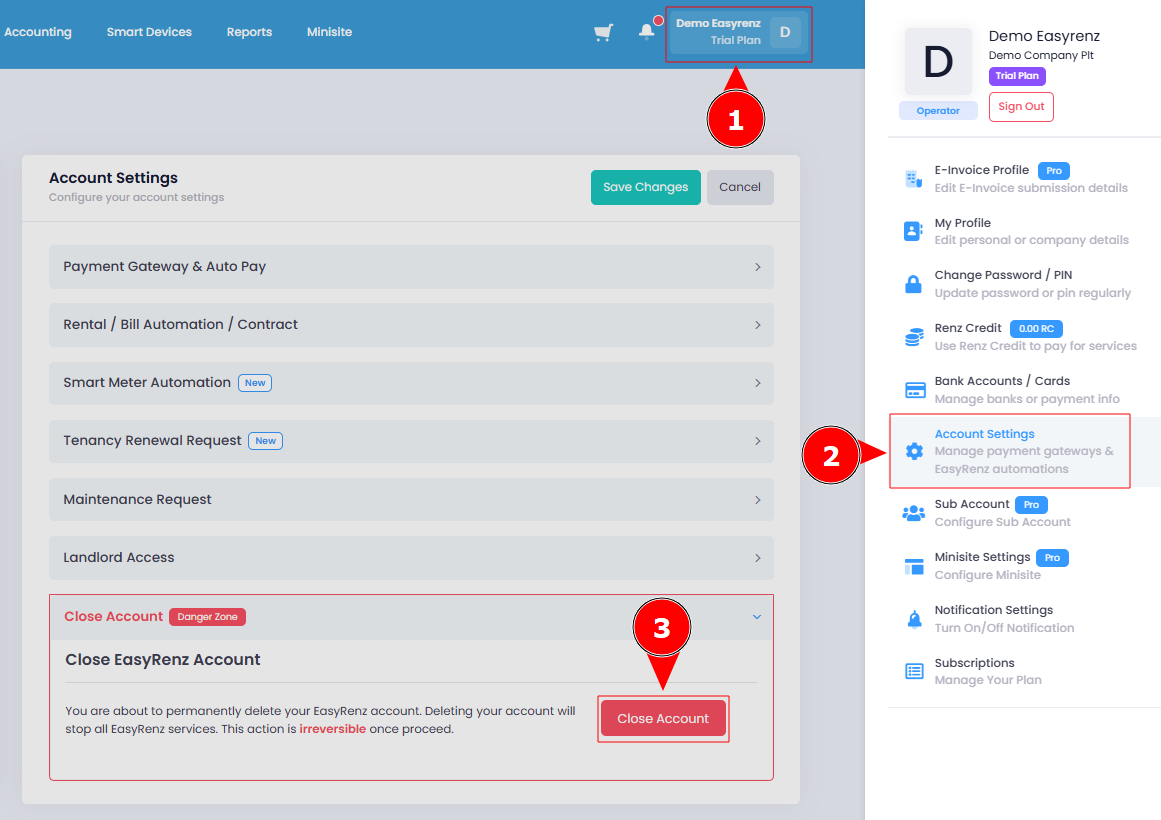
To close your EasyRenz account, follow these steps:
Step 1 : Click on your profile icon > Account Settings
Step 2 : Scroll down to the “Close Account” section. Here, you can delete your EasyRenz account.
[Mobile Version] Close EasyRenz Account
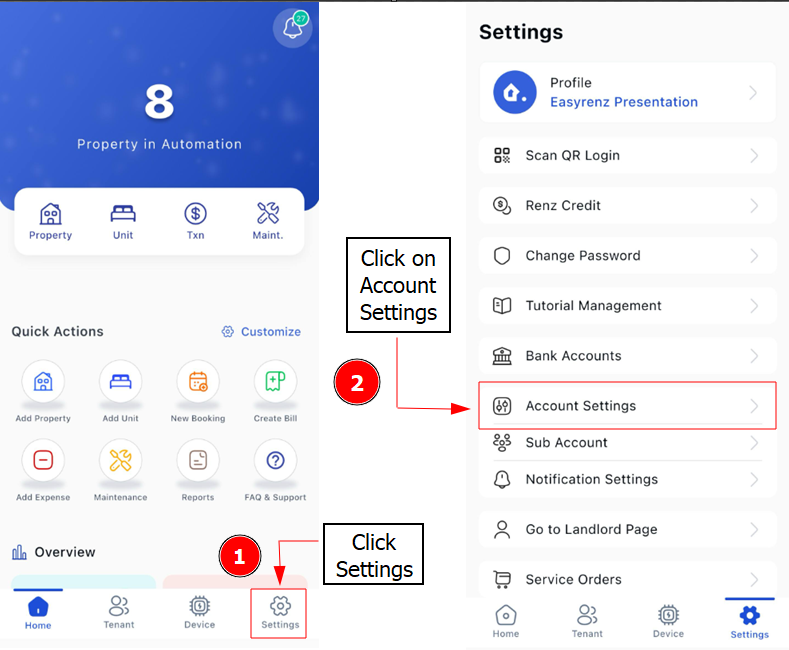
To close your EasyRenz account, follow these steps:
Step 1: Click Settings > Account Settings
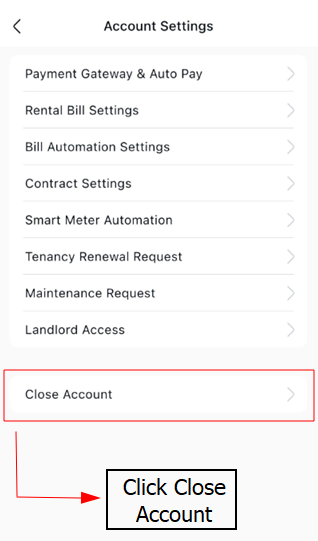
Step 2: Click on the Close Account
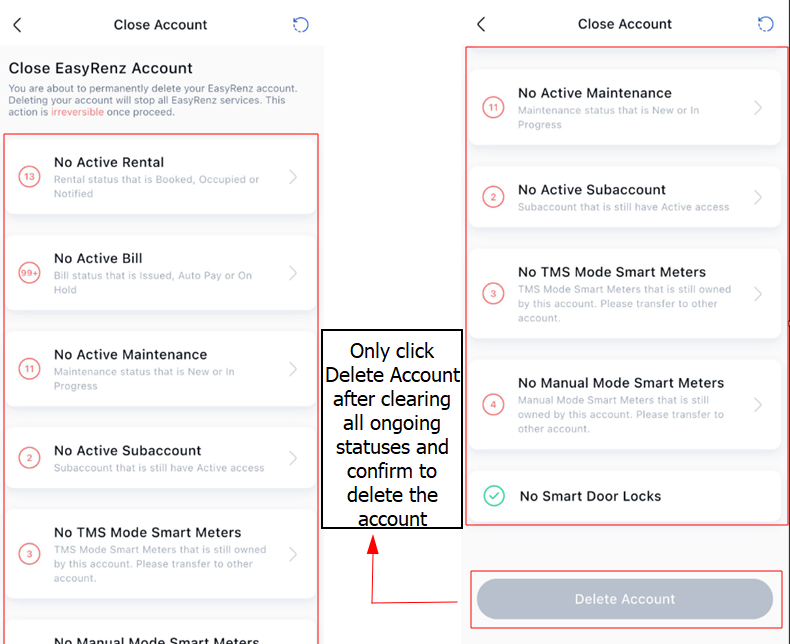
The system will show ongoing statuses for you to check on.
Step 3 : Clear all of the ongoing statuses in your account in order to delete the account > After clear & confirm to delete click Delete Account