Steps to Manually Top Up / Adjust TMS Prepaid Meter Balance
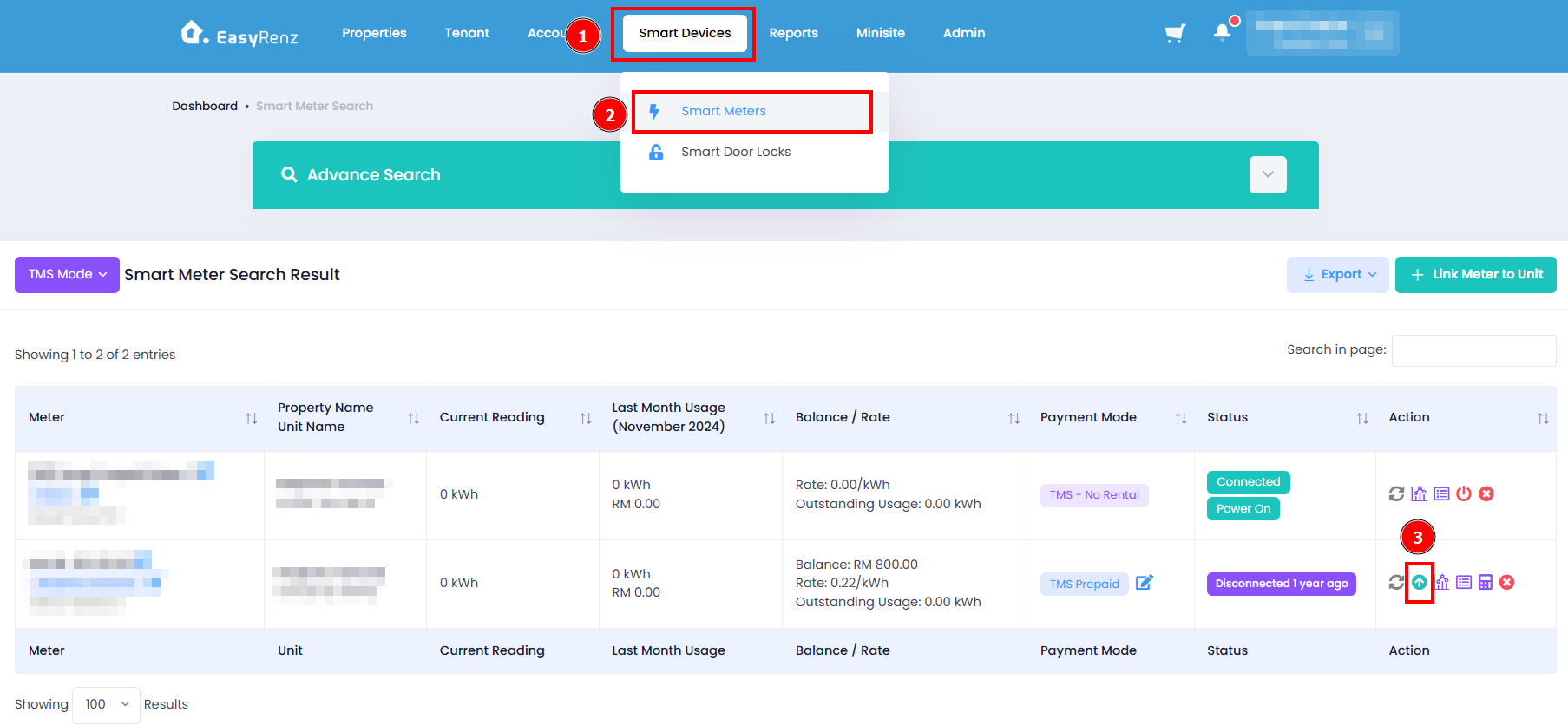
Step 1: Go to Smart Devices > Smart Meters > Find the meter you wish to top up / adjust > Click on Adjust button
Step 2: Choose Adjustment Type > Add Amount to topup > Click on Top up RMxx.xx button
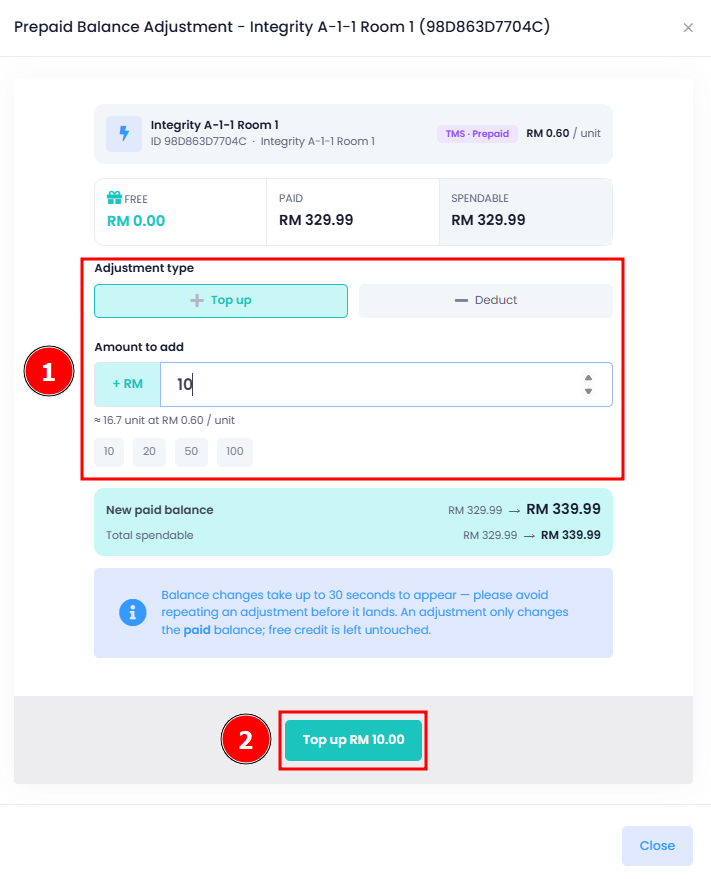
You have successfully top up / adjust TMS prepaid meter balance.
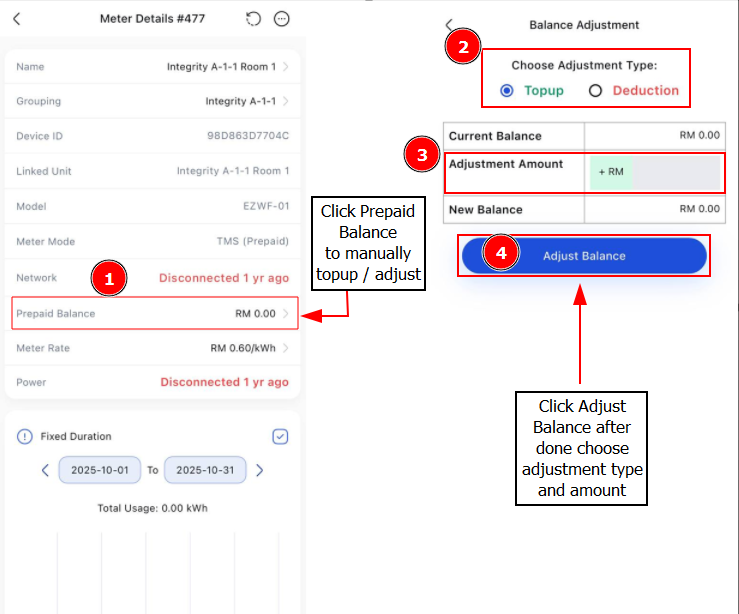
[Mobile Version] Steps to Manually Top Up / Adjust TMS Prepaid Meter Balance
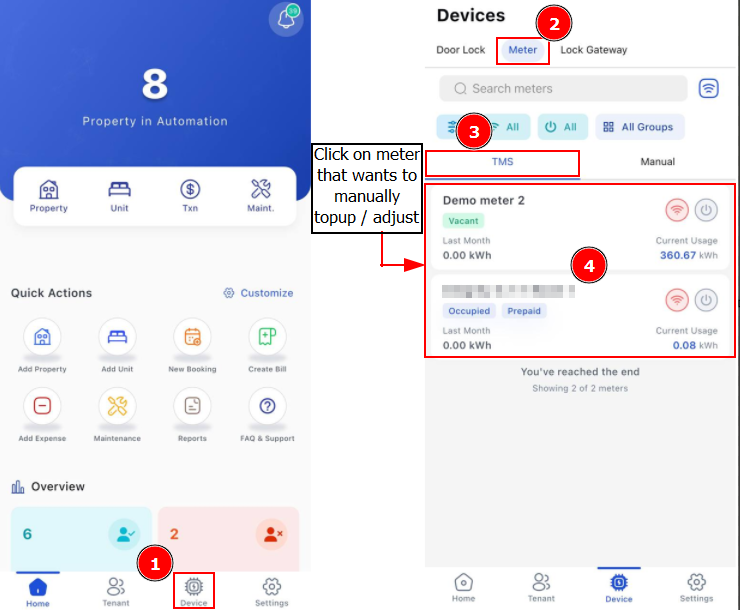
Step 1: Click Devices > Meter > Find the TMS meter you wish to top up / adjust
Step 2: Click > Prepaid Balance > Choose Adjustment Type > Fill in Adjustment Amount > Adjust Balance