
Steps to Change Rate Per Unit On TMS Mode Smart Meters
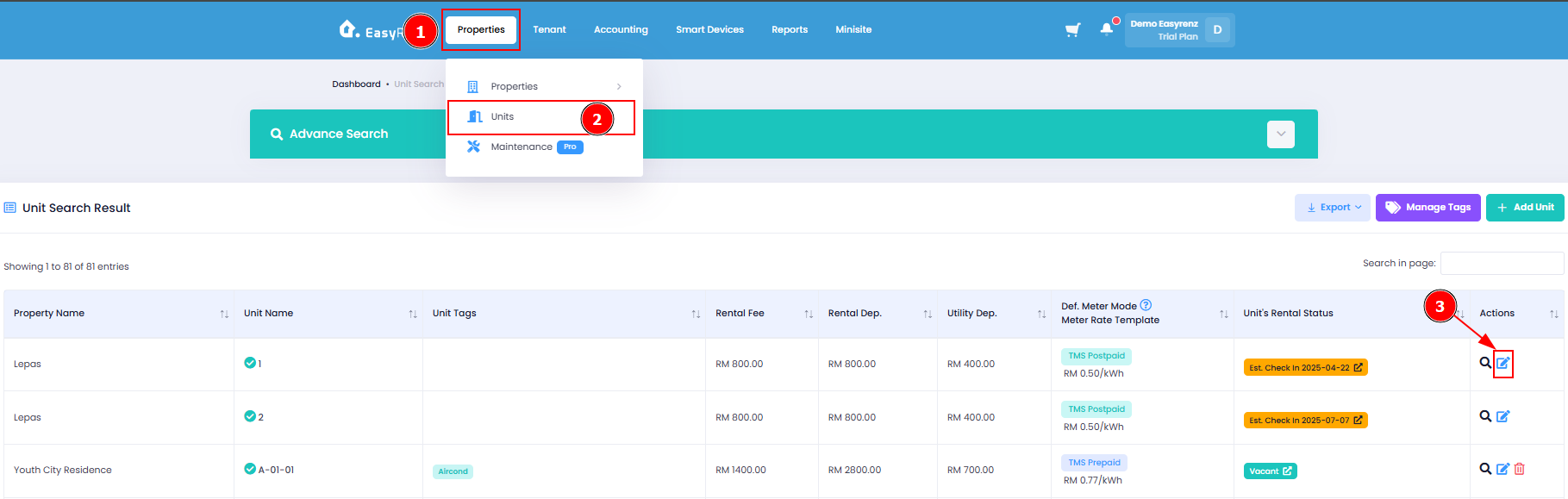
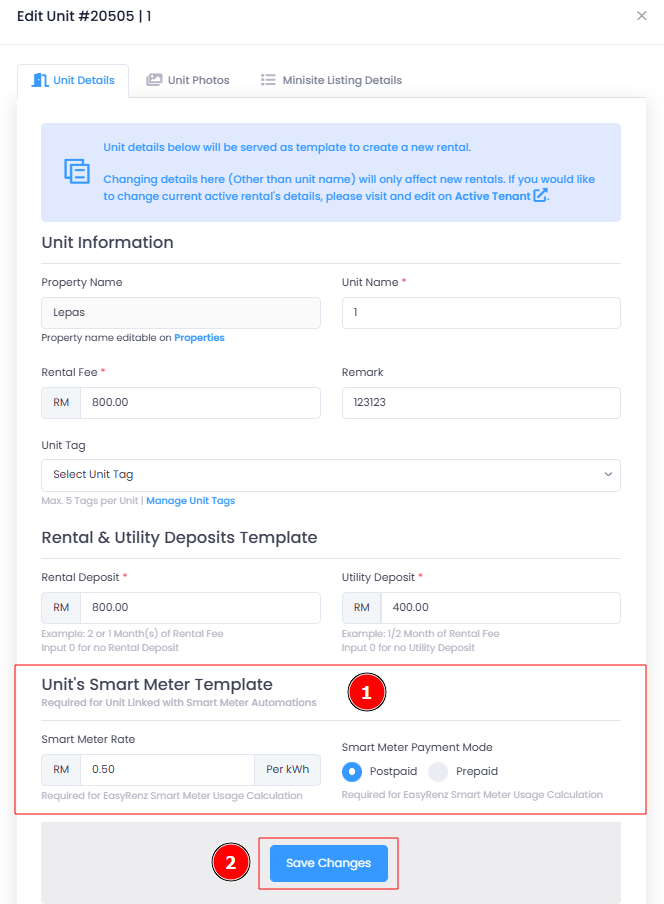
To change the rate per unit on TMS mode smart meters in EasyRenz, follow these steps:
Step 1 : Properties > Units > Edit Unit
Step 2 : Change Smart Meter Rate > Save Changes
[Mobile Version] Steps to Change Rate Per Unit On TMS Mode Smart Meters
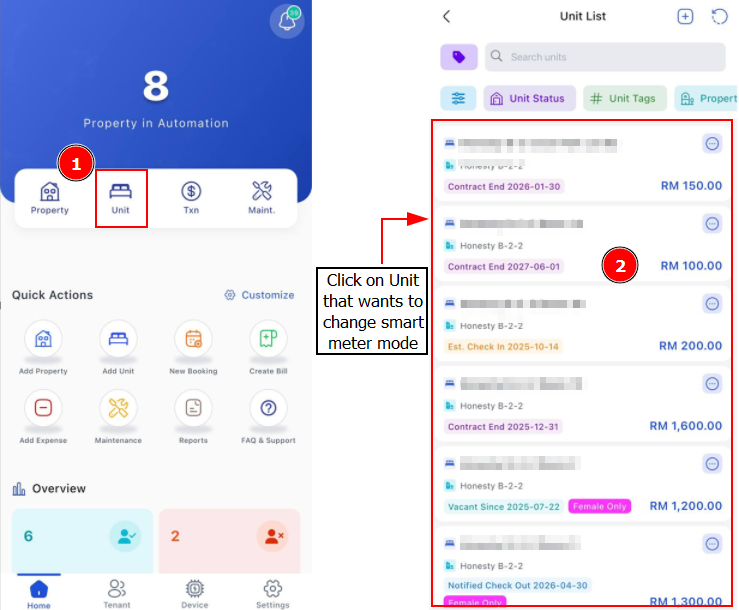
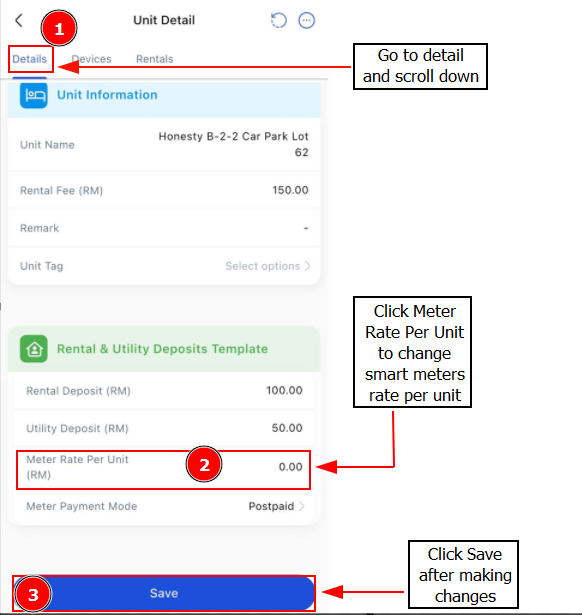
To change the rate per unit on TMS mode smart meters in EasyRenz, follow these steps:
Step 1 : Go to Unit > Find the unit you wish to change
Step 2 : Details > Scroll Down > Change Meter Rate Per Unit > Save
Related Questions
[Smart Meters - TMS Prepaid] TMS Prepaid Mode Explained
[Smart Meters - TMS Prepaid] How To Check TMS Prepaid Meter Transactions ?