Steps to check TMS prepaid meter transactions
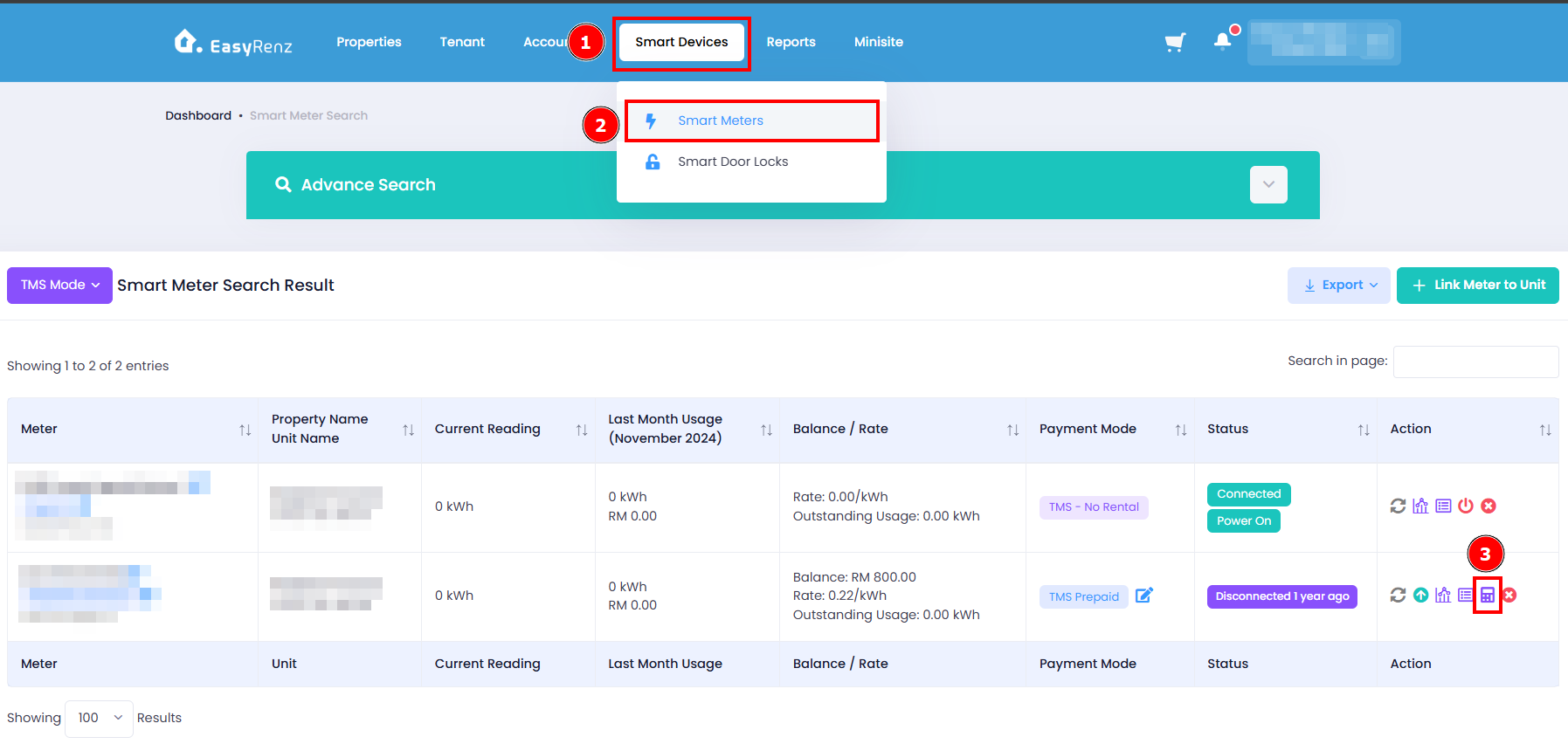
Step 1: Go to Smart Devices > Smart Meters > Find the meter you wish to check > Click on Check Record icon
Step 2: Select Tenant Name > Select Transaction Data Range > Expand for more details
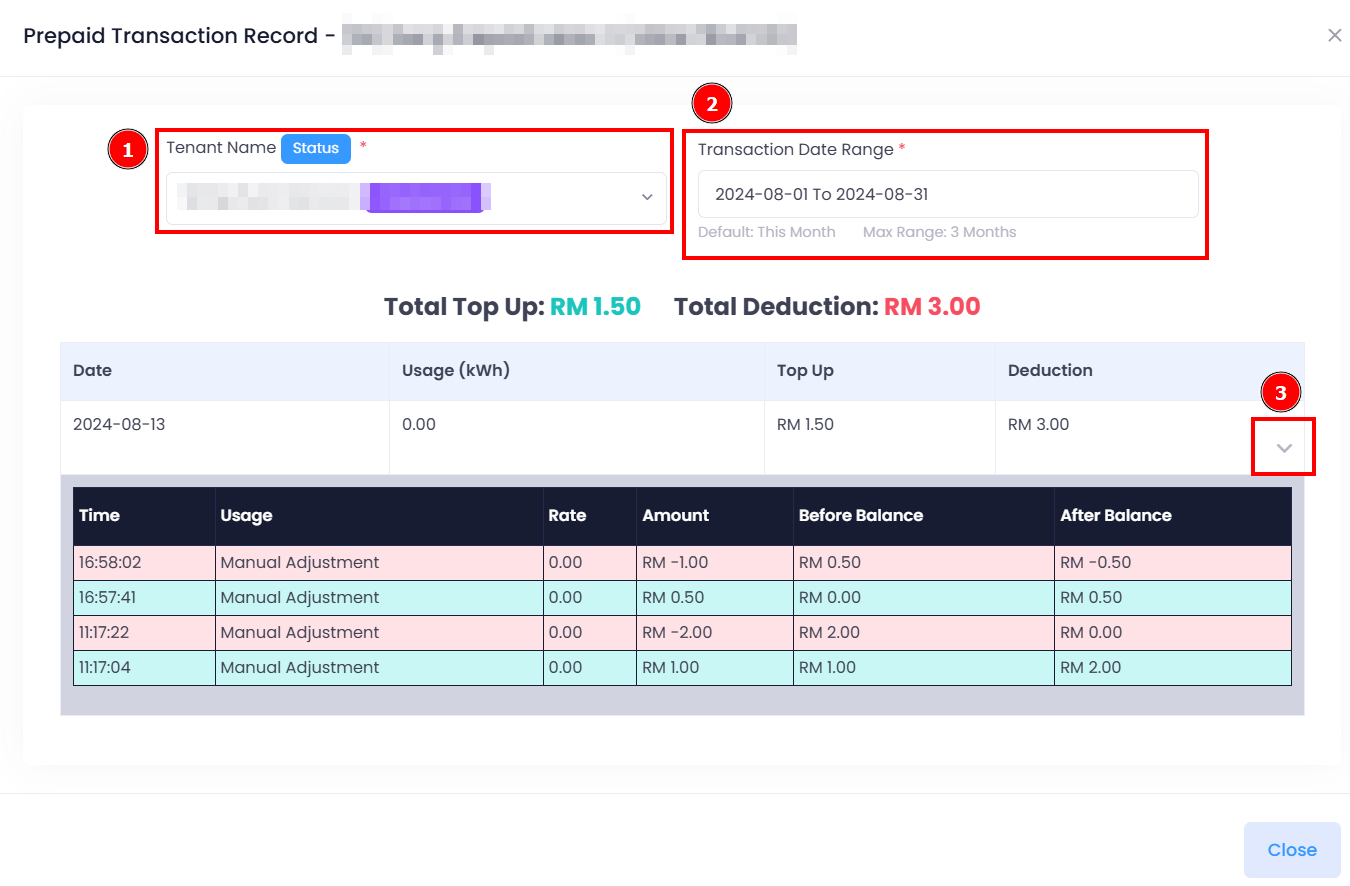
Now you are able to check the TMS prepaid transaction.
[Mobile Version] Steps to check TMS prepaid meter transactions
Steps to check TMS prepaid meter transactions
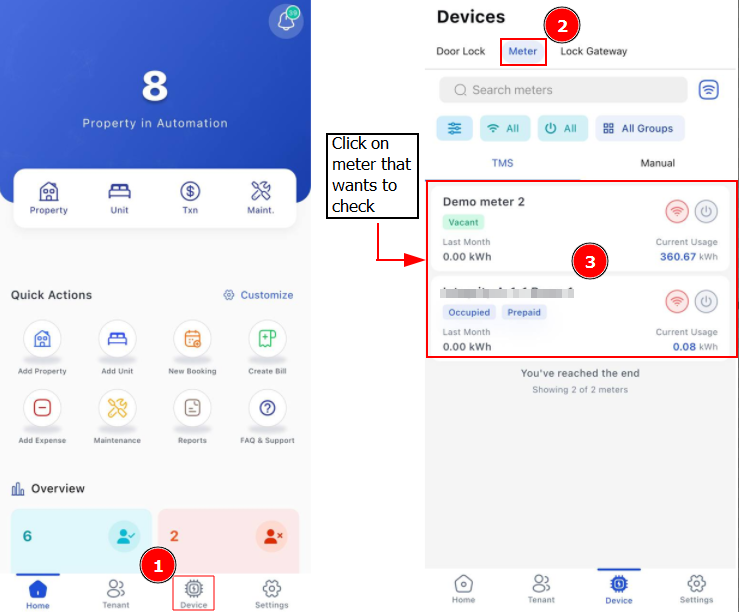
Step 1: Go to Device > Meter > Find the meter you wish to check
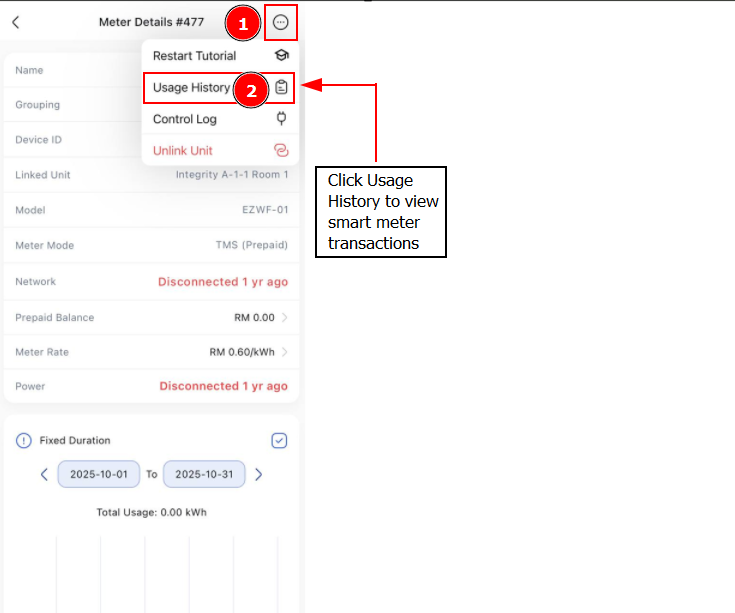
Step 2: Click 3 Dots > Click Usage History > You can check the specific dates transactions