Steps to manage maintenance tasks
Step 1: Go to Properties > Maintenance > Task Search

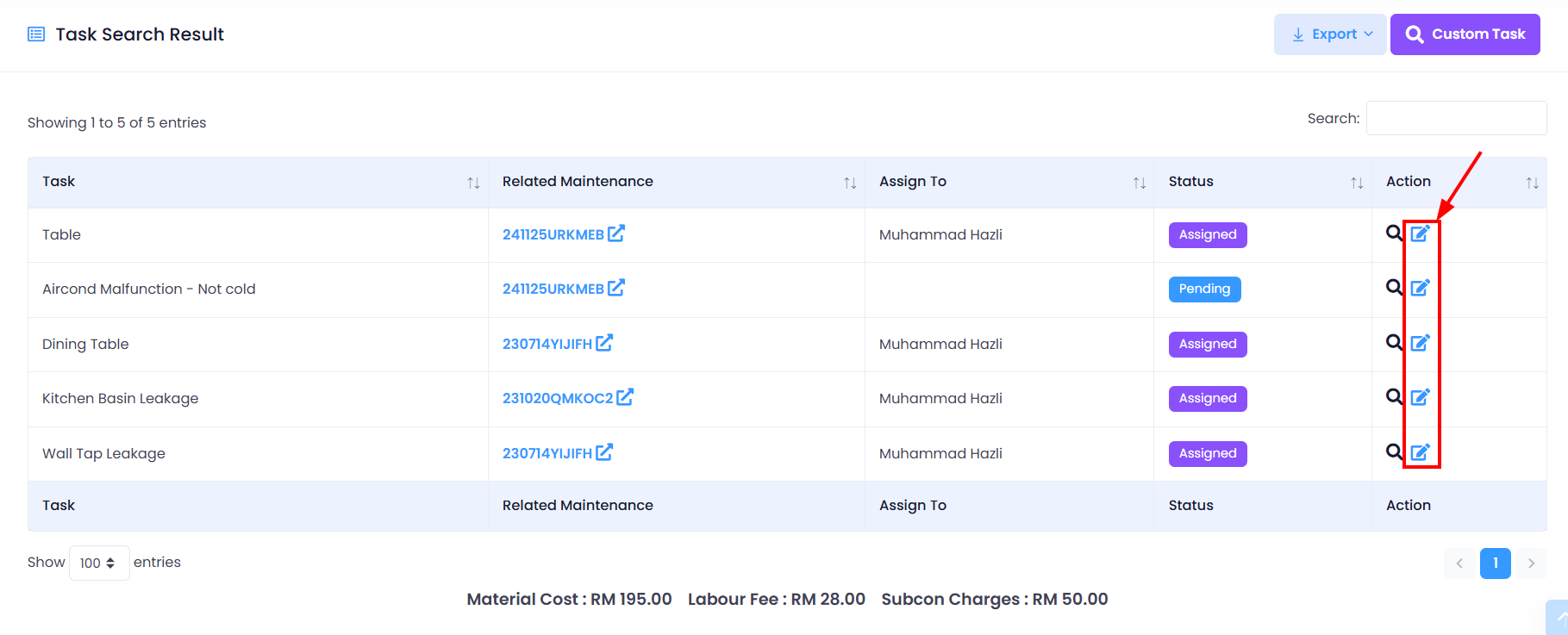
Step 2: Scroll down > Find the task you wish to manage > Click on Edit Task icon
Step 3: Update the task information > Save Changes button
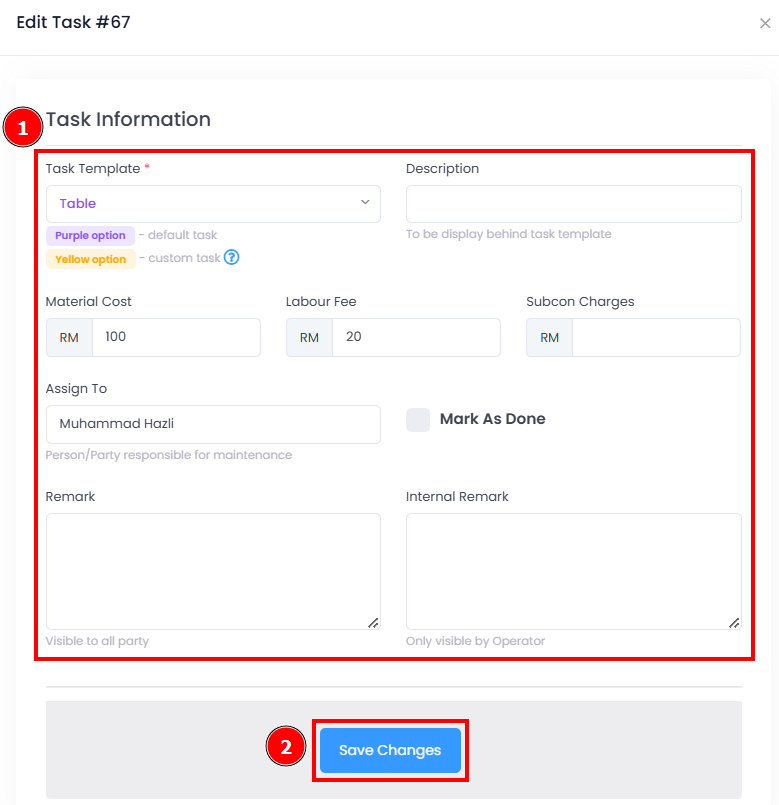
You have successfully edit / manage maintenance task.
[Mobile Version] Steps to manage maintenance tasks
Step 1: Tap Maint. > Find the the Maintenance Task you wish to manage
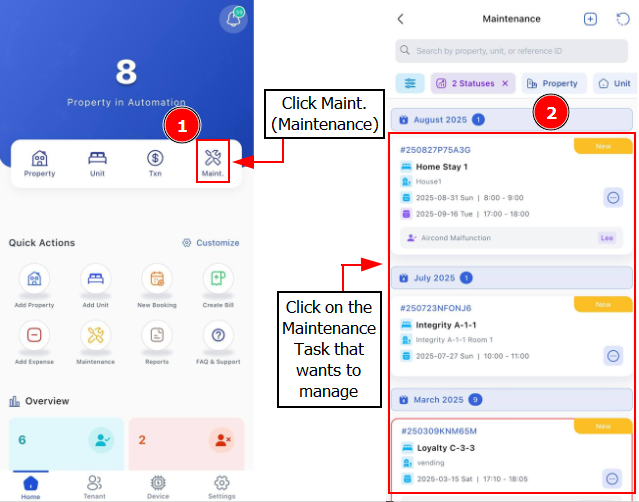
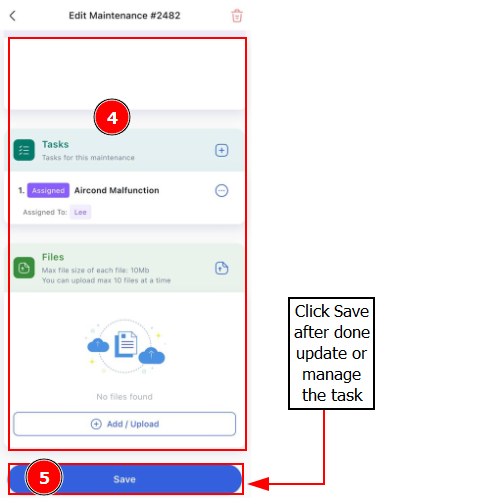
Step 2: Click 3 Dot Button > Edit Task > Update the task information
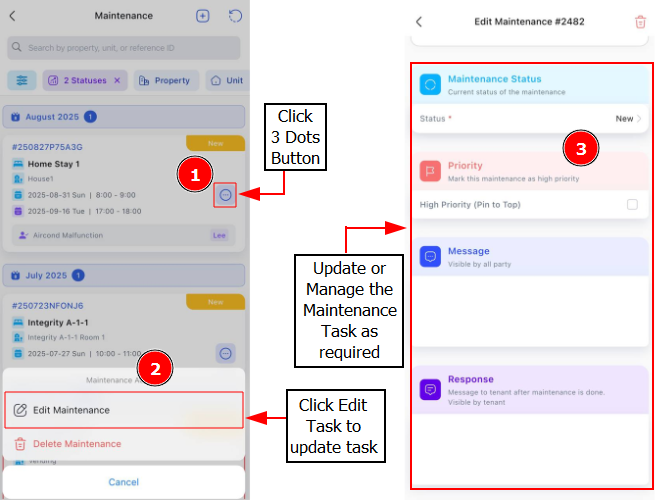
Step 3: Click Save after you done updating/managing the task