
[Web Version Only] Steps to create custom maintenance tasks
Step 1: Go to Properties > Maintenance > Task Search

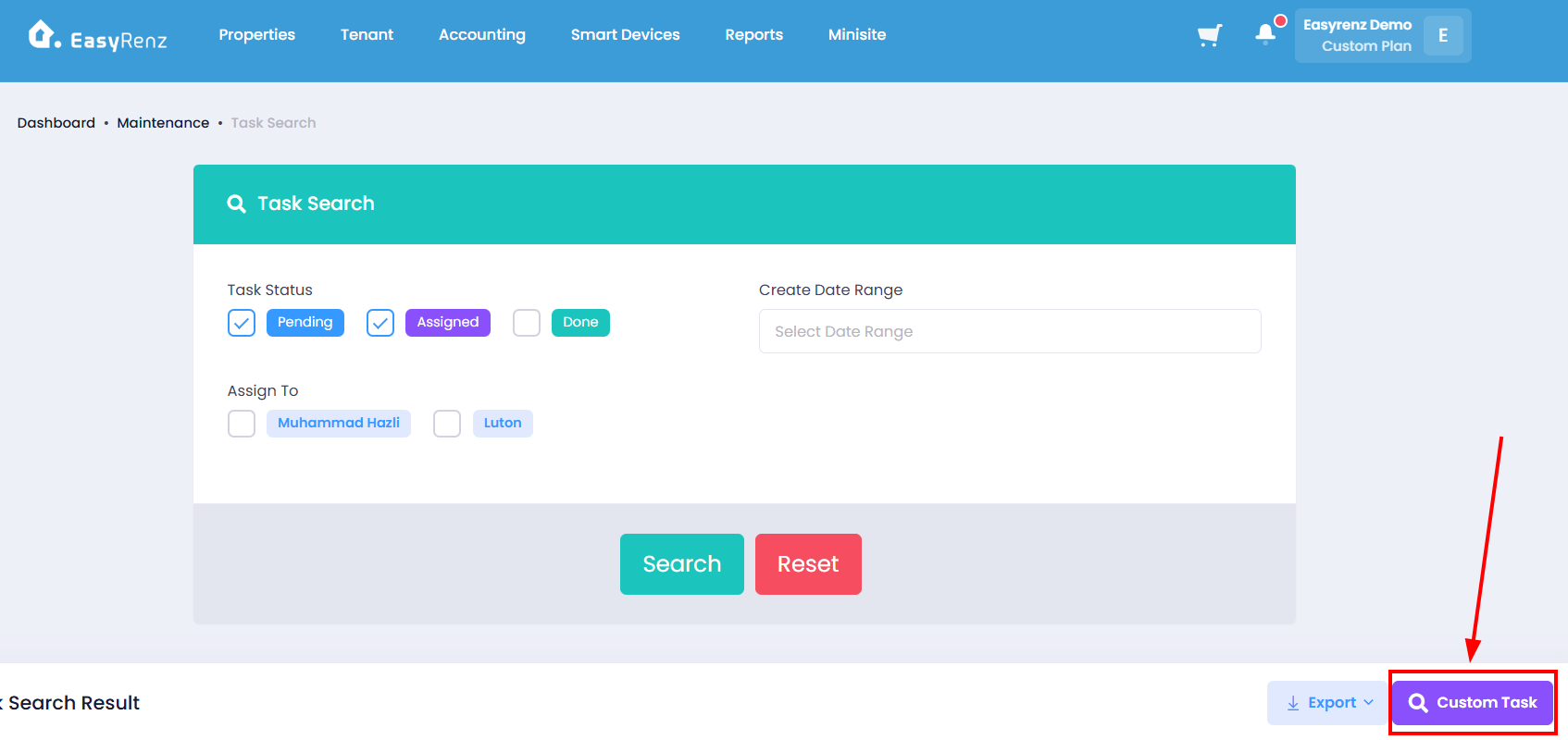
Step 2: Click on Custom Task button
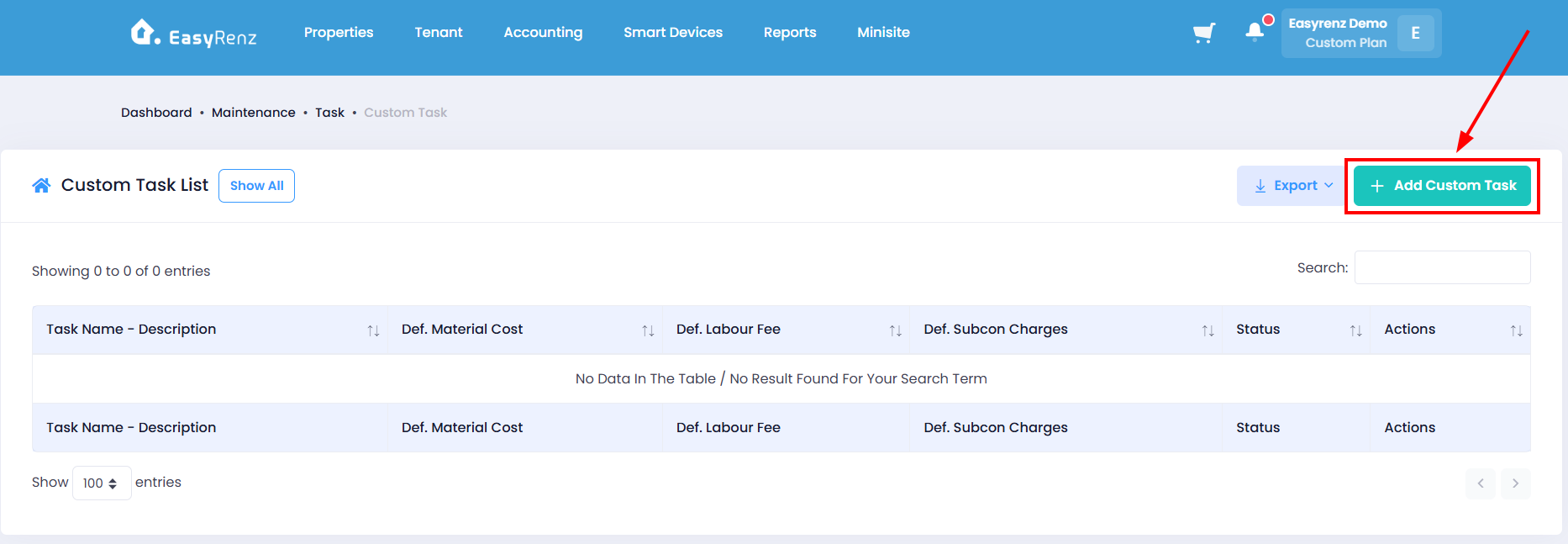
Step 3: Click on Add Custom Task
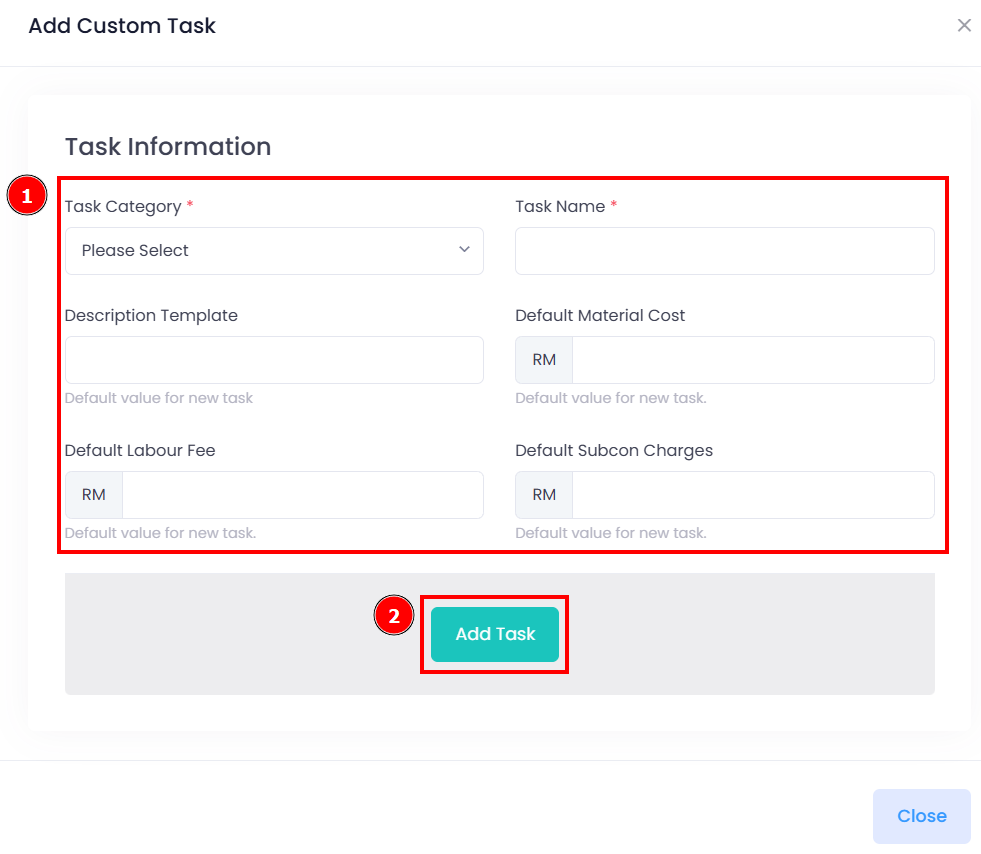
Step 4: Complete the task information required fields > Click on Add Task to complete adding a custom task.
You have successfully added a custom task.