Managing maintenance tasks efficiently is crucial for ensuring the smooth operation of your property. Here’s how you can manage maintenance in EasyRenz, including adding tasks, completing tasks, and completing the overall maintenance process.
Add Tasks
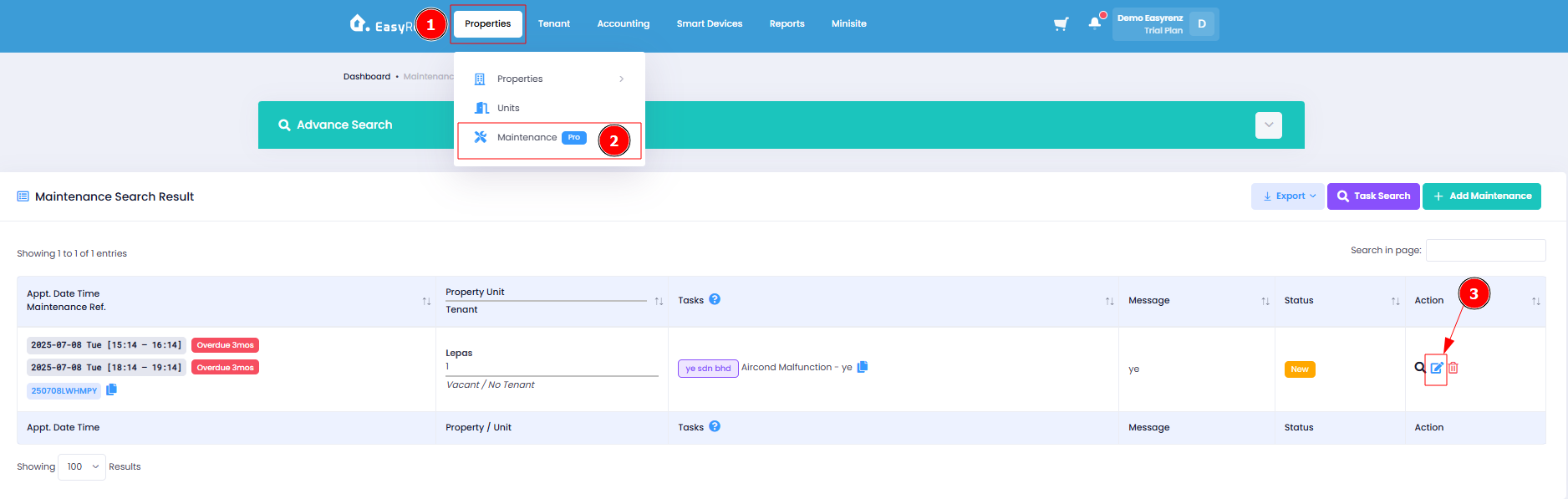
Step 1 : Properties > Maintenance > Edit Maintenance
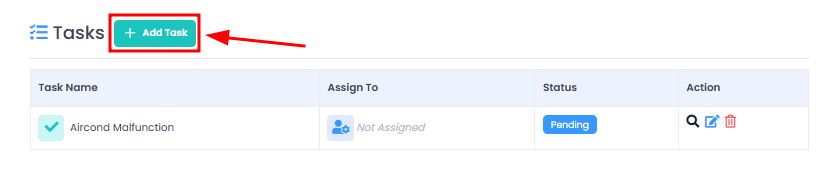
Step 2 : Scroll down to find tasks section > + Add Task > Fill in Task Details > Save Changes
Complete Tasks
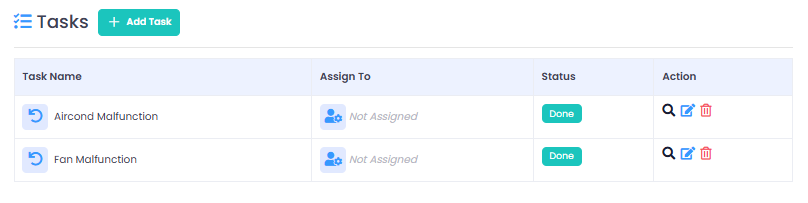
Step 1 : Click on the Mark as Done icon
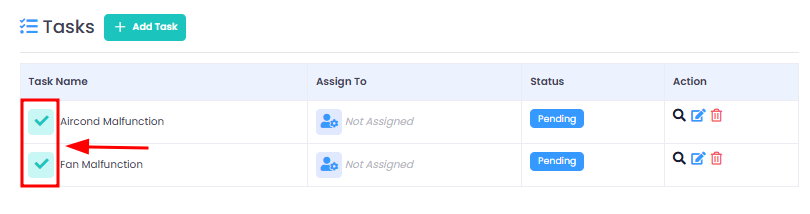
It will mark the status of the tasks as Done
[Web Version Only] Complete Maintenance
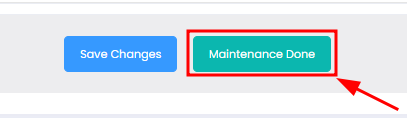
Step 1 : Click on the Maintenance Done button at the bottom page
"Maintenance Done" button will only appears only if all the tasks of the maintenance is marked as Done.
[Mobile Version] Add Tasks
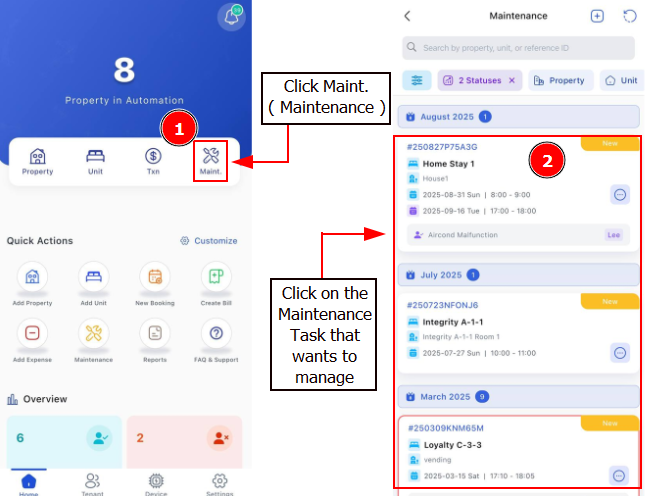
Step 1: Tap on More > Tap on Maintenance
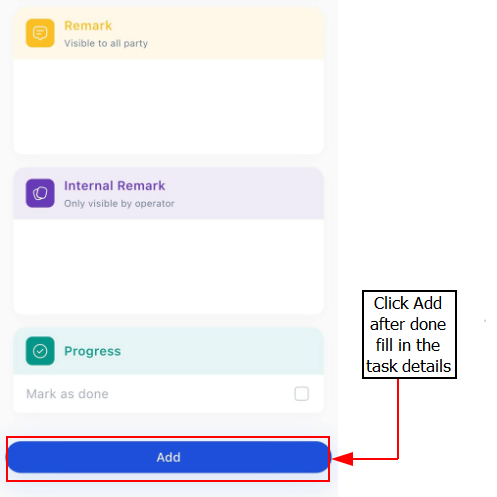
Step 2 : Scroll down to find tasks section > Click Plus Button > Fill in Task Details > Add
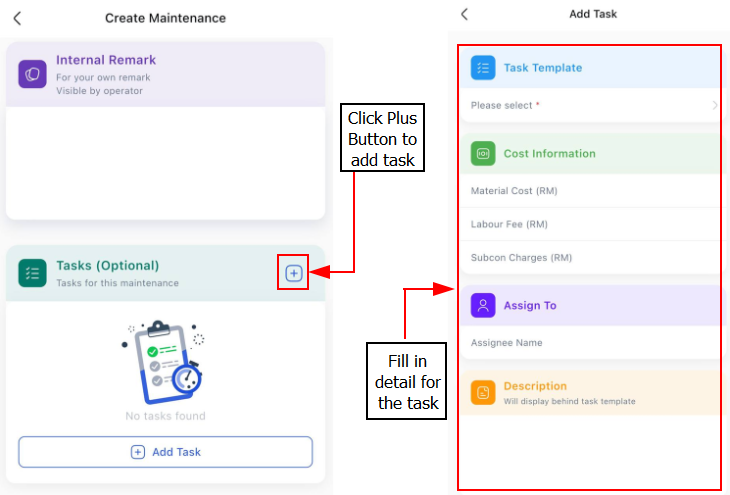
Step3: Click Add after you done fill in the task
[Mobile Version] Complete Tasks
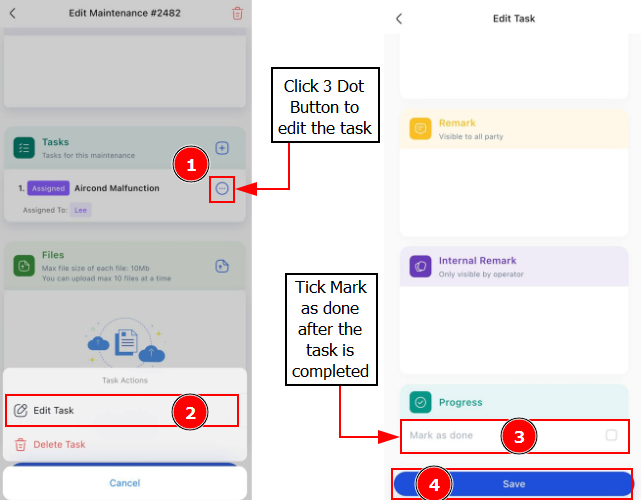
Step 1: Click on 3 Dot Button > Edit Task > Click on Mark as Done to complete the task > Save