
Steps to link smart meter to unit
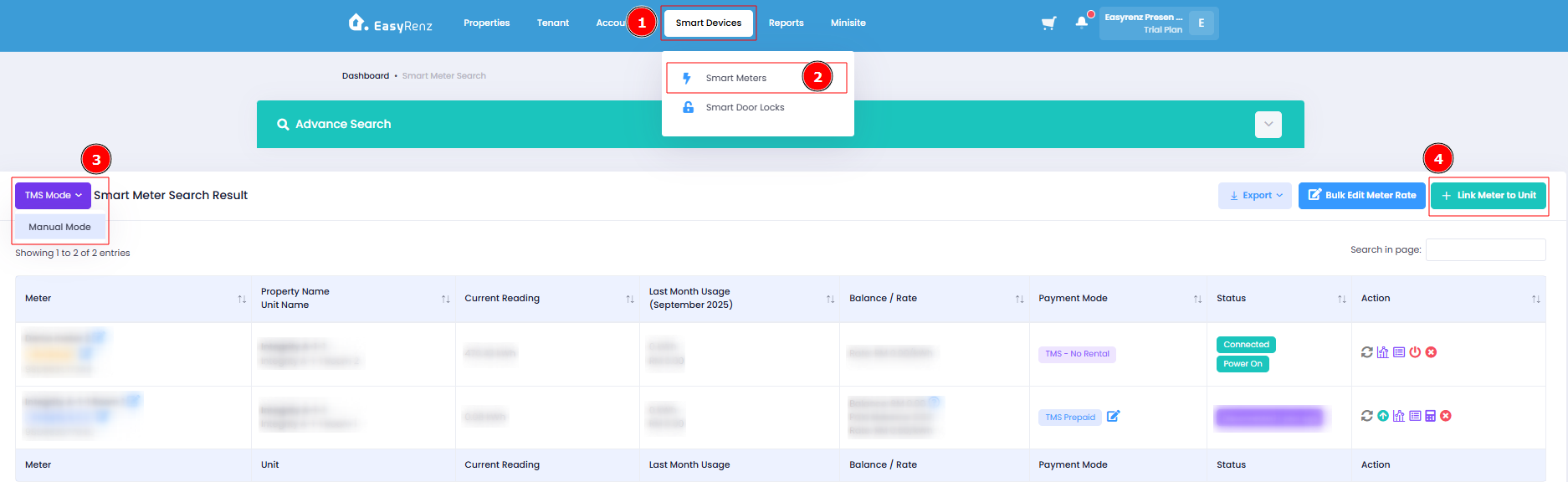
Step 1: Go to Smart Devices > Smart Meters > TMS Mode > Link Meter to Unit.
Step 2 : Select unit and meter to be linked > Click on Link Meter To Unit to complete linking.
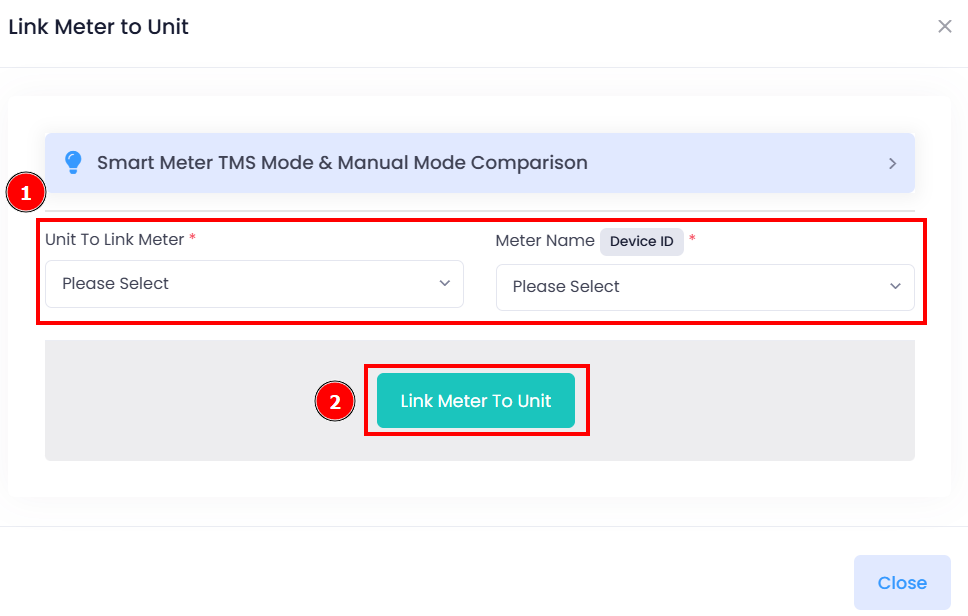
You have successfully link a meter to unit.
[Mobile Version] Steps to link smart meter to unit
Steps to link smart meter to unit
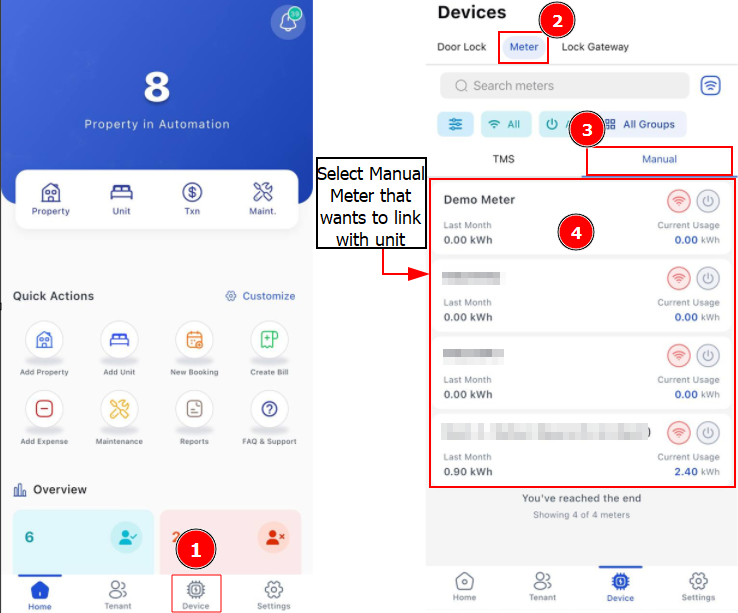
Step 1: Go to Devices > Meter > Manual
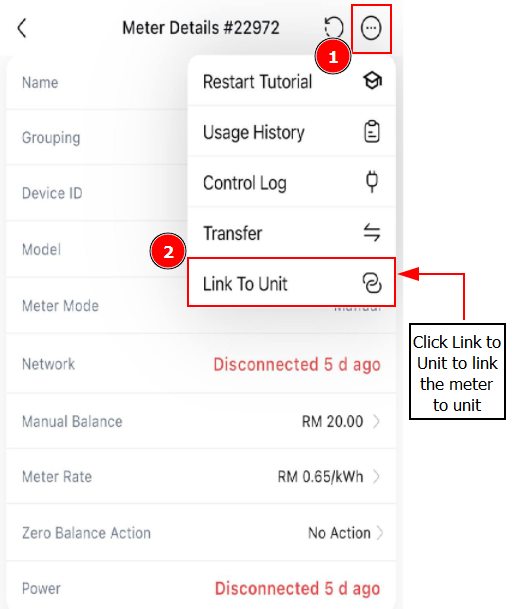
Step 2: Click 3 Dots > Link To Unit > Select the unit that you want to link with the meter > Click on Link to Unit
Getting Started - Next Topic
(Optional) Link smart door locks to units - [Smart Door Locks] How To Link / Unlink Lock To Unit ?