
❌ You cannot directly switch between TMS Mode and Manual Mode. Here's how smart meter mode works:
By default, smart meter starts in Manual Mode.
The meter will automatically switch to TMS Mode once it is linked to a unit.
Any meter that is not linked to a unit will remain in Manual Mode.
If you want to switch a meter to TMS Mode, you will need to link the meter to a unit. Once linked, the meter will automatically switch to TMS Mode.
Steps to link meter to unit
Visit this link > [Smart Meters - General] How To Link Smart Meter To Unit ?
Steps to unlink meter from unit
Step 1 : Go to Smart Devices > Smart Meters > TMS Mode > Click Unlink Button to unlink the meter from the unit.
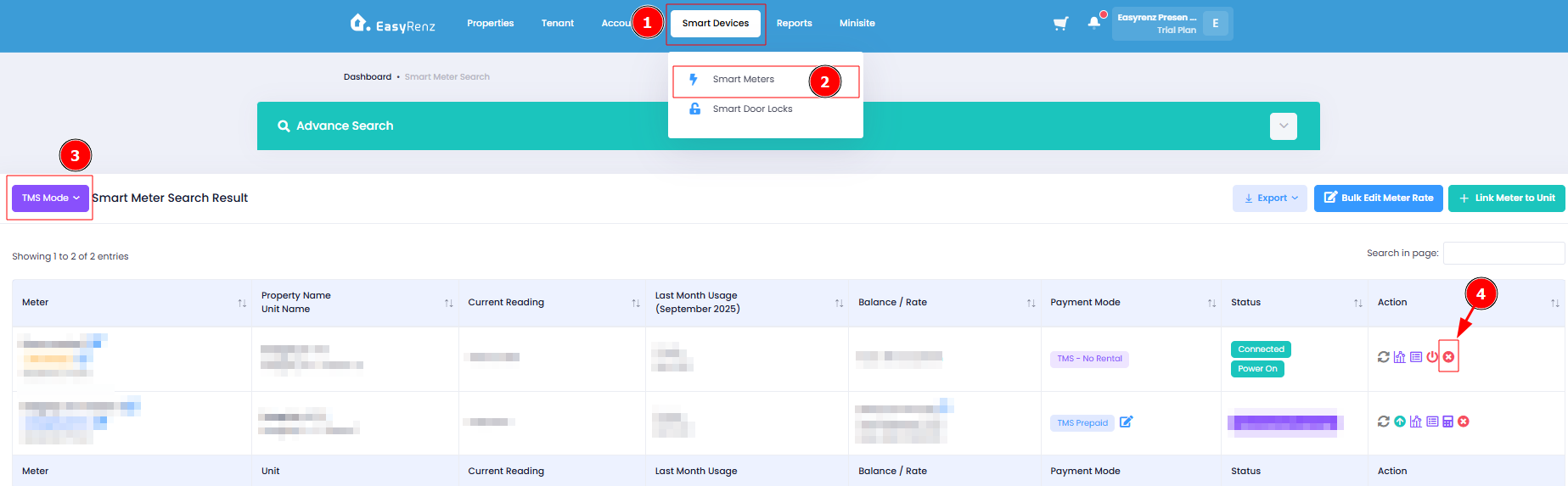
Once unlinked, the meter will automatically switch to Manual Mode.
[Mobile Version] Steps to unlink meter from unit
If you want to switch a meter to Manual Mode, you will need to unlink the meter to a unit.
Step 1: Go to Device > Meter > TMS > select the specific meter
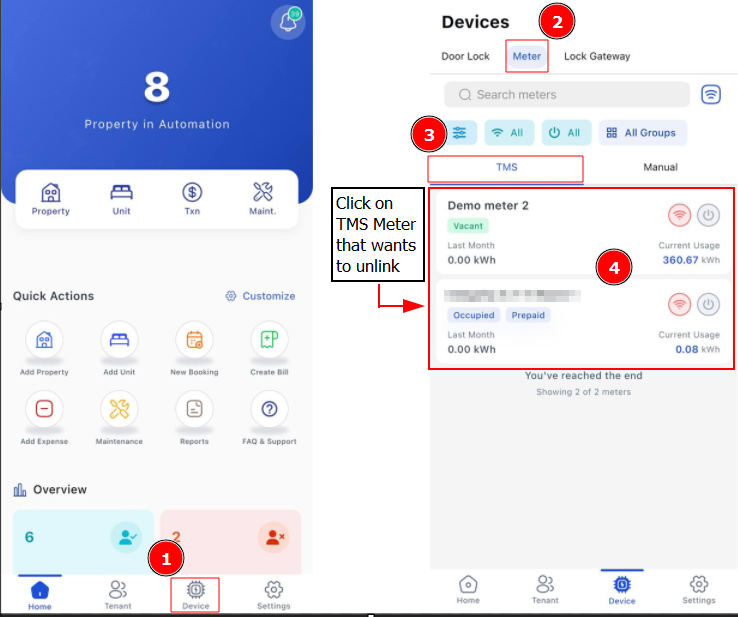
Step 2: Click 3 Dots > Unlink Unit
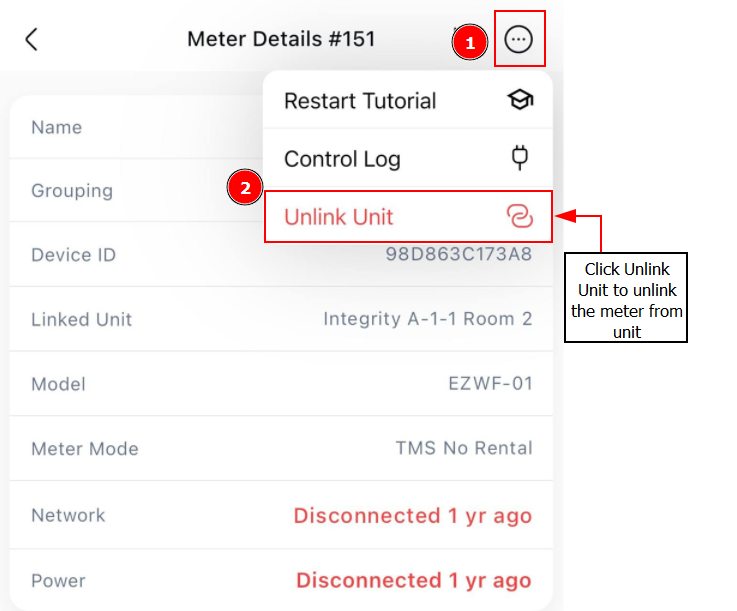
Once unlinked, the meter will automatically switch to Manual Mode