Generate E-Signature And E-Stamping
E-Signature and E-Stamping are key features in EasyRenz that simplify and digitize the management of tenancy agreements. These features ensure your documents are legally binding and compliant with local regulations.
Follow the steps below to generate E-Signature and E-Stamping for your tenancy agreements:
Step 1 : Generate E-Tenancy
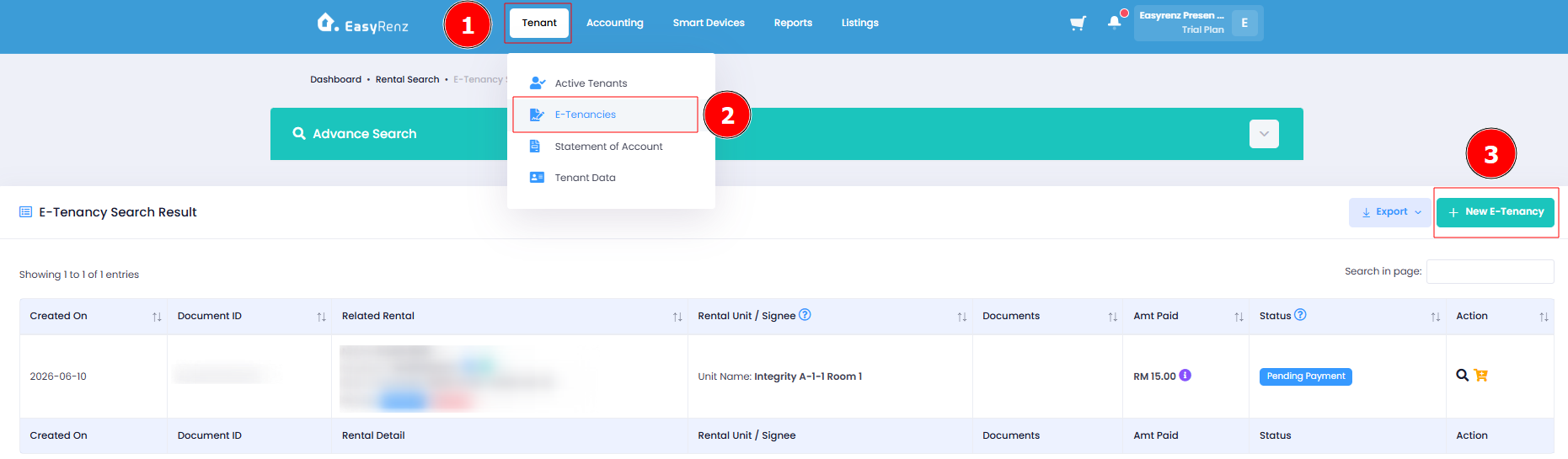
Hover on Tenant Tab > Click E-Tenancies > New Tenancy
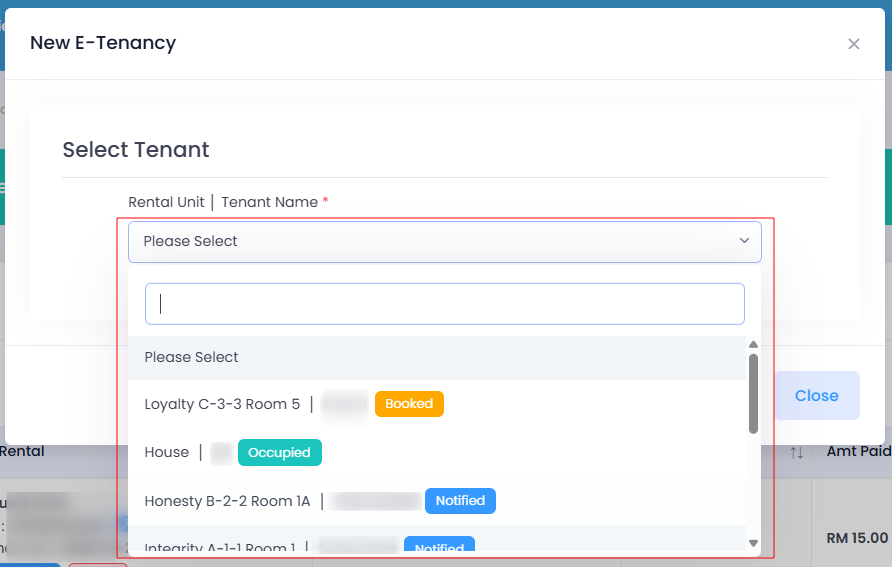
Select Tenant
You can choose either the Basic or Advanced option, depending on which best suits your needs.
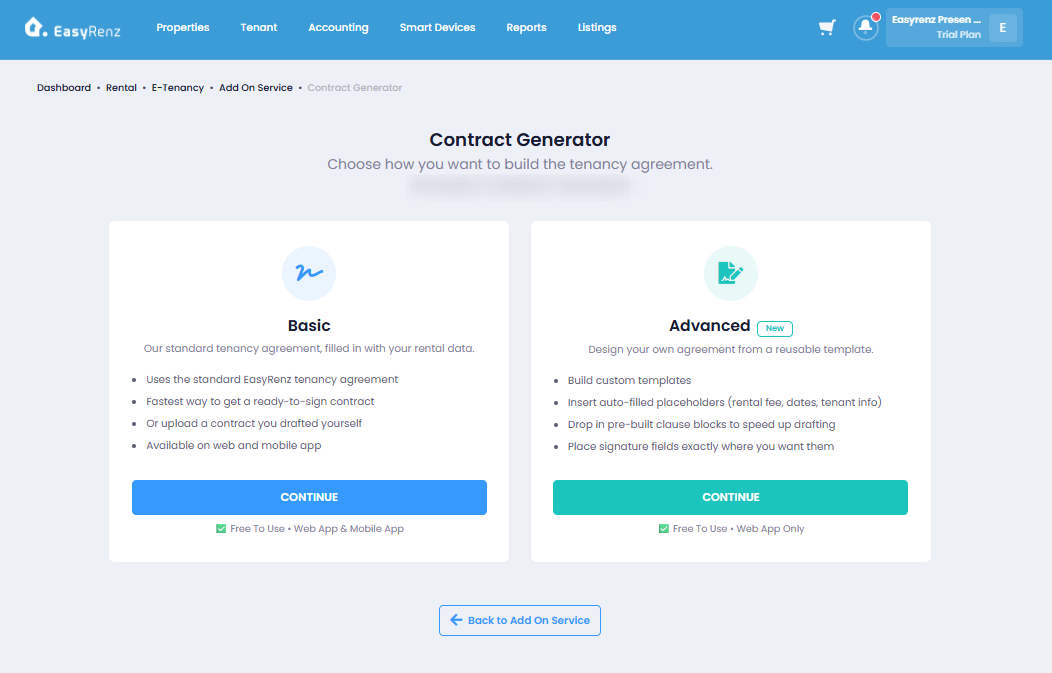
> Basic (Standard Tenancy Agreement)
- Rental details auto-filled
- Can upload your own contract
- Available on Web & Mobile App
> Advanced (Customise Own Agreement/Template)
- Add Clauses & Signature Fields
- Available on Web App only
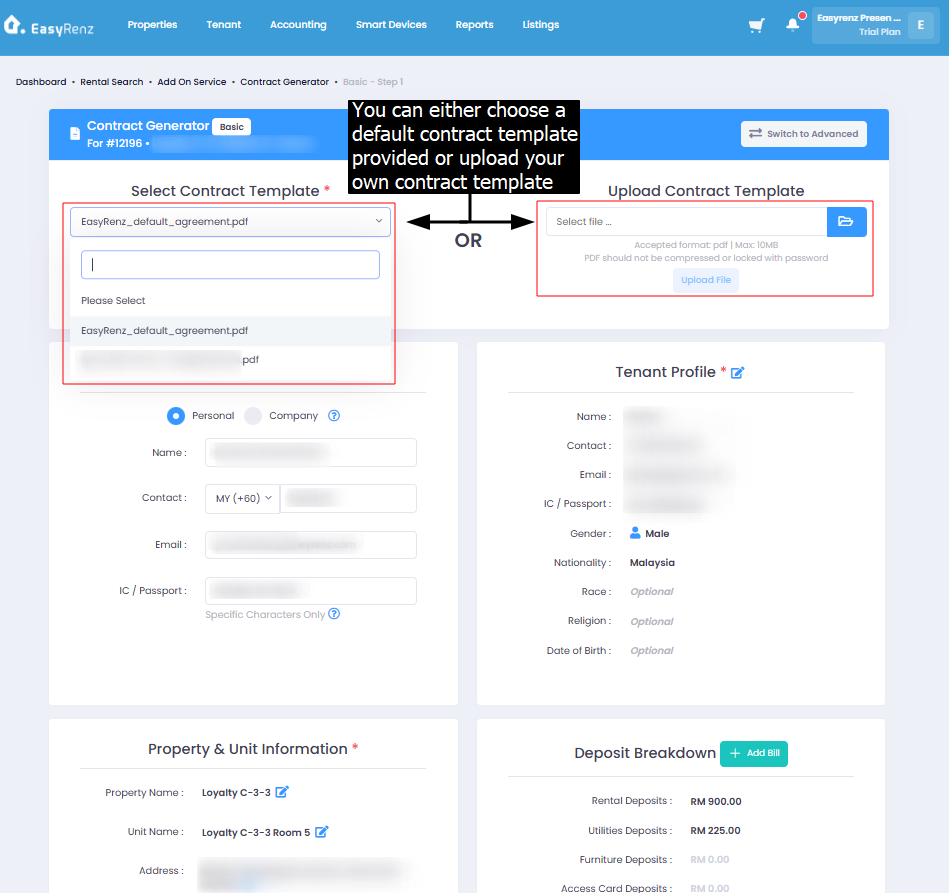
BASIC
You can either choose a Default Contract Template provided / saved or Upload Your Own Contract Template
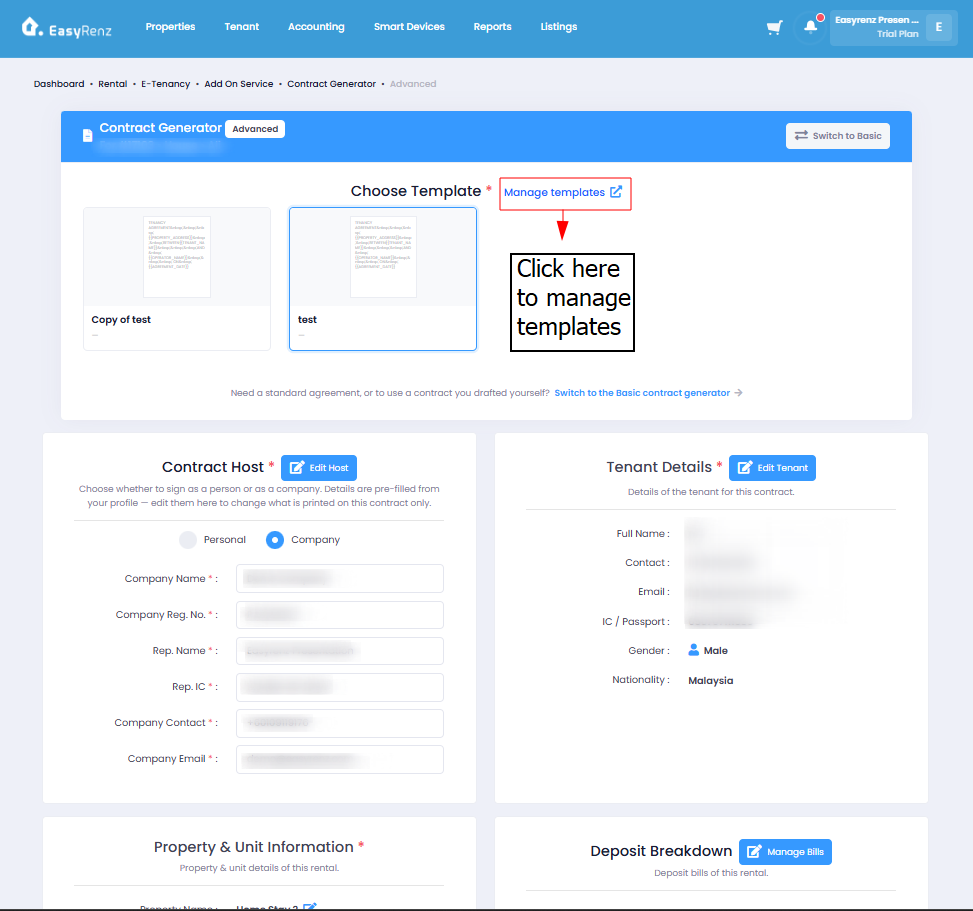
ADVANCED
Choose a contract template > If you'd like edit / delete existing template or create a new template instead, click on Manage Template.
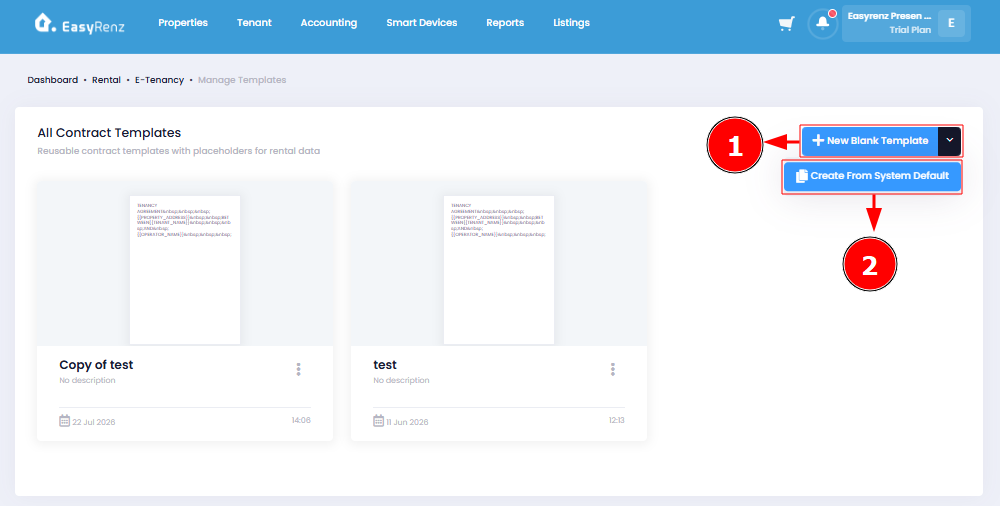
You can choose either New Blank Template or Create from System Default.
New Blank Template allows you to create and fully customise the agreement template from scratch.
Create from System Default uses the existing system default template as a starting point, which you can then edit and customise according to your needs.
Step 2 : Generate E-Signature and E-Stamping
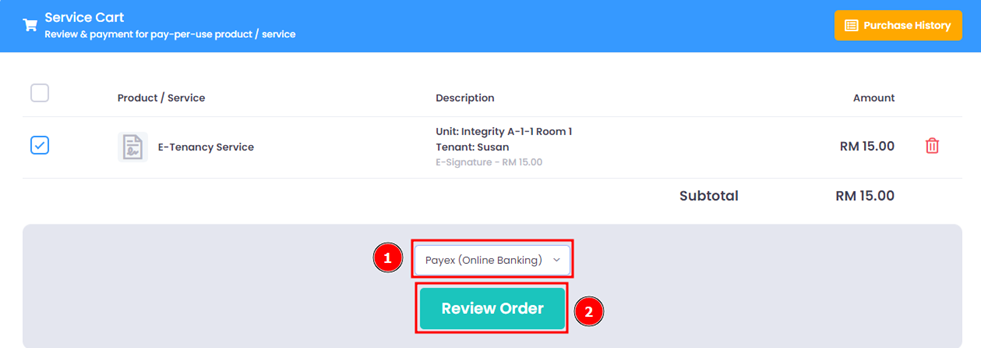
Once agreement is saved, click on 'Proceed' > Add To Cart > Service Cart
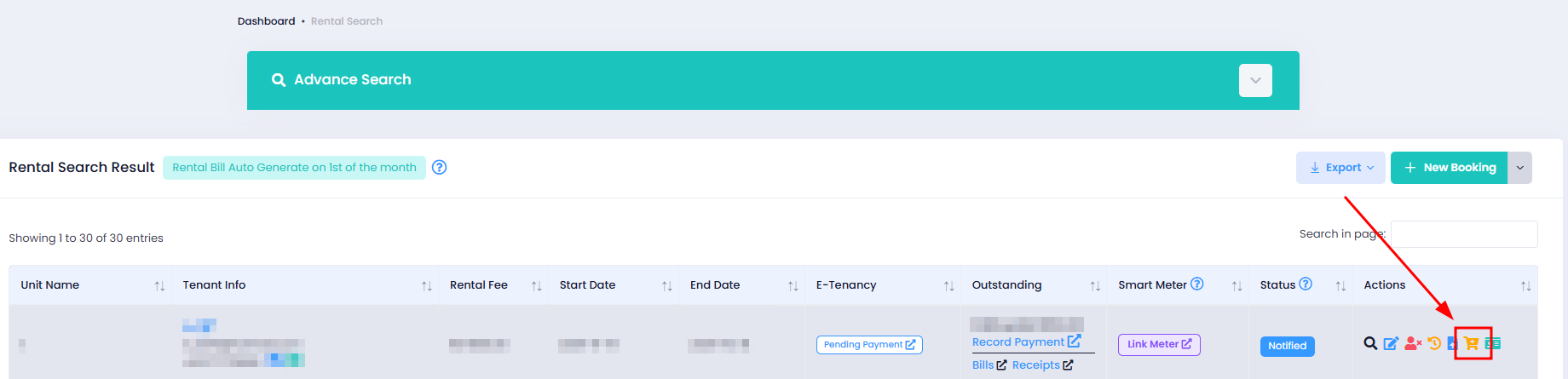
Alternatively, you can click on the 'Service Cart' icon in the rentals section.
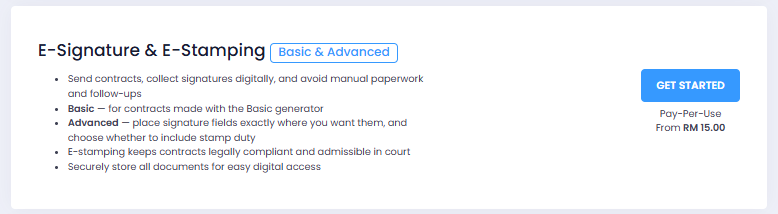
Then click on 'Get Started' in the E-Signature & E-Stamping section.
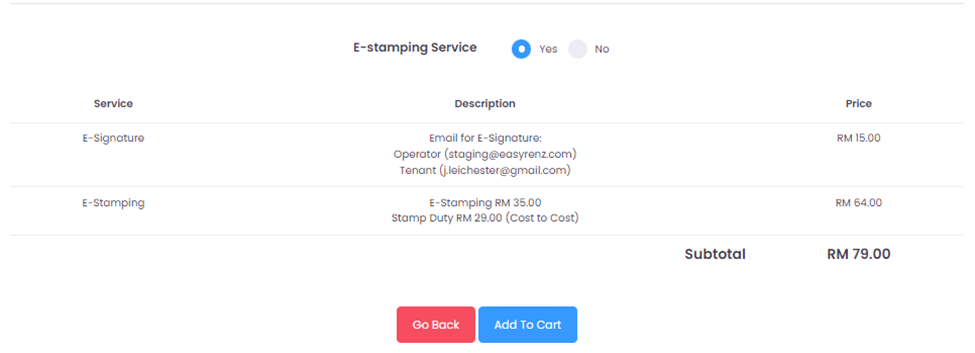
Before adding the E-Tenancy to the cart, you can choose to opt for the E-Stamping Service. Once confirmed, proceed to checkout to complete the payment process.
Note : E-Stamping service will take up to 14 working days for the process to complete.
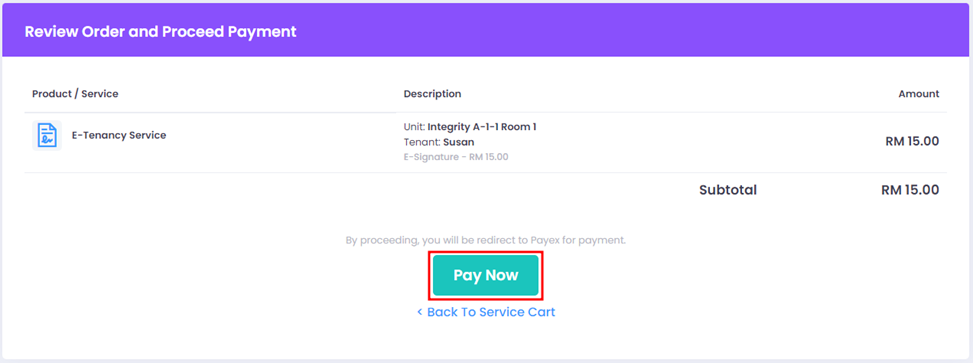
Select Payment Method > Review Order > Pay Now