
Cancel an E-Tenancy service before payment
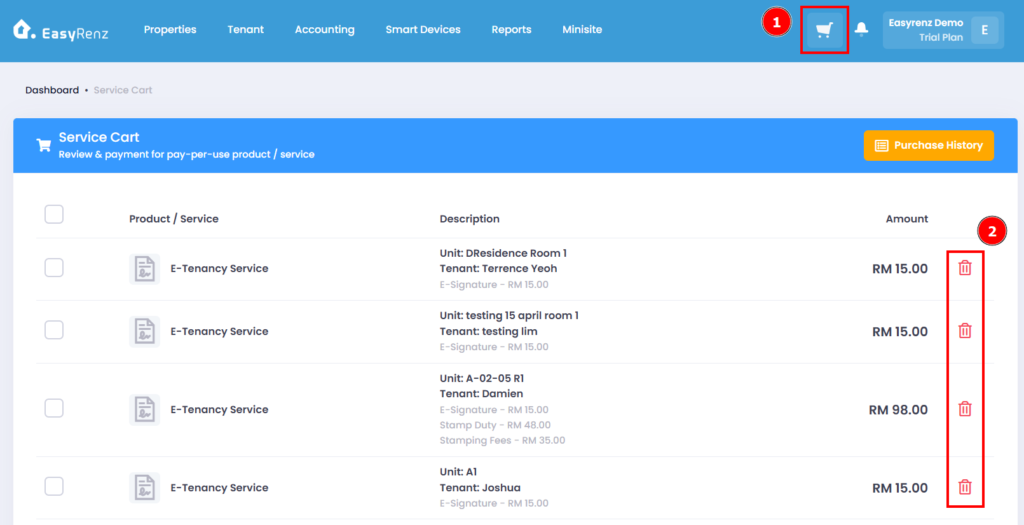
Step 1: Go to Service Cart > Find the E-Tenancy Service you wish to cancel > Click on the Red Delete Icon
Step 2: Click on OK to delete it.
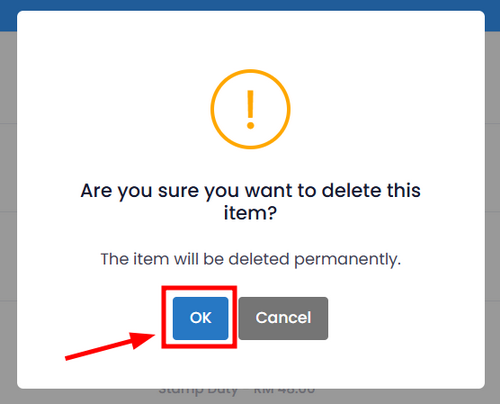
You have successfully cancelled an E-Tenancy Service.
Cancel an E-Tenancy service after payment.
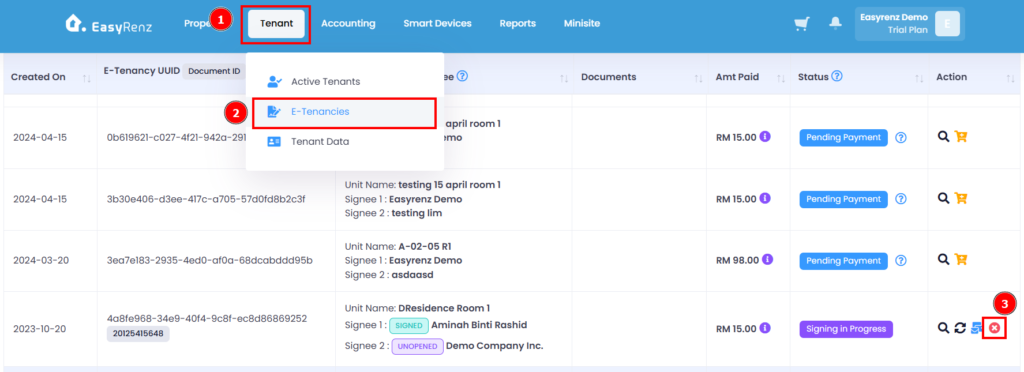
Step 1: Go to Tenant > E-Tenancies > Find the E-Tenancy service you wish to Cancel > Click on the Red Delete Icon
Step 2: Complete the Cancel Reason field > Click on the Proceed button to cancel the E-Tenancy.
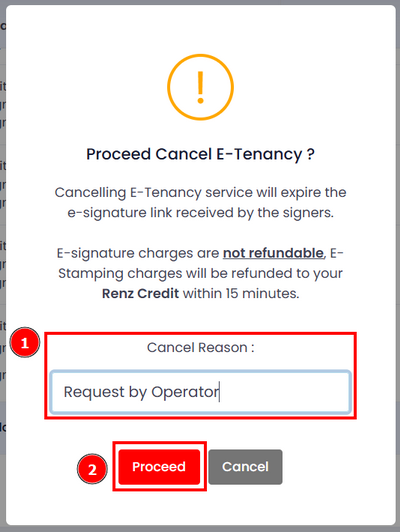
You have successfully cancelled an E-Tenancy Service.