
Steps to find completed E-Tenancy
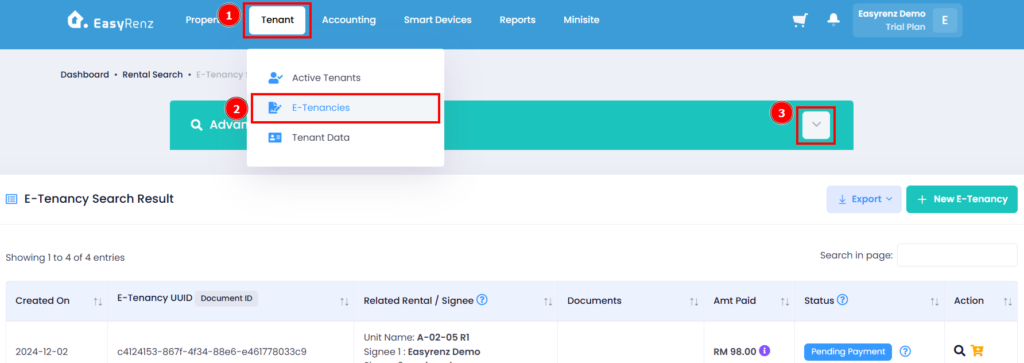
Step 1: Go to Tenant > E-Tenancies > Expand Advance Search
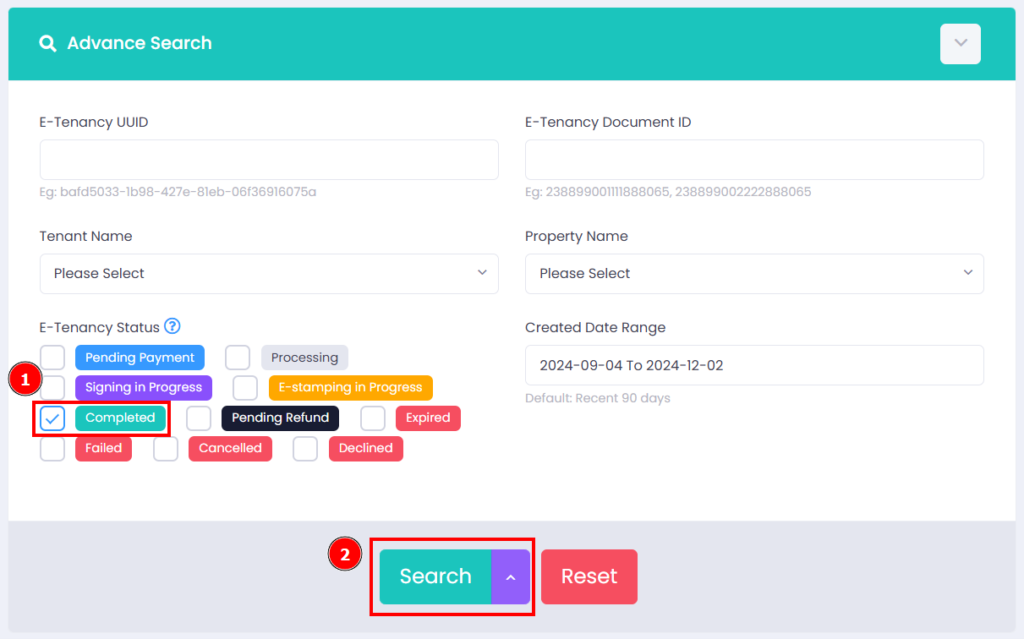
Step 2: Select E-Tenancy status as Completed > Click on Search button
** Ensure the selected Date Range is correct.
You can now view the E-Tenancy Search results in the table below the Advanced Search section.