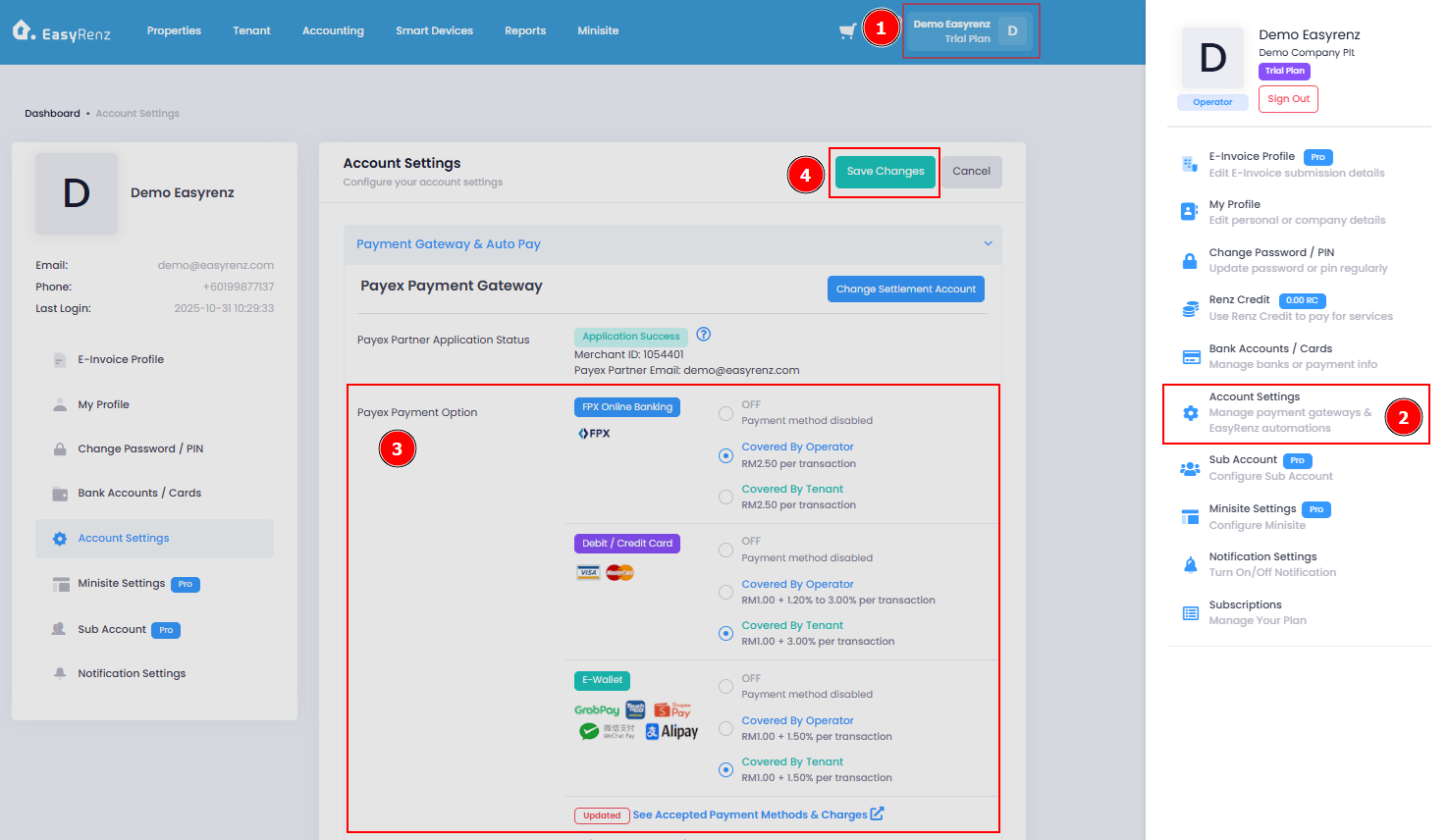
Steps to enable / disable payment method.
Step 1: Go to Profile > Account Settings > The Payex Payment Option will display the available payment methods > Once done, click Save Changes to apply the settings.
You can enable the preferred payment methods & specify whether the transaction fees are coverd by operator or the tenants.
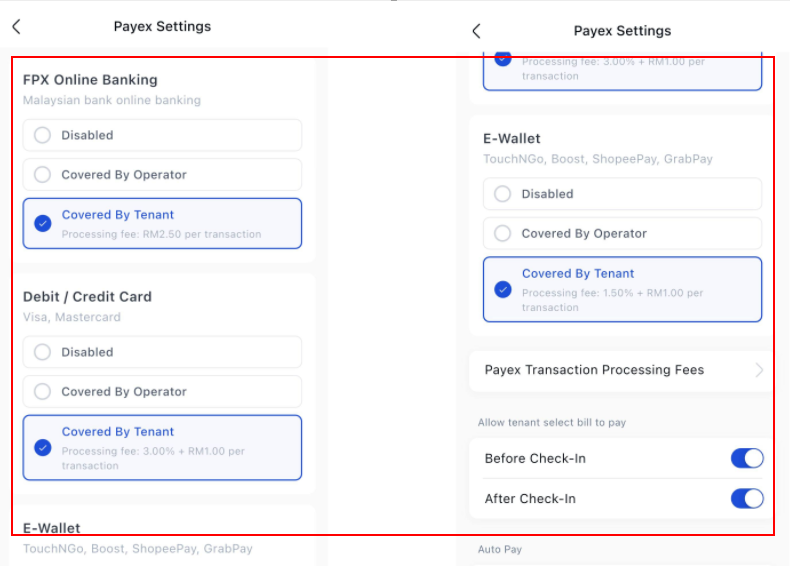
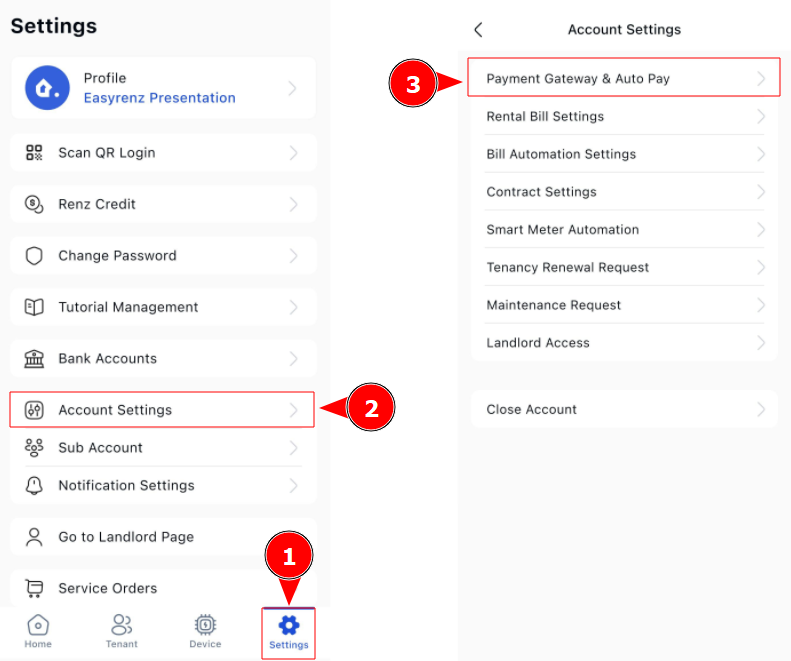
[Mobile Version] Steps to enable / disable payment method.
Step 1: Settings > Account Settings.
Step 2: The Payex Payment Option will display the available payment methods.
You can enable the preferred payment methods & specify whether the transaction fees are coverd by operator or the tenants.
Once done, click Save Changes to apply the settings.