
Steps to check settlement details.
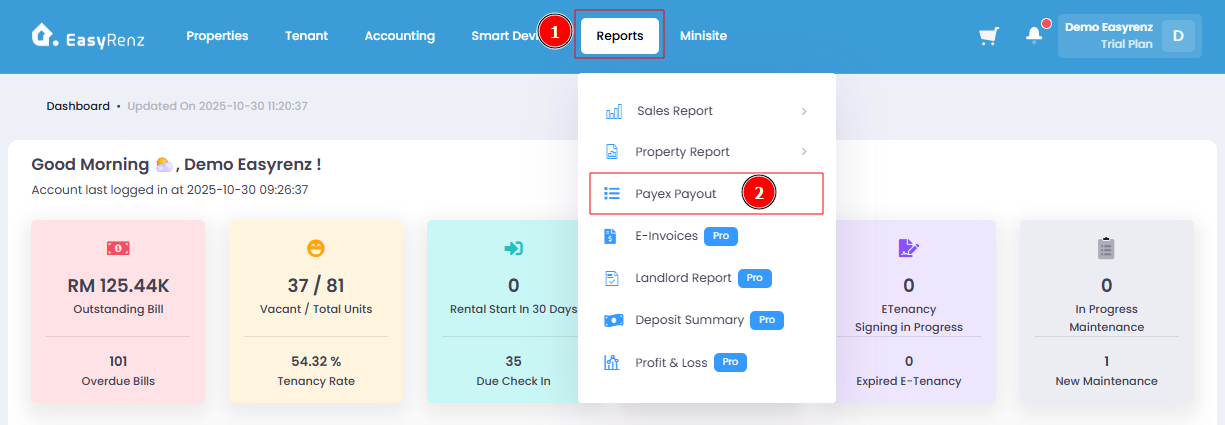
Step 1: Go to Reports > Payout > Payex
Step 2: Select the month of settlement > Generate.
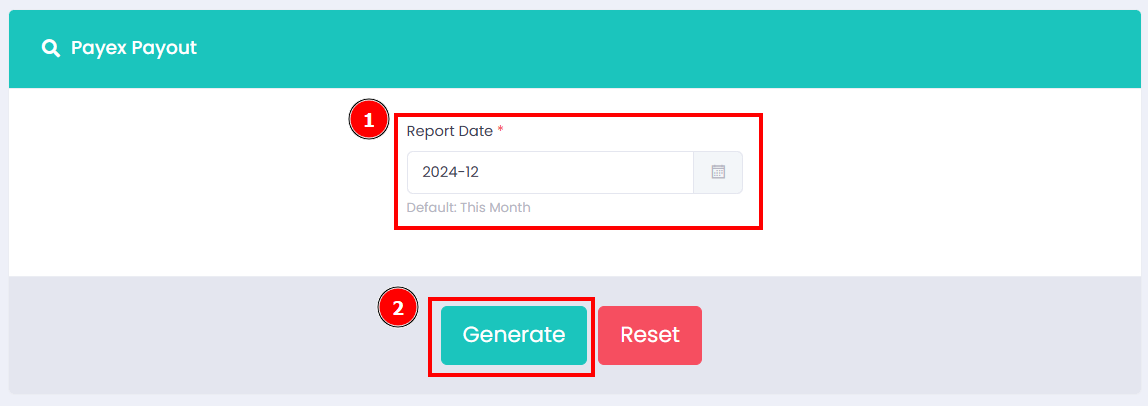
Now you can view your settlement details of your preferred month.
Important:
Please note that if a public holiday or replacement holiday falls on the settlement date, the Payex Settlement Report may show the settlement occurring on the holiday. However, the actual settlement will take place on the next business day.
Important:
If you have any questions regarding your Payex collection settlements, please feel free to contact us.